1jehuang/mermaid-rs-renderer
RustA fast native Rust Mermaid diagram renderer. No browser required. 500-1000x faster than mermaid-cli.
↓ Download
Alle Releases →mmdr
100–1400x faster Mermaid rendering. Pure Rust. Zero browser dependencies.
Note: This library is under active early development. Visual output quality is improving rapidly but may not yet match mermaid-cli in all cases. Bug reports and PRs are welcome.
Performance
mmdr renders diagrams 100–1400x faster than mermaid-cli by eliminating browser overhead.
With the built-in font cache (warm after first run), tiny diagrams reach 500–900× (and --fastText exceeds 1600×).
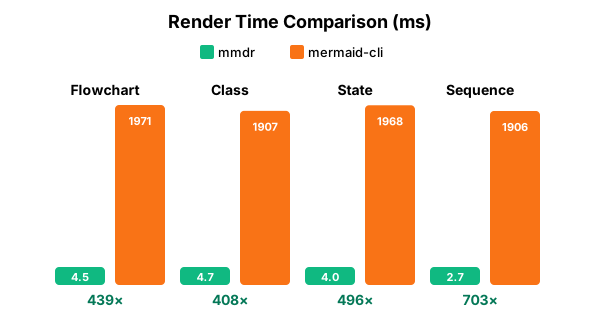
| Diagram | mmdr | mermaid-cli | Speedup |
|---|---|---|---|
| Flowchart | 4.49 ms | 1,971 ms | 439x |
| Class Diagram | 4.67 ms | 1,907 ms | 408x |
| State Diagram | 3.97 ms | 1,968 ms | 496x |
| Sequence Diagram | 2.71 ms | 1,906 ms | 704x |
Tested on Intel Core Ultra 7 265V, Linux 6.18.7 | mermaid-cli 11.4.2 via Puppeteer/Chromium
Font cache (default, warm after first run)
Once the font cache is populated, tiny/common diagrams reach 500–900×:
| Diagram (tiny) | mmdr (warm cache) | mermaid-cli | Speedup |
|---|---|---|---|
| Flowchart | 2.96 ms | 2,259 ms | 764× |
| Class | 2.55 ms | 2,347 ms | 919× |
| State | 2.67 ms | 2,111 ms | 789× |
| Sequence | 3.75 ms | 2,010 ms | 536× |
Measured Feb 2, 2026 on the same machine.
Fast text metrics (optional, fastest)
Enable --fastText to use calibrated fallback widths for ASCII labels (avoids font DB load).
On tiny/common diagrams this reaches 1600–2069× speedups:
| Diagram (tiny) | mmdr --fastText |
mermaid-cli | Speedup |
|---|---|---|---|
| Flowchart | 1.32 ms | 2,116 ms | 1,601× |
| Class | 1.23 ms | 2,314 ms | 1,880× |
| State | 1.09 ms | 2,258 ms | 2,069× |
| Sequence | 1.16 ms | 2,158 ms | 1,868× |
Measured Feb 2, 2026 on the same machine.
Library Performance (no CLI overhead)
When used as a Rust library, mmdr is even faster with no process spawn overhead:
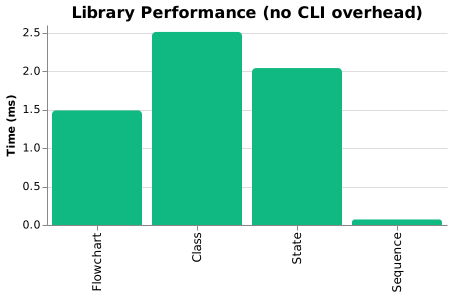
| Diagram | Library Time |
|---|---|
| Flowchart | 1.49 ms |
| Class Diagram | 2.51 ms |
| State Diagram | 2.04 ms |
| Sequence Diagram | 0.07 ms |
These are raw render times measured with Criterion, ideal for embedding in applications.
Extended Benchmarks
Performance on larger diagrams:
| Diagram | Nodes | mmdr | mermaid-cli | Speedup |
|---|---|---|---|---|
| flowchart (small) | 10 | 3.38 ms | 1,910 ms | 565x |
| flowchart (medium) | 50 | 8.71 ms | 2,018 ms | 232x |
| flowchart (large) | 200 | 47.00 ms | 2,276 ms | 48x |
The speedup advantage decreases for very large diagrams as actual layout computation becomes more significant relative to browser startup overhead. The 200-node case above is still 48x faster in this measurement.
Why mmdr?
The official mermaid-cli spawns a headless Chromium browser for every diagram, adding 2-3 seconds of startup overhead.
| Use Case | mermaid-cli | mmdr |
|---|---|---|
| CI/CD pipeline with 50 diagrams | ~2 minutes | < 1 second |
| Real-time editor preview | Unusable lag | Instant |
| Batch doc generation | Coffee break | Blink of an eye |
mmdr parses Mermaid syntax natively in Rust and renders directly to SVG. No browser. No Node.js. No Puppeteer.
Installation
# crates.io (recommended)
cargo install mermaid-rs-renderer

# From source
cargo install --path .

# Homebrew (macOS/Linux)
brew tap 1jehuang/mmdr && brew install mmdr

# Scoop (Windows)
scoop bucket add mmdr https://github.com/1jehuang/scoop-mmdr && scoop install mmdr

# AUR (Arch)
yay -S mmdr-bin

# Nix (flake)
nix run github:1jehuang/mermaid-rs-renderer -- --help
nix profile install github:1jehuang/mermaid-rs-renderer
Quick Start
# Pipe diagram to stdout
echo 'flowchart LR; A-->B-->C' | mmdr -e svg

# Read from stdin, write to a file (use '-i -' for explicit stdin)
echo 'flowchart LR; A-->B-->C' | mmdr -i - -o out.svg -e svg

# File to file
mmdr -i diagram.mmd -o output.svg -e svg
mmdr -i diagram.mmd -o output.png -e png

# Render all diagrams from a Markdown file
mmdr -i README.md -o ./diagrams/ -e svg
By default the output uses the diagram's natural dimensions (the root SVG
width/height match the viewBox, so there is no letterbox padding).
Pass --width/--height to force explicit output dimensions.
Diagram Types
mmdr supports 23 Mermaid diagram types:
| Category | Diagrams |
|---|---|
| Core | Flowchart, Sequence, Class, State |
| Data | ER Diagram, Pie Chart, XY Chart, Quadrant Chart, Sankey |
| Planning | Gantt, Timeline, Journey, Kanban |
| Architecture | C4, Block, Architecture, Requirement |
| Other | Mindmap, Git Graph, ZenUML, Packet, Radar, Treemap |
Flowchart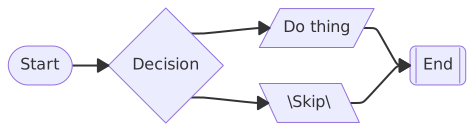
|
Class Diagram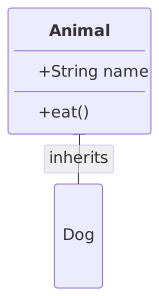
|
State Diagram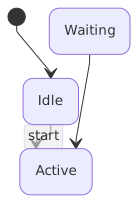
|
Sequence Diagram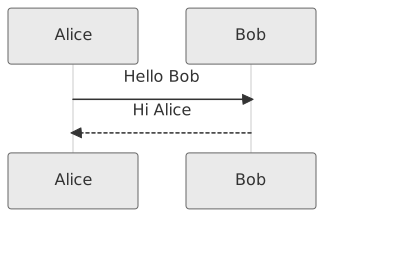
|
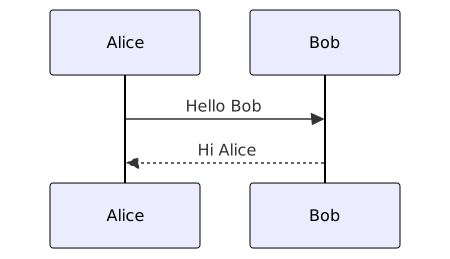
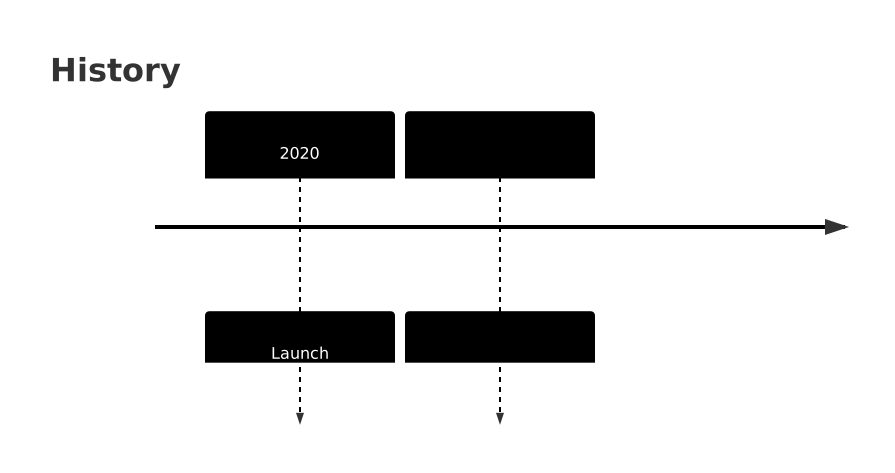
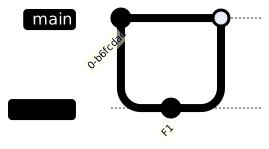
Compare with mermaid-cli output
| Type | mmdr | mermaid-cli |
|---|---|---|
| Flowchart | |
 |
| Class | |
 |
| State | |
 |
| Sequence | |
 |
| ER Diagram | 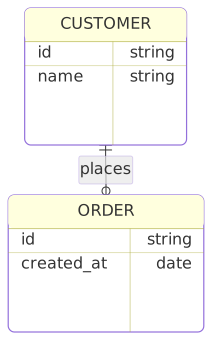 |
 |
| Pie Chart | 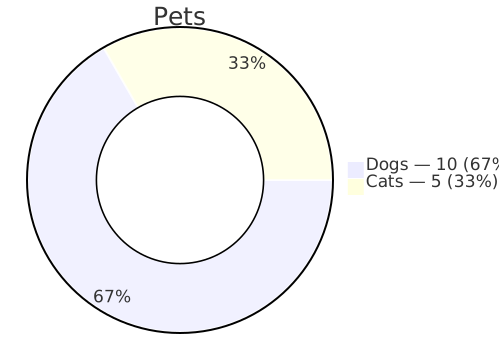 |
 |
| Gantt | 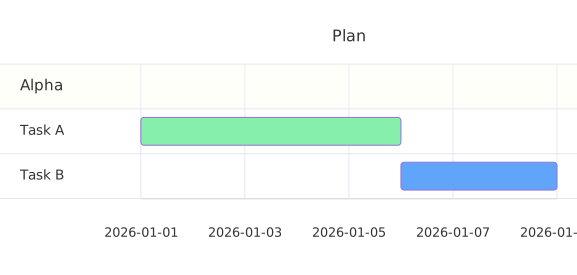 |
 |
| Mindmap |  |
 |
| Timeline | 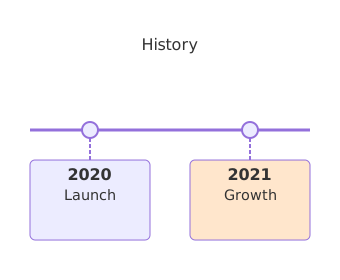 |
 |
| Journey | 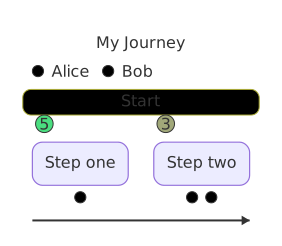 |
 |
| Git Graph | 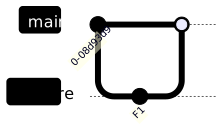 |
 |
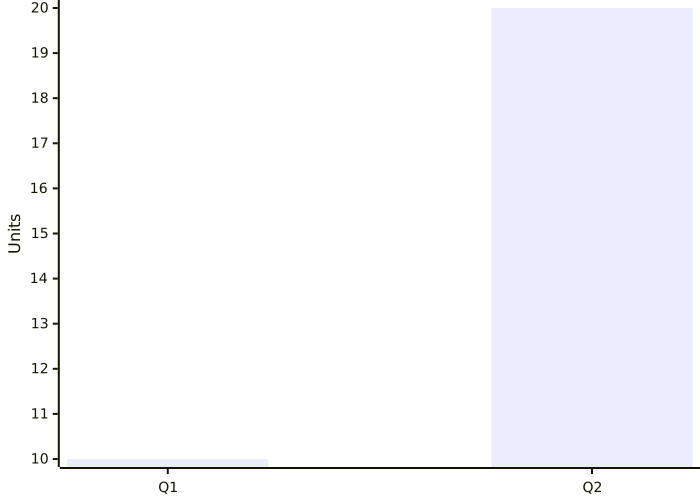
| XY Chart | 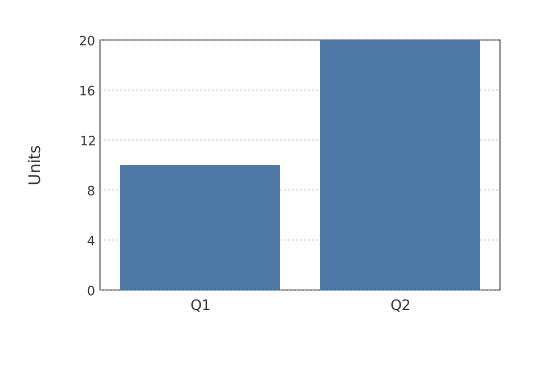 |
 |
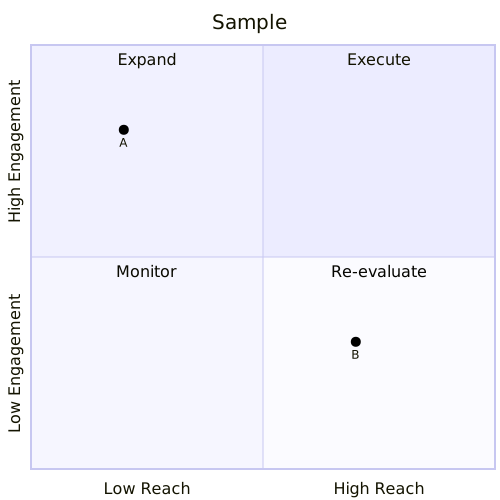
| Quadrant | 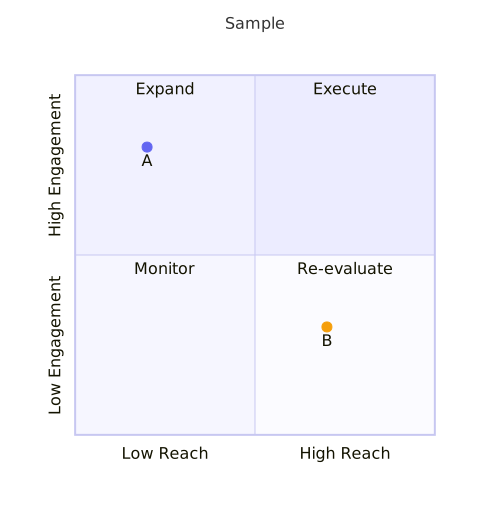 |
 |
More Diagrams
Node Shapes
| Shape | Syntax |
|---|---|
| Rectangle | [text] |
| Round | (text) |
| Stadium | ([text]) |
| Diamond | {text} |
| Hexagon | {{text}} |
| Cylinder | [(text)] |
| Circle | ((text)) |
| Double Circle | (((text))) |
| Subroutine | [[text]] |
| Parallelogram | [/text/] |
| Trapezoid | [/text\] |
| Asymmetric | >text] |
Edge Styles
| Type | Syntax | Description |
|---|---|---|
| Arrow | --> |
Standard arrow |
| Open | --- |
No arrowhead |
| Dotted | -.-> |
Dashed line with arrow |
| Thick | ==> |
Bold arrow |
| Circle end | --o |
Circle decoration |
| Cross end | --x |
X decoration |
| Diamond end | <--> |
Bidirectional |
| With label | --|text|--> |
Labeled edge |
Subgraphs
flowchart TB
    subgraph Frontend
        A[React App] --> B[API Client]
    end
    subgraph Backend
        C[Express Server] --> D[(PostgreSQL)]
    end
    B --> C
Subgraphs support:
- Custom labels
- Direction override (
direction LR) - Nesting
- Styling
Styling Directives
flowchart LR
    A[Start] --> B[End]

    classDef highlight fill:#f9f,stroke:#333
    class A highlight

    style B fill:#bbf,stroke:#333
    linkStyle 0 stroke:red,stroke-width:2px
Supported:
classDef- Define CSS classesclass- Apply classes to nodes:::class- Inline class syntaxstyle- Direct node stylinglinkStyle- Edge styling%%{init}%%- Theme configuration
Features
Diagram types: flowchart / graph | sequenceDiagram | classDiagram | stateDiagram-v2 | erDiagram | pie | gantt | journey | timeline | mindmap | gitGraph | xychart-beta | quadrantChart | sankey-beta | kanban | C4Context | block-beta | architecture-beta | requirementDiagram | zenuml | packet-beta | radar-beta | treemap
Node shapes: rectangle, round-rect, stadium, circle, double-circle, diamond, hexagon, cylinder, subroutine, trapezoid, parallelogram, asymmetric
Edges: solid, dotted, thick | Decorations: arrow, circle, cross, diamond | Labels
Styling: classDef, class, :::class, style, linkStyle, %%{init}%%
Layout: subgraphs with direction, nested subgraphs, automatic spacing
Configuration
mmdr -i diagram.mmd -o out.svg -c config.json
mmdr -i diagram.mmd -o out.svg --nodeSpacing 60 --rankSpacing 120
mmdr -i diagram.mmd -o out.svg --preferredAspectRatio 16:9
preferredAspectRatio is layout-aware for graph diagrams: the renderer first rebalances geometry toward the target ratio, then fits final SVG dimensions to that ratio.
config.json example
{
  "themeVariables": {
    "primaryColor": "#F8FAFF",
    "primaryTextColor": "#1C2430",
    "primaryBorderColor": "#C7D2E5",
    "lineColor": "#7A8AA6",
    "secondaryColor": "#F0F4FF",
    "tertiaryColor": "#E8EEFF",
    "edgeLabelBackground": "#FFFFFF",
    "clusterBkg": "#F8FAFF",
    "clusterBorder": "#C7D2E5",
    "background": "#FFFFFF",
    "fontFamily": "Inter, system-ui, sans-serif",
    "fontSize": 13
  },
  "preferredAspectRatio": "16:9",
  "flowchart": {
    "nodeSpacing": 50,
    "rankSpacing": 50
  }
}
How It Works
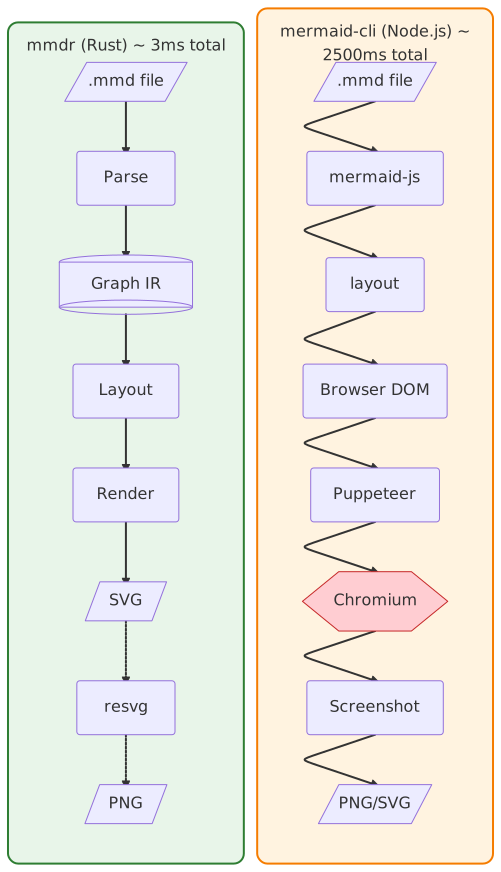
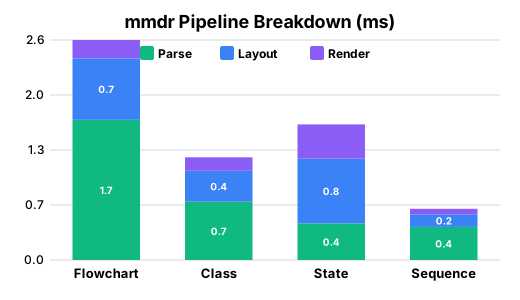
mmdr implements the entire Mermaid pipeline natively:
.mmd → parser.rs → ir.rs → layout.rs → render.rs → SVG → resvg → PNG
mermaid-cli requires browser infrastructure:
.mmd → mermaid-js → layout → Browser DOM → Puppeteer → Chromium → Screenshot → PNG
| mmdr | mermaid-cli | |
|---|---|---|
| Runtime | Native binary | Node.js + Chromium |
| Cold start | ~3 ms | ~2,000 ms |
| Memory | ~15 MB | ~300+ MB |
| Dependencies | None | Node.js, npm, Chromium |
Library Usage
Use mmdr as a Rust library in your project:
[dependencies]
mermaid-rs-renderer = "0.3.1"
Minimal dependencies (for embedding)
For tools like Zola that only need SVG rendering, disable default features to avoid CLI and PNG dependencies:
[dependencies]
mermaid-rs-renderer = { version = "0.3.1", default-features = false }
| Feature | Default | Description |
|---|---|---|
cli |
Yes | CLI binary and clap dependency |
png |
Yes | PNG output via resvg/usvg |
With current locked dependencies, this reduces the dependency graph from about 123 crates to about 71 crates.
For unreleased commits only:
[dependencies]
mermaid-rs-renderer = { git = "https://github.com/1jehuang/mermaid-rs-renderer", rev = "<commit-sha>" }
use mermaid_rs_renderer::{render, render_with_options, RenderOptions};

// Simple one-liner
let svg = render("flowchart LR; A-->B-->C").unwrap();

// With custom options
let opts = RenderOptions::modern()
    .with_node_spacing(60.0)
    .with_rank_spacing(80.0);
let svg = render_with_options("flowchart TD; X-->Y", opts).unwrap();
Full pipeline control
use mermaid_rs_renderer::{
    parse_mermaid, compute_layout, render_svg,
    Theme, LayoutConfig,
};

let diagram = "flowchart LR; A-->B-->C";

// Stage 1: Parse
let parsed = parse_mermaid(diagram).unwrap();
println!("Parsed {} nodes", parsed.graph.nodes.len());

// Stage 2: Layout
let theme = Theme::modern();
let config = LayoutConfig::default();
let layout = compute_layout(&parsed.graph, &theme, &config);

// Stage 3: Render
let svg = render_svg(&layout, &theme, &config);
With timing information
use mermaid_rs_renderer::{render_with_timing, RenderOptions};

let result = render_with_timing(
    "flowchart LR; A-->B",
    RenderOptions::default()
).unwrap();

println!("Rendered in {:.2}ms", result.total_ms());
println!("  Parse:  {}us", result.parse_us);
println!("  Layout: {}us", result.layout_us);
println!("  Render: {}us", result.render_us);
Development
cargo test
cargo run -- -i docs/diagrams/architecture.mmd -o target/out.svg -e svg
Remote build/test over SSH (optional):
scripts/remote-cargo.sh test
scripts/remote-cargo.sh build --release
scripts/remote-cargo.sh bench --bench renderer

# Optional override
MMDR_REMOTE_HOST=my-builder scripts/remote-cargo.sh test
The wrapper uses rsync + ssh and keeps host/IP details in your local environment
or ~/.ssh/config, not in this repository. By default it syncs into an isolated
directory under remote ~/.cache with rsync --delete, so it will not
touch your normal remote working copy unless you set MMDR_REMOTE_DIR to that path.
Benchmarks:
cargo bench --features benchmark --bench renderer  # Microbenchmarks
cargo build --locked --release && python3 scripts/bench_compare.py  # full suite vs mermaid-cli
python3 scripts/bench_render.py --help  # focused end-to-end PNG benchmark options
For a faster optimized development build, use cargo build --profile release-fast.
The regular release profile keeps fat LTO for published binaries.
Release process: see docs/release.md.
License
MIT
Native vector Scene API
Enable the optional scene feature to draw diagrams with a desktop/GPU/vector
renderer without a bitmap or SVG widget:
mermaid-rs-renderer = { version = "0.3.1", default-features = false, features = ["scene"] }
use mermaid_rs_renderer::{render_scene, RenderOptions, SceneCommand};

let scene = render_scene("flowchart TD; A[Start] --> B[Done]", RenderOptions::default())?;
// Allocate the complete scene.width × scene.height canvas, then fit/scale it
// uniformly into the host UI. Replay scene.commands in order.
for command in &scene.commands {
    if let SceneCommand::FillPath { path, paint, fill_rule } = command {
        // Submit path to your native vector painter with paint and fill_rule.
    }
}
Implementation today: this is an SVG-normalized vector scene, not a direct
layout backend. It reuses mmdr's existing strict parser, init directives, layout
and SVG geometry, then normalizes the SVG with usvg. It never rasterizes and
has no dependency on resvg unless the separate png feature is enabled.
Scene { width, height, commands }uses canvas-local logical pixels. ViewBox, nested transforms and text placement are already applied. Clip to the canvas.FillPathcontainsMoveTo,LineTo,QuadTo,CubicTo, andClosecommands. Text is shaped into glyph outlines using cached installed system fonts. No text shaping or font lookup is required by the scene consumer, but outlines do not retain selectable/accessibility text. Install suitable fonts for the languages used. Output can vary with installed fonts.- Strokes are expanded into filled paths before transformation, preserving width, caps, joins and dashes, including nonuniform transforms.
- Paints are unpremultiplied sRGB
Color { r, g, b, a }(RGB bytes, float alpha) or padded linear gradients with explicit canvas-local endpoints and stops.FillRulepreserves nonzero/even-odd filling. - Replay balanced
PushClip/PopClipandPushLayer/PopLayercommands. Layers require group opacity andNormal/Multiplyblending, not per-primitive alpha multiplication. XY charts use plot clips, Sankey links use linear gradients and multiply blending, and pie slices use group opacity. A painter lacking these operations must report or explicitly document any approximation rather than silently discard them. - All 23 current diagram kinds are covered by scene regression fixtures. C4 person icons now use a shared vector silhouette instead of an embedded PNG, so both SVG and Scene output remain vector at every scale.
- Embedded images/bitmap glyphs, radial gradients, patterns, masks, filters, other blend modes and complex clip unions return errors rather than trigger raster fallback. No implicit opaque background is added beyond the existing SVG emitter's theme background.
render_scene(input, RenderOptions) returns anyhow::Result<Scene> and preserves
strict ParseError diagnostics through anyhow downcasting. The scene types are
available both at the crate root and in mermaid_rs_renderer::scene.