Minimal web UI for ChatGPT.
npm install chatgpt-demoChatGPT-API Demo
English | 简体中文
A demo repo based on OpenAI GPT-3.5 Turbo API.
🍿 Live preview: https://chatgpt.ddiu.me
⚠️ Notice: Our API Key limit has been exhausted. So the demo site is not available now.
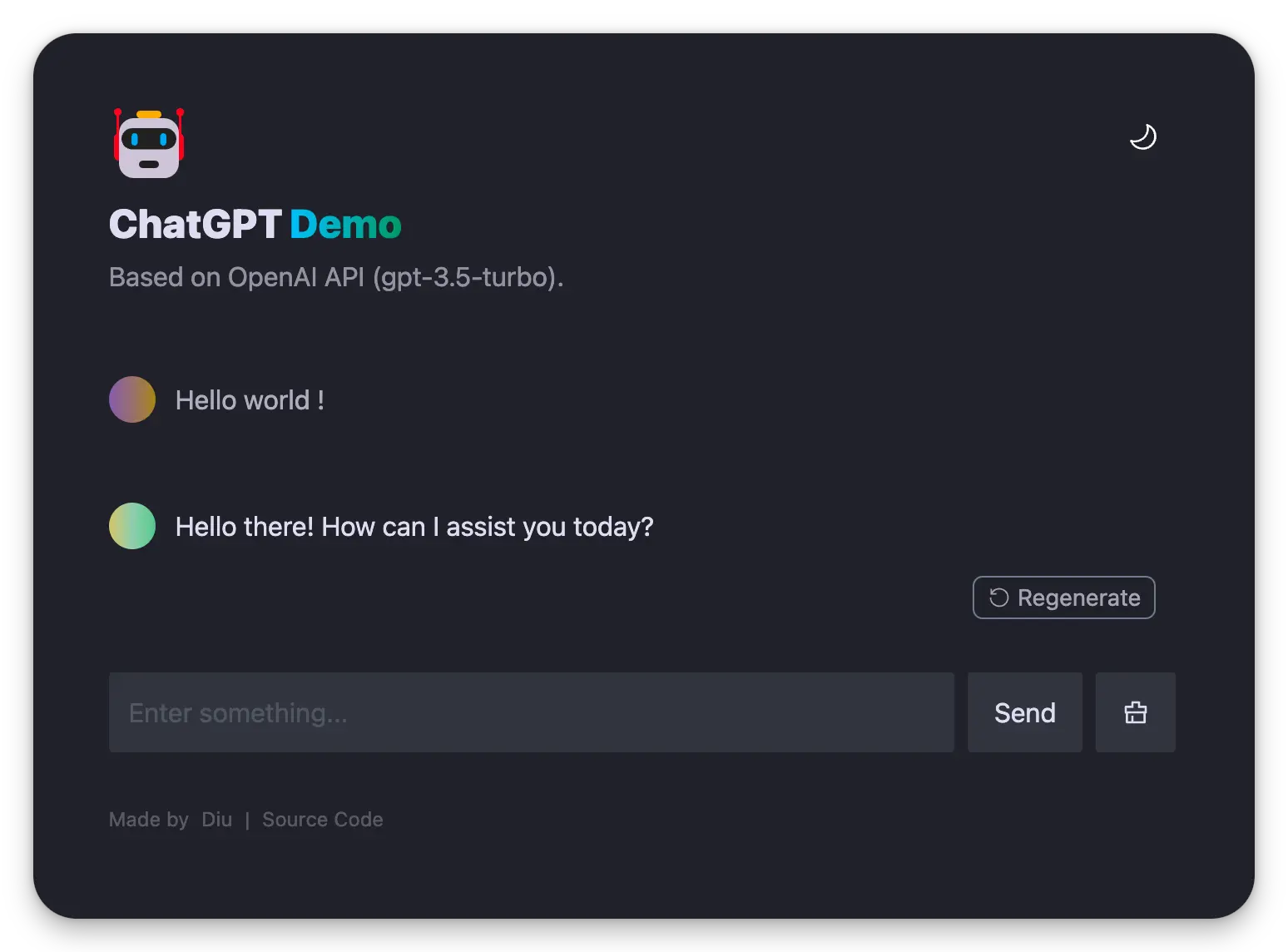
Introducing Anse
Looking for multi-chat, image-generation, and more powerful features? Take a look at our newly launched Anse.
More info on https://github.com/ddiu8081/chatgpt-demo/discussions/247.

Running Locally
Pre environment
- Node: Check that both your development environment and deployment environment are using
Node v18or later. You can use nvm to manage multiplenodeversions locally.node -v - PNPM: We recommend using pnpm to manage dependencies. If you have never installed pnpm, you can install it with the following command:
npm i -g pnpm - OPENAI_API_KEY: Before running this application, you need to obtain the API key from OpenAI. You can register the API key at https://beta.openai.com/signup.
Getting Started
- Install dependencies
pnpm install - Copy the
.env.examplefile, then rename it to.env, and add your OpenAI API key to the.envfile.OPENAI_API_KEY=sk-xxx... - Run the application, the local project runs on
http://localhost:3000/pnpm run dev
Deploy
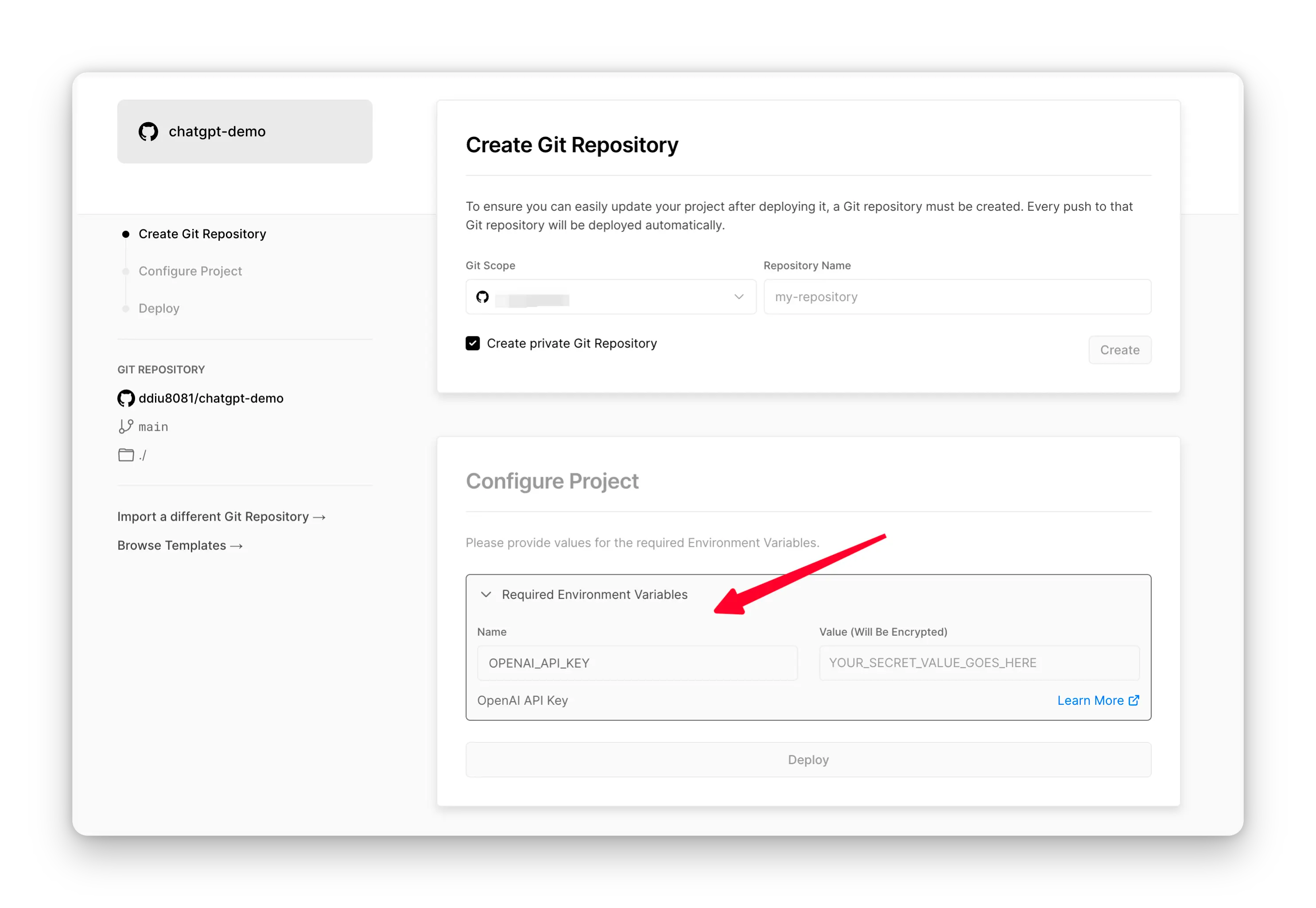
Deploy With Vercel
🔒 Need website password?
Deploy with the
SITE_PASSWORD
Deploy With Netlify

Step-by-step deployment tutorial:
- Fork this project, Go to https://app.netlify.com/start new Site, select the project you
forkeddone, and connect it with yourGitHubaccount.
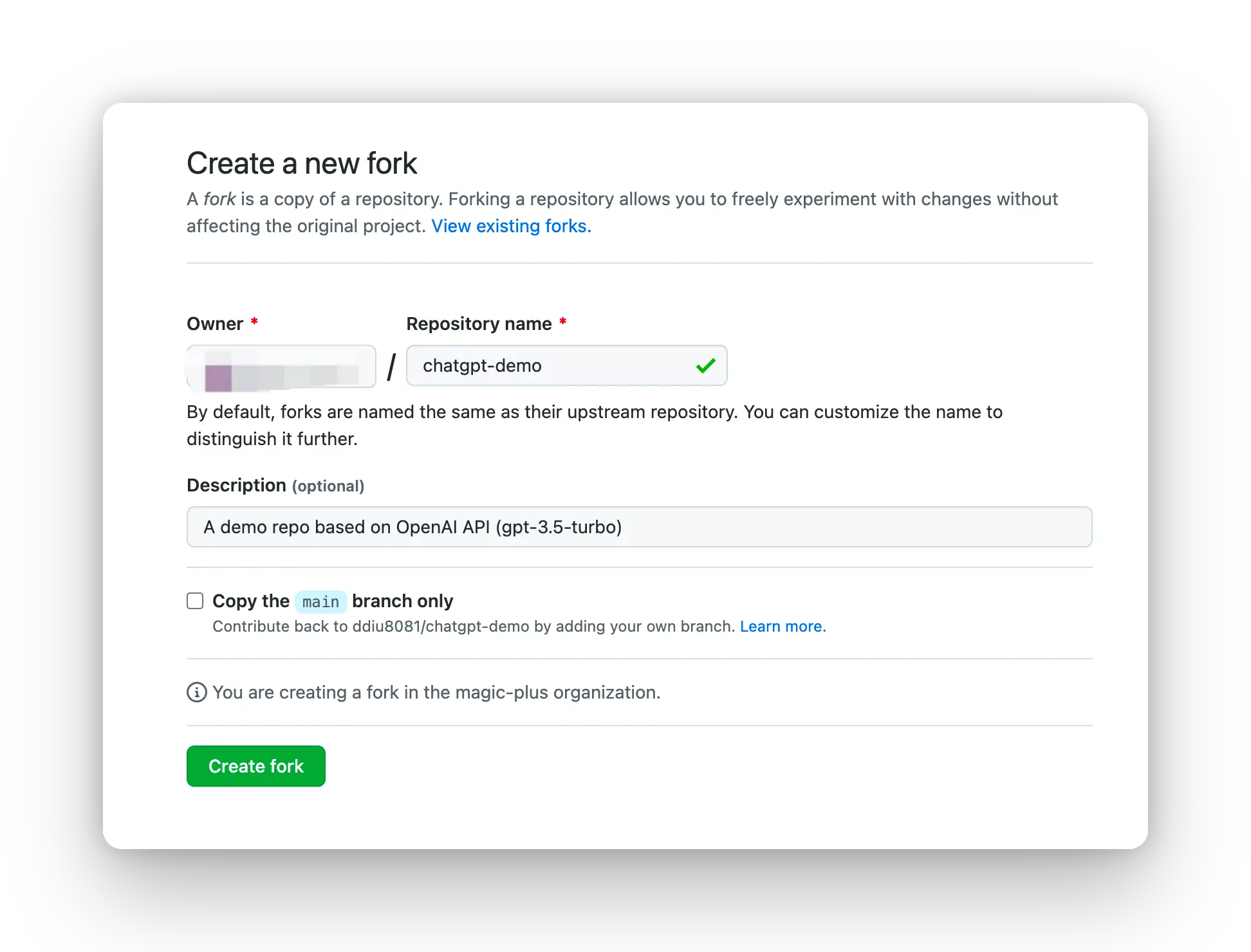
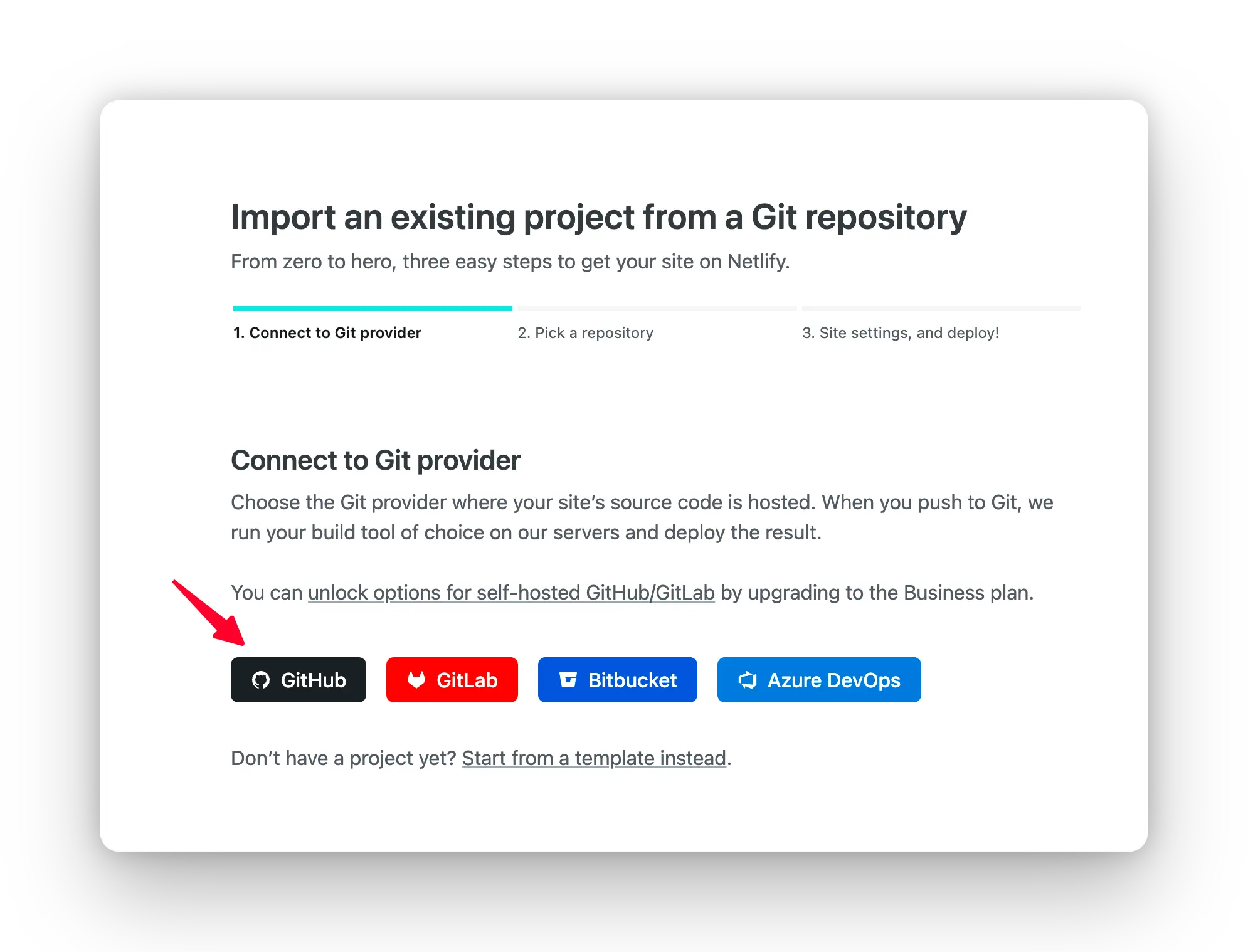
- Select the branch you want to deploy, then configure environment variables in the project settings.
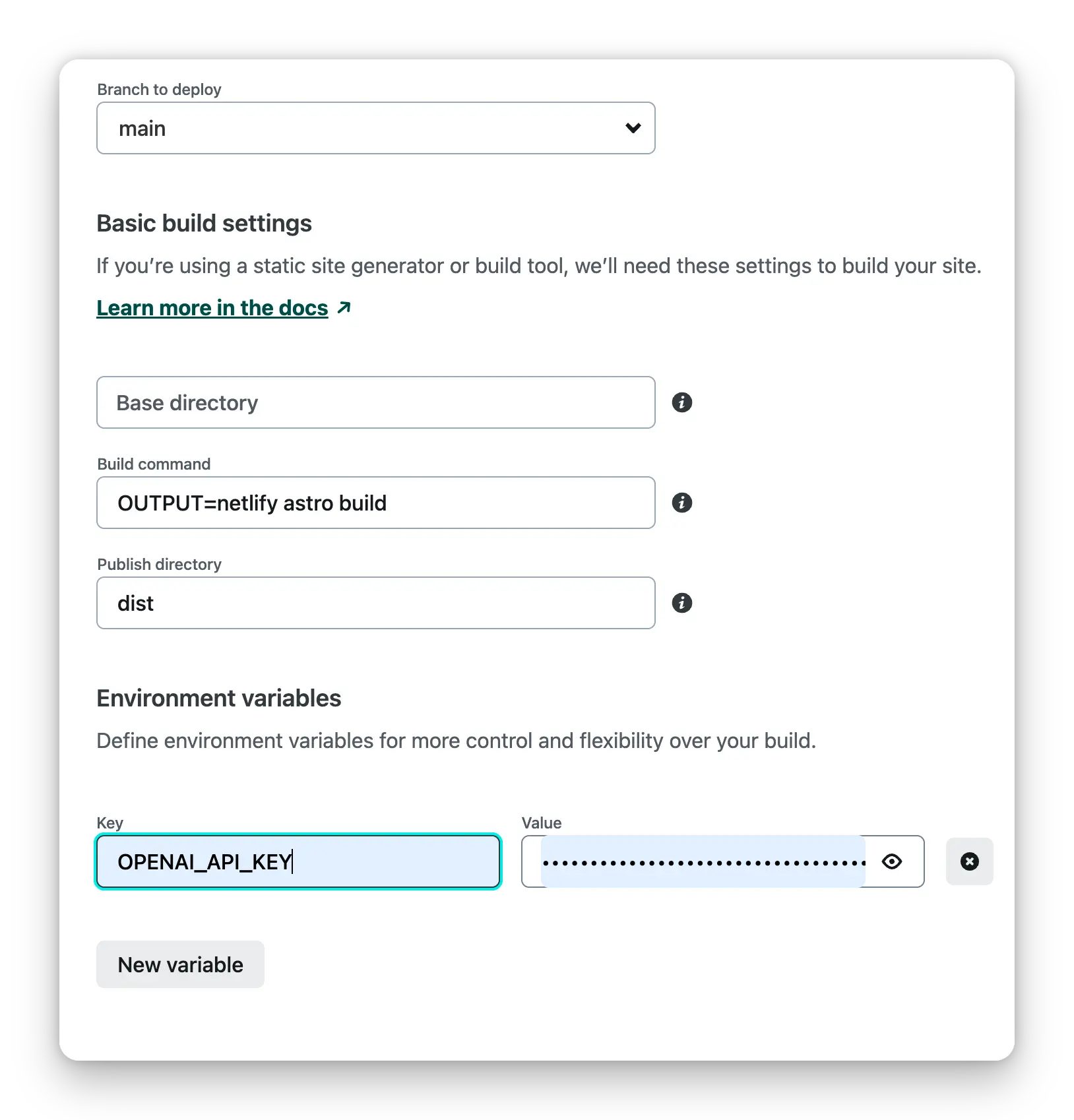
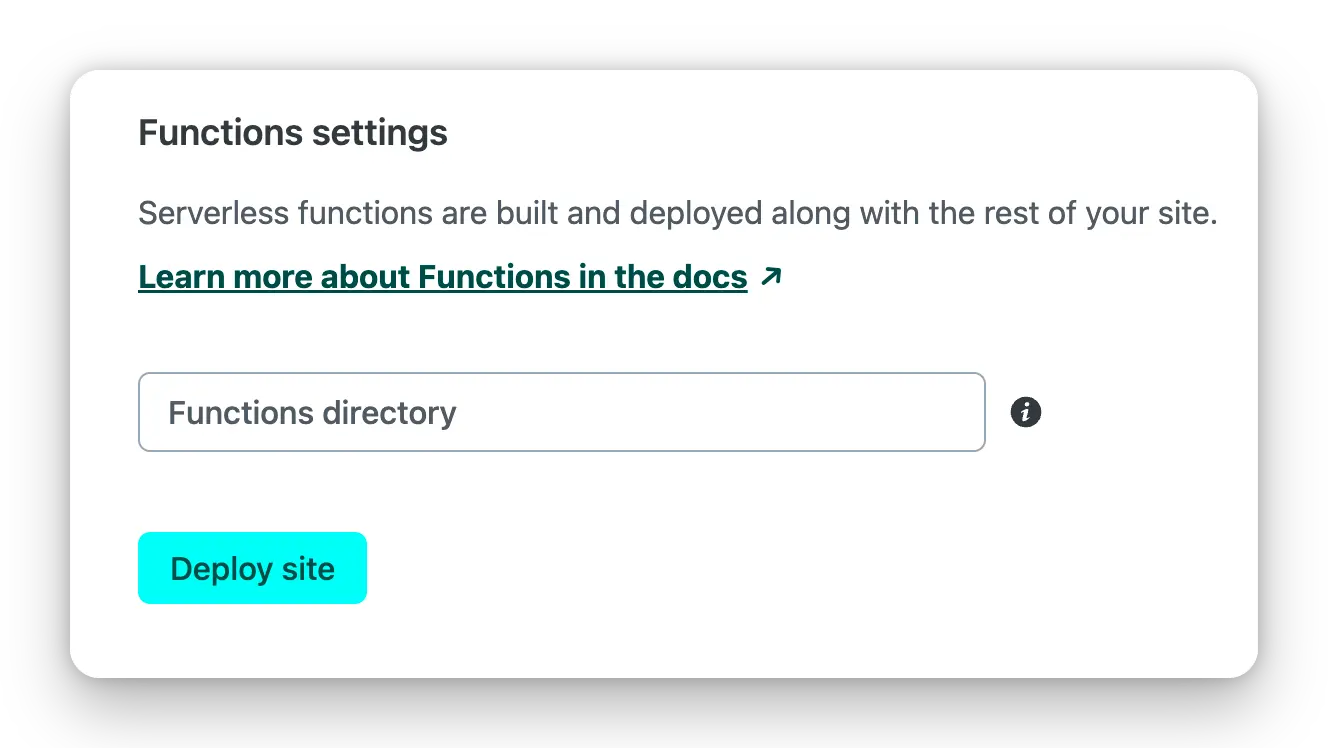
- Select the default build command and output directory, Click the
Deploy Sitebutton to start deploying the site.
Deploy with Docker
Environment variables refer to the documentation below. Docker Hub address.
Direct run
docker run --name=chatgpt-demo -e OPENAI_API_KEY=YOUR_OPEN_API_KEY -p 3000:3000 -d ddiu8081/chatgpt-demo:latest
-e define environment variables in the container.
Docker compose
version: '3'

services:
  chatgpt-demo:
    image: ddiu8081/chatgpt-demo:latest
    container_name: chatgpt-demo
    restart: always
    ports:
      - '3000:3000'
    environment:
      - OPENAI_API_KEY=YOUR_OPEN_API_KEY
      # - HTTPS_PROXY=YOUR_HTTPS_PROXY
      # - OPENAI_API_BASE_URL=YOUR_OPENAI_API_BASE_URL
      # - HEAD_SCRIPTS=YOUR_HEAD_SCRIPTS
      # - PUBLIC_SECRET_KEY=YOUR_SECRET_KEY
      # - SITE_PASSWORD=YOUR_SITE_PASSWORD
      # - OPENAI_API_MODEL=YOUR_OPENAI_API_MODEL
# start
docker compose up -d
# down
docker-compose down
Deploy with Sealos
1.Register a Sealos account for free sealos cloud
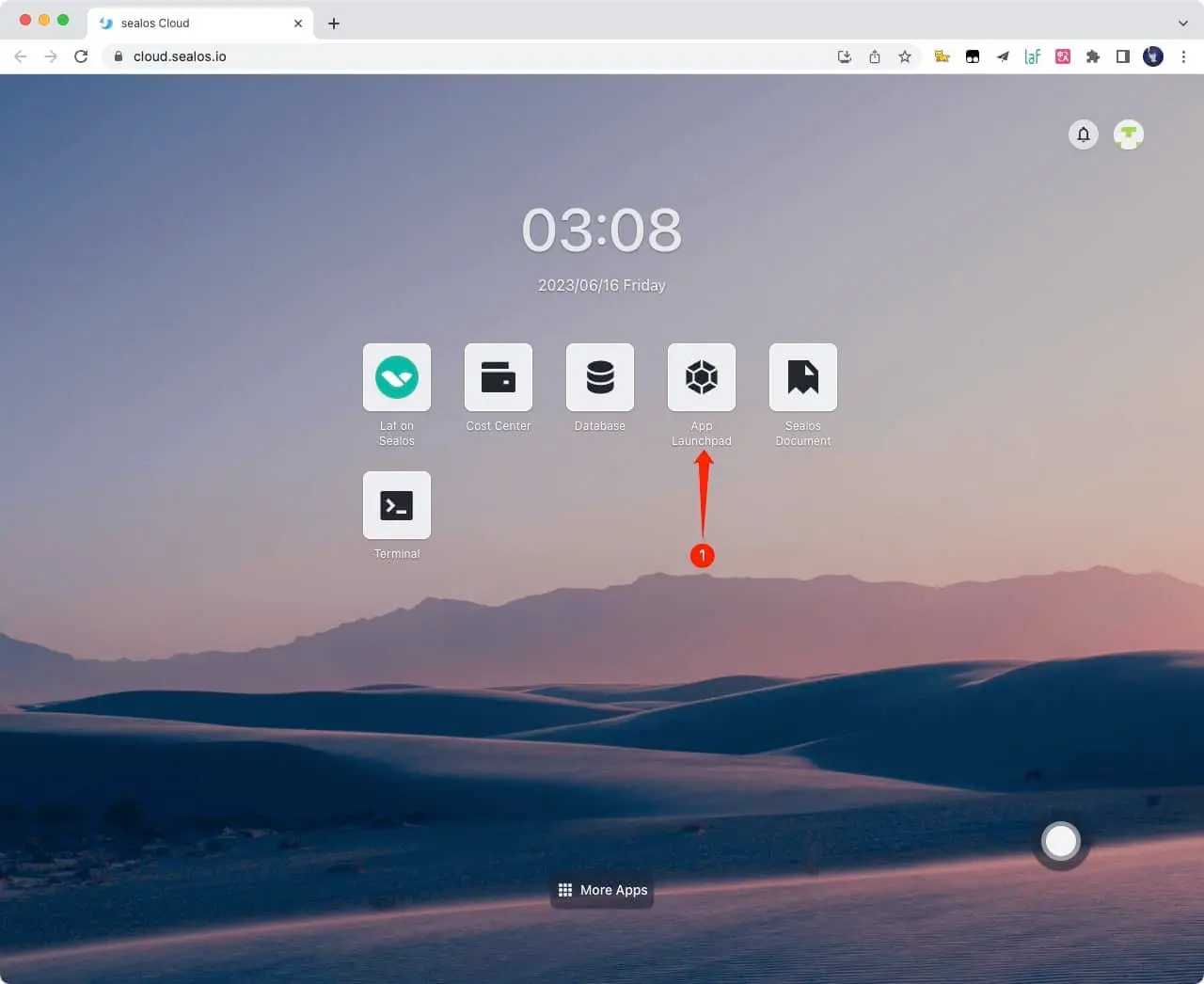
2.Click App Launchpad button
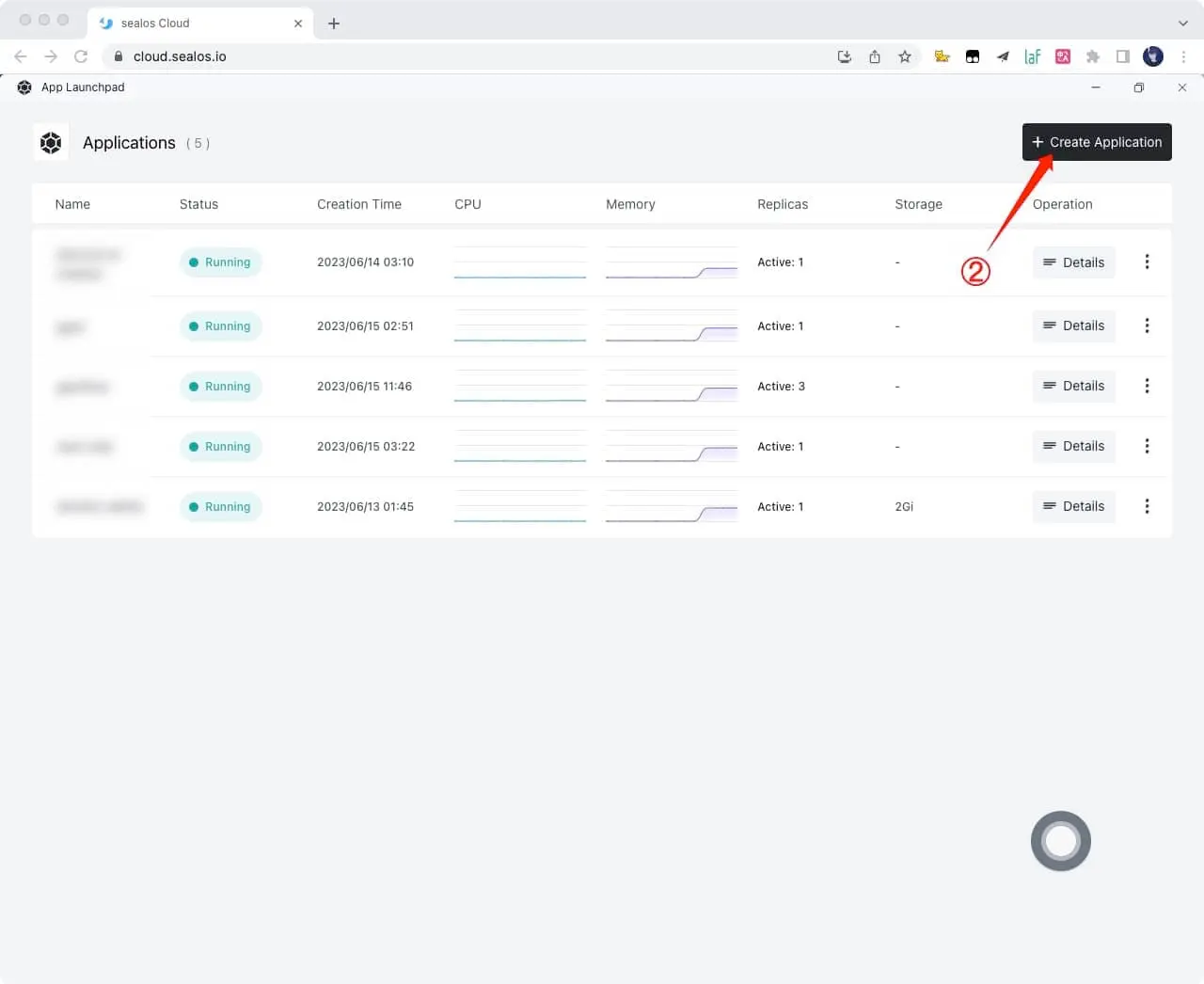
3.Click Create Application button
4.Just fill in according to the following figure, and click on it after filling out Deploy Application button
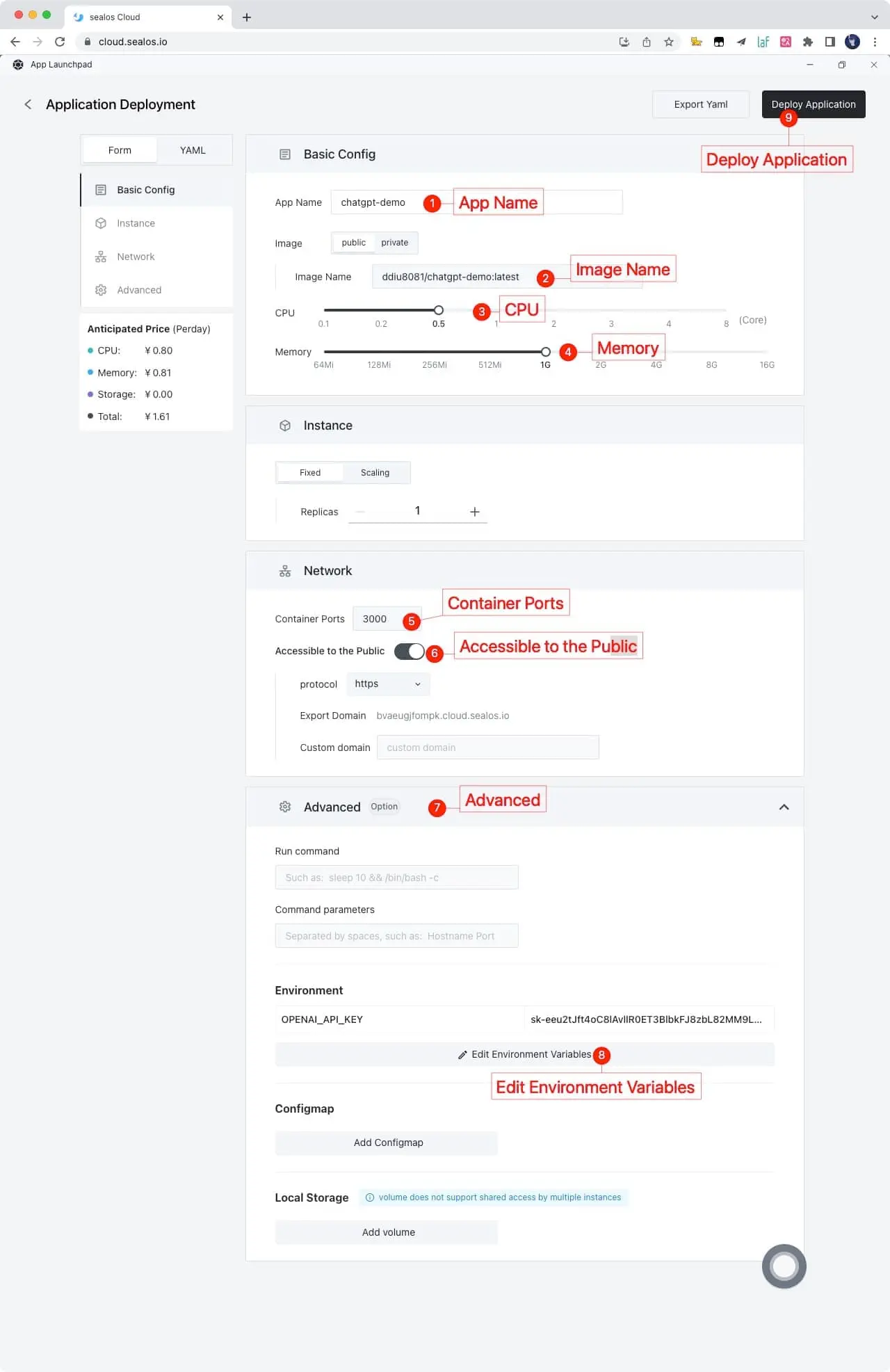
App Name: chatgpt-demo
Image Name: ddiu8081/chatgpt-demo:latest
CPU: 0.5Core
Memory: 1G
Container Ports: 3000
Accessible to the Public: On
Environment: OPENAI_API_KEY=YOUR_OPEN_API_KEY
5.Obtain the access link and click directly to access it. If you need to bind your own domain name, you can also fill in your own domain name in Custom domain and follow the prompts to configure the domain name CNAME
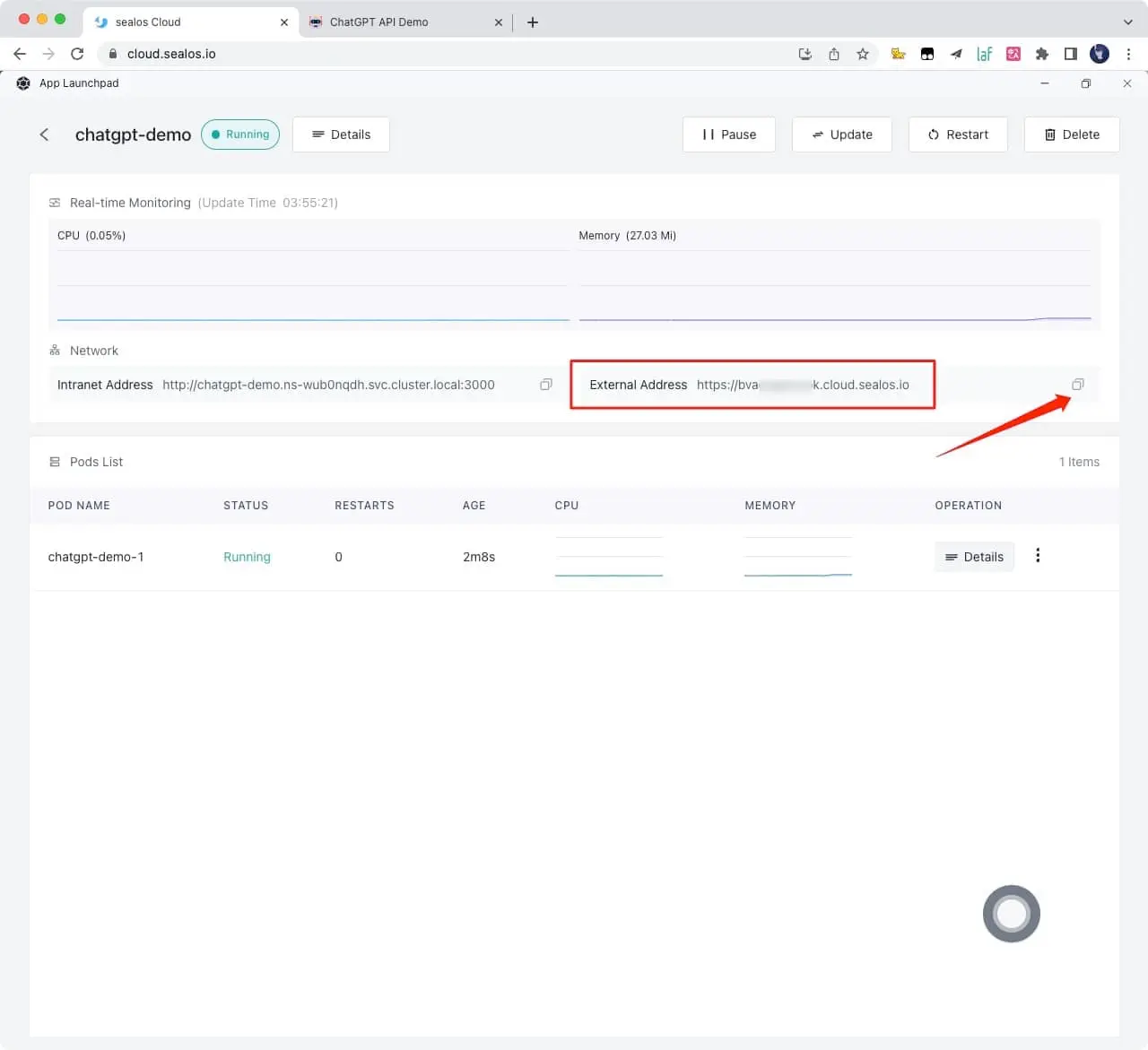
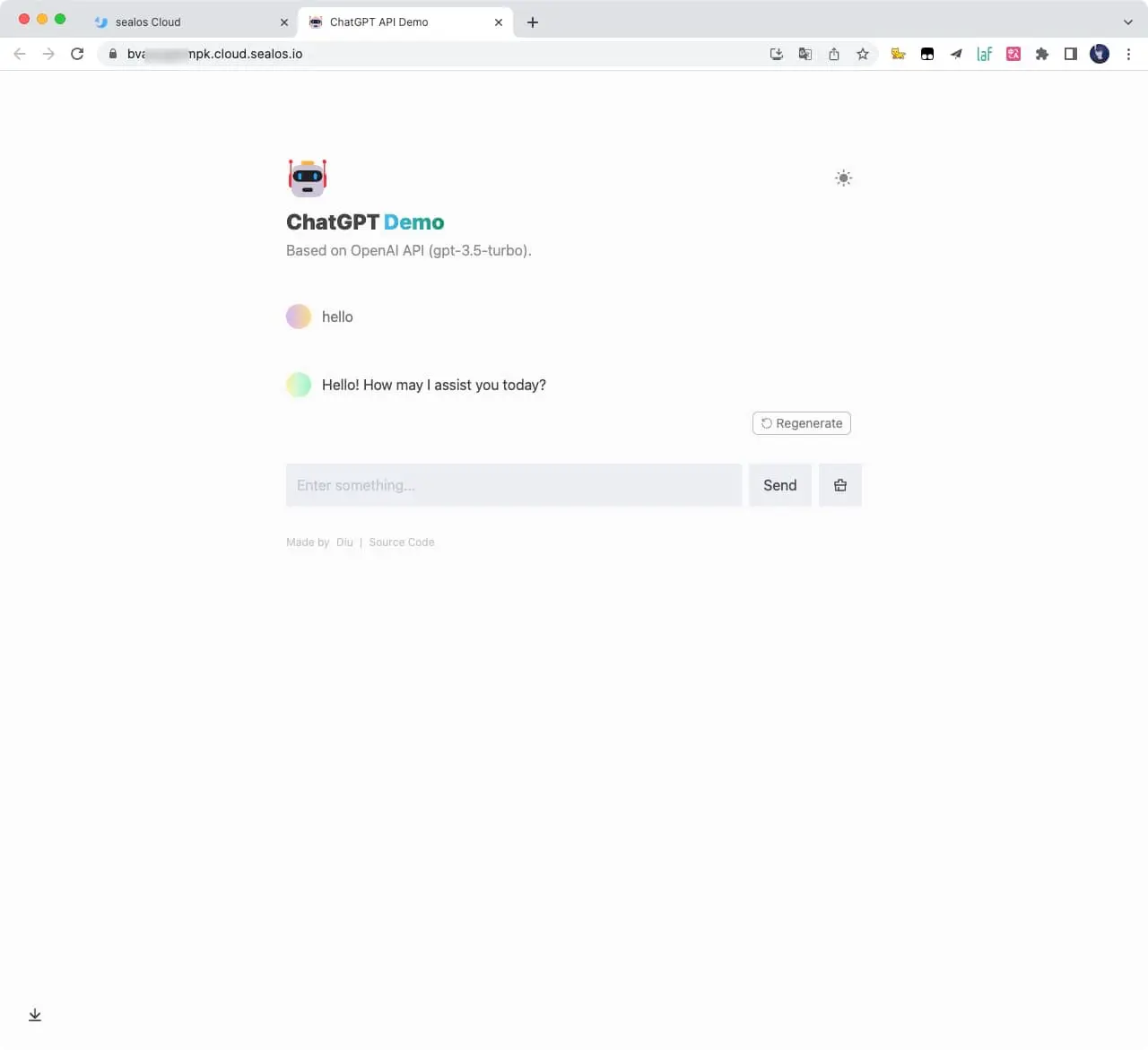
6.Wait for one to two minutes and open this link
Deploy on more servers
Please refer to the official deployment documentation: https://docs.astro.build/en/guides/deploy
Environment Variables
You can control the website through environment variables.
| Name | Description | Default |
|---|---|---|
OPENAI_API_KEY |
Your API Key for OpenAI. | null |
HTTPS_PROXY |
Provide proxy for OpenAI API. e.g. http://127.0.0.1:7890 |
null |
OPENAI_API_BASE_URL |
Custom base url for OpenAI API. | https://api.openai.com |
HEAD_SCRIPTS |
Inject analytics or other scripts before </head> of the page |
null |
PUBLIC_SECRET_KEY |
Secret string for the project. Use for generating signatures for API calls | null |
SITE_PASSWORD |
Set password for site, support multiple password separated by comma. If not set, site will be public | null |
OPENAI_API_MODEL |
ID of the model to use. List models | gpt-3.5-turbo |
Enable Automatic Updates
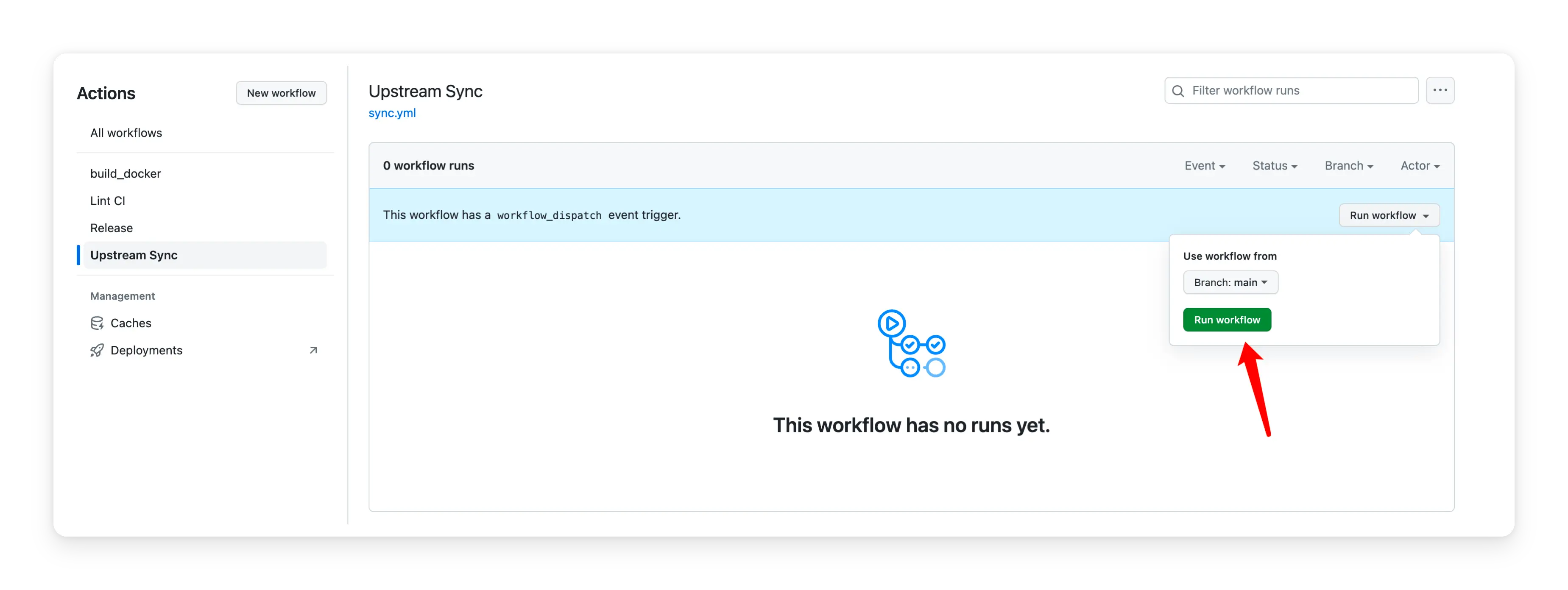
After forking the project, you need to manually enable Workflows and Upstream Sync Action on the Actions page of the forked project. Once enabled, automatic updates will be scheduled every day:
Frequently Asked Questions
Q: TypeError: fetch failed (can't connect to OpenAI Api)
A: Configure environment variables HTTPS_PROXY,reference: https://github.com/ddiu8081/chatgpt-demo/issues/34
Q: throw new TypeError(${context} is not a ReadableStream.)
A: The Node version needs to be v18 or later, reference: https://github.com/ddiu8081/chatgpt-demo/issues/65
Q: Accelerate domestic access without the need for proxy deployment tutorial?
A: You can refer to this tutorial: https://github.com/ddiu8081/chatgpt-demo/discussions/270
Contributing
This project exists thanks to all those who contributed.
Thank you to all our supporters!🙏
License
MIT © ddiu8081