meskarune/i3lock-fancy
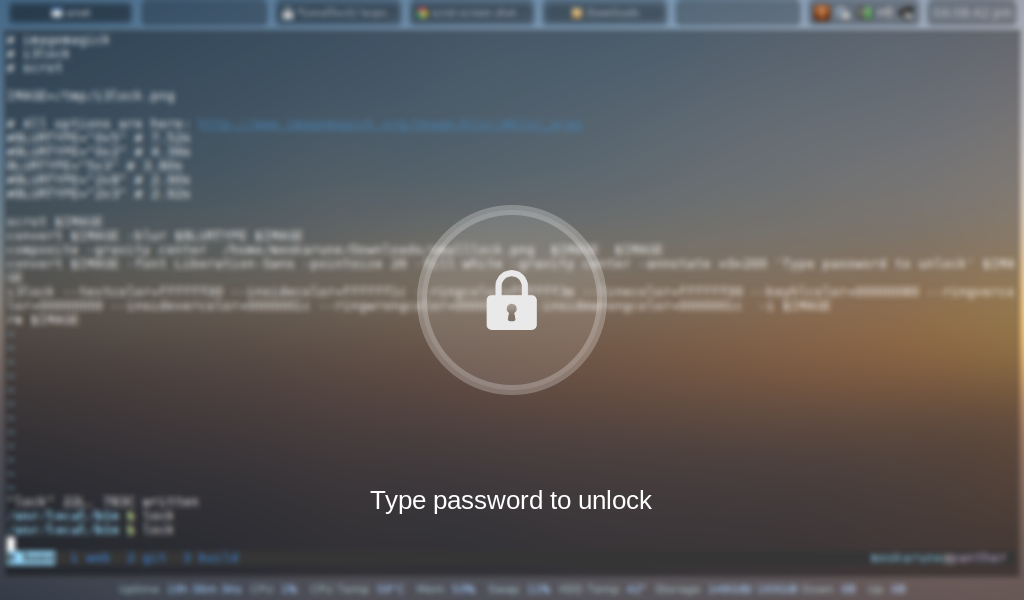
Shelli3lock script that takes a screenshot of the desktop, blurs the background and adds a lock icon and text
i3lock-fancy
This is an i3lock bash script that takes a screenshot of the desktop, blurs the background and adds a lock icon and text
website: github pages website
Dependencies
i3lock-color-git- i3lock-color-git - this is a fork of i3lock-color that is kept up to date with i3lock
- imagemagick
- bash
- awk
- util-linux
Optional Dependencies
- wmctrl
- a screenshot utility such as scrot or maim.
Installation
To install i3lock-fancy manually, git clone the repository:
git clone https://github.com/meskarune/i3lock-fancy.git
Then change to the directory and run make.
cd i3lock-fancy
sudo make install
IMPORTANT NOTE: the way to install i3lock-fancy has changed! If you are a package maintainer or previously installed manually you may have to review and update your configurations. The new change simplifies a lot of things so updates will be easier in the future.
The following distro's have packages you can use to install:
- Arch Linux: https://aur.archlinux.org/packages/i3lock-fancy-git/
- GNU Guix: Run
guix package --install i3lock-fancy - Debian: https://packages.debian.org/sid/i3lock-fancy
Usage
i3lock-fancy [options]

Options:
    -h, --help       This help menu.

    -d, --desktop    Attempt to minimize all windows before locking. Requires wmctrl.

    -g, --greyscale  Set background to greyscale instead of color.

    -p, --pixelate   Pixelate the background instead of blur, runs faster.

    -f <fontname>, --font <fontname>  Set a custom font.

    -t <text>, --text <text> Set a custom text prompt.

    -l, --listfonts  Display a list of possible fonts for use with -f/--font.
                     Note: this option will not lock the screen, it displays
                     the list and exits immediately.

    -n, --nofork     Do not fork i3lock after starting.

    --               Must be last option. Set command to use for taking a
                     screenshot. Default is 'import -window root'. Using 'scrot'
                     or 'maim' will increase script speed and allow setting
                     custom flags like having a delay.
example: i3lock-fancy -gpf Comic-Sans-MS -- scrot -z
Extras
The lock screen in action:
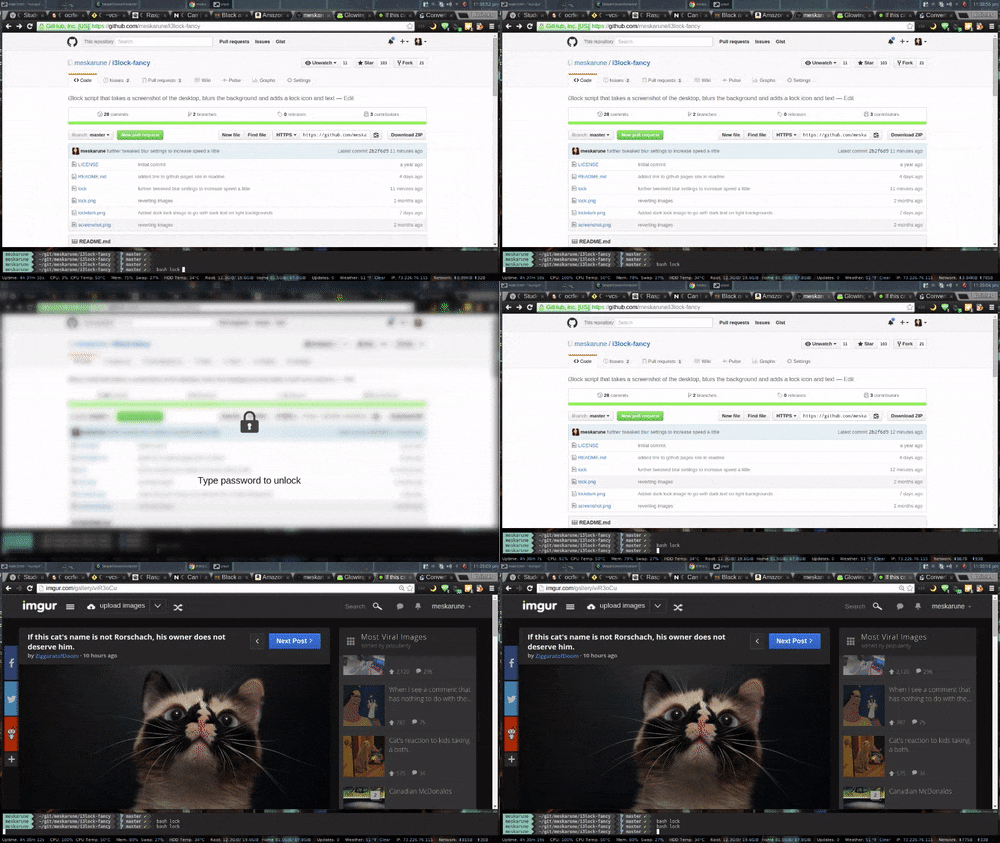
To use this script you can set a hotkey in your window manager to run the lock command, set xautolock to run at boot, or use a systemd script to either lock on suspend or run xautolock.
xautolock is a utility to automatically lock the screen after a set time. It also supports hot corners.
Systemd Unit file example (edit for your own use):
[Unit]
Description=Lock the screen automatically after a timeout

[Service]
Type=simple
User=meskarune
Environment=DISPLAY=:0
ExecStart=/usr/bin/xautolock -time 5 -locker /usr/bin/i3lock-fancy -detectsleep

[Install]
WantedBy=graphical.target
Multiple Monitors
There is a branch called dual monitor with support for multiple monitors. (it is currently out of date compared to the main locker, I need to update it with all the new features) This branch uses a grey icon and text with outlines to make it visible on light and dark backgrounds (though it looks better on dark backgrounds). I am still working to get it looking just right right. The script is usable now, but it's under developement and things may change.
Static image
If you would like to run i3lock-color with a static image in the style of
i3lock-fancy, run convert from image magick directly on the background image
you want to use. Then specify the result newimage.png to i3lock -i:
#!/bin/sh
# Add a lock icon and text to the center of an image
convert /path/to/background.png -font Liberation-Sans \
    -pointsize 26 -fill white -gravity center \
    -annotate +0+160 "Type Password to Unlock" lock.png \
    -gravity center -composite newimage.png
i3lock -i newimage.png