neuml/paperai
Python📄 🤖 AI for medical and scientific papers
pip install paperai

AI for medical and scientific papers






paperai is an AI application for medical and scientific papers.
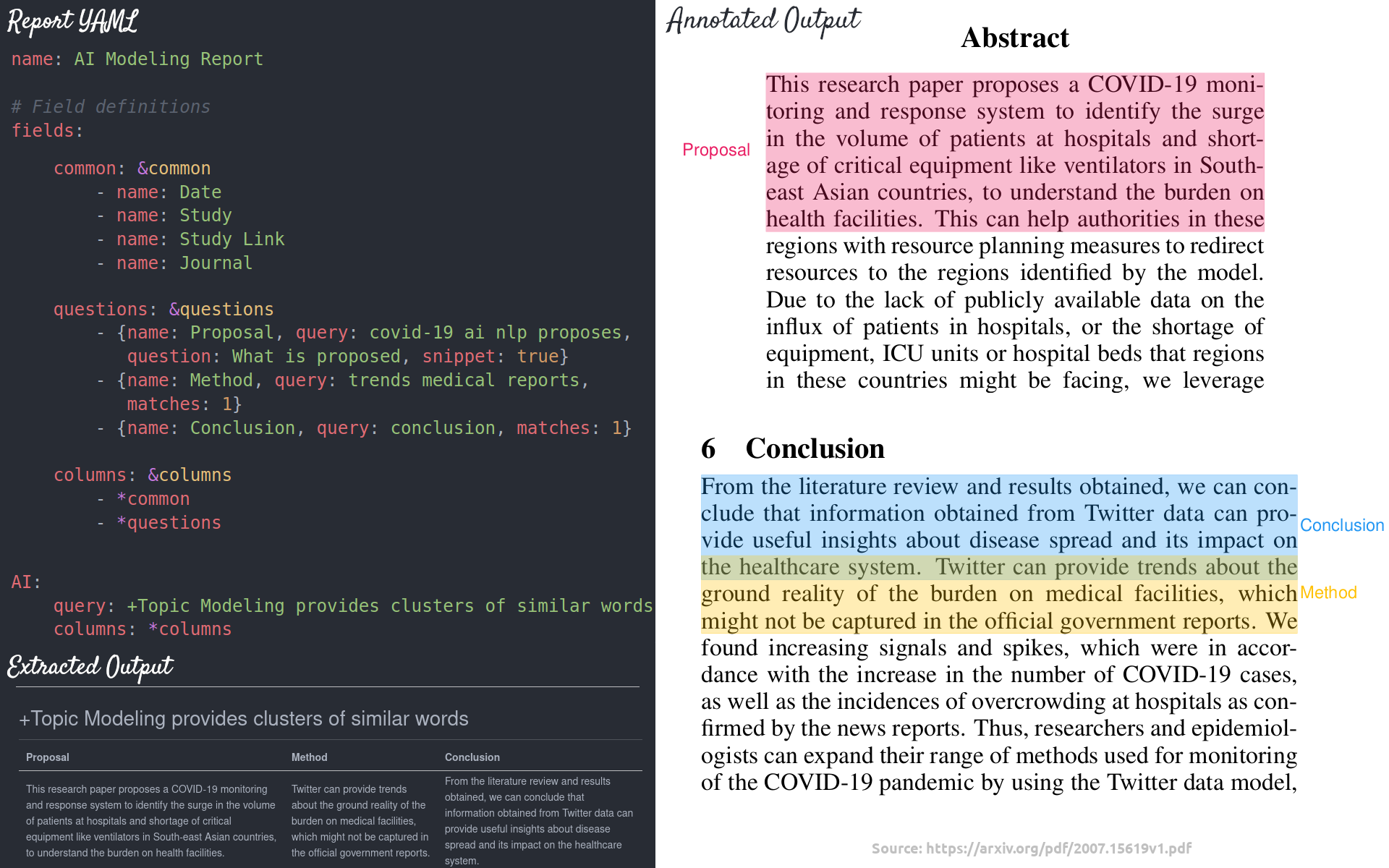
⚡ Supercharge research tasks with AI-driven report generation. A paperai application goes through repositories of articles and generates bulk answers to questions backed by Large Language Model (LLM) prompts and Retrieval Augmented Generation (RAG) pipelines.
A paperai configuration file enables bulk LLM inference operations in a performant manner. Think of it like kicking off hundreds of ChatGPT prompts over your data.

paperai can generate reports in Markdown, CSV and annotate answers directly on PDFs (when available).
Installation
The easiest way to install is via pip and PyPI
pip install paperai
Python 3.10+ is supported. Using a Python virtual environment is recommended.
paperai can also be installed directly from GitHub to access the latest, unreleased features.
pip install git+https://github.com/neuml/paperai
See this link to help resolve environment-specific install issues.
Docker
Run the steps below to build a docker image with paperai and all dependencies.
wget https://raw.githubusercontent.com/neuml/paperai/master/docker/Dockerfile
docker build -t paperai .
docker run --name paperai --rm -it paperai
paperetl can be added in to have a single image to index and query content. Follow the instructions to build a paperetl docker image and then run the following.
docker build -t paperai --build-arg BASE_IMAGE=paperetl --build-arg START=/scripts/start.sh .
docker run --name paperai --rm -it paperai
Examples
The following notebooks and applications demonstrate the capabilities provided by paperai.
Notebooks
| Notebook | Description | |
|---|---|---|
| Introducing paperai | Overview of the functionality provided by paperai |  |
| Medical Research Project | Research young onset colon cancer | |
Applications
| Application | Description |
|---|---|
| Search | Search a paperai index. Set query parameters, execute searches and display results. |
Building a model
paperai indexes databases previously built with paperetl. The following shows how to create a new paperai index.
(Optional) Create an index.yml file
paperaiuses the default txtai embeddings configuration when not specified. Alternatively, an index.yml file can be specified that takes all the same options as a txtai embeddings instance. See the txtai documentation for more on the possible options. A simple example is shown below.path: sentence-transformers/all-MiniLM-L6-v2 content: TrueBuild embeddings index
python -m paperai.index <path to input data> <optional index configuration>
The paperai.index process requires an input data path and optionally takes index configuration. This configuration can either be a vector model path or an index.yml configuration file.
Running queries
The fastest way to run queries is to start a paperai shell
paperai <path to model directory>
A prompt will come up. Queries can be typed directly into the console.
Report schema
The following steps through an example paperai report configuration file and describes each section.
name: ColonCancer
options:
    llm: Intelligent-Internet/II-Medical-8B-1706-GGUF/II-Medical-8B-1706.Q4_K_M.gguf
    system: You are a medical literature document parser. You extract fields from data.
    template: |
        Quickly extract the following field using the provided rules and context.

        Rules:
          - Keep it simple, don't overthink it
          - ONLY extract the data
          - NEVER explain why the field is extracted
          - NEVER restate the field name only give the field value
          - Say no data if the field can't be found within the context

        Field:
        {question}

        Context:
        {context}

    context: 5
    params:
        maxlength: 4096
        stripthink: True

Research:
    query: colon cancer young adults
    columns:
        - name: Date
        - name: Study
        - name: Study Link
        - name: Journal
        - {name: Sample Size, query: number of patients, question: Sample Size}
        - {name: Objective, query: objective, question: Study Objective}
        - {name: Causes, query: possible causes, question: List of possible causes}
        - {name: Detection, query: diagnosis, question: List of ways to diagnose}
Configuration
The following shows the top level configuration options.
| Field | Description |
|---|---|
| name | Report name |
| options | RAG pipeline options - set the LLM, prompt templates, max length and more |
| report | Each unique top level parameter sets the report name. In the example above, it's called Research |
| query | Vector query that identifies the top n documents |
| columns | List of columns |
Standard columns
Standard columns use the article data store metadata to simply copy fields into a report. Set the column name to one of the values below.
| Field | Description |
|---|---|
| Id | Article unique identifier |
| Date | Article publication date |
| Study | Title of the article |
| Study Link | HTTP link to the study |
| Journal | Publication name |
| Source | Data source name |
| Entry | Article entry date |
| Matches | Sections that caused this article to match the report query |
Generated columns
The most novel feature of paperai is being able to generate dynamic columns driven by a RAG pipeline. Each field takes the following parameters.
| Parameter | Description |
|---|---|
| name | Column name |
| query | search/similarity query |
| question | llm question parameter |
For each matching article, the query sorts each section by relevance to that query. This can be a vector query, keyword query or hybrid query. This is controlled by the embeddings index configuration. The question is plugged into the RAG pipeline template along with the top n matching context elements from the query. The generated column is stored as name in the report output.
Building a report file
Reports can generate output in multiple formats. An example report call:
python -m paperai.report crc.yml 10 csv <path to model directory>
In the example above, a file named Research.csv will be created with the top 10 most relevant articles.
The following report formats are supported:
- Markdown (Default) - Renders a Markdown report. Columns and answers are extracted from articles with the results stored in a Markdown file.
- CSV - Renders a CSV report. Columns and answers are extracted from articles with the results stored in a CSV file.
- Annotation - Columns and answers are extracted from articles with the results annotated over the original PDF files. Requires passing in a path with the original PDF files.
See the examples directory for report examples. Additional historical report configuration files can be found here.
Tech Overview
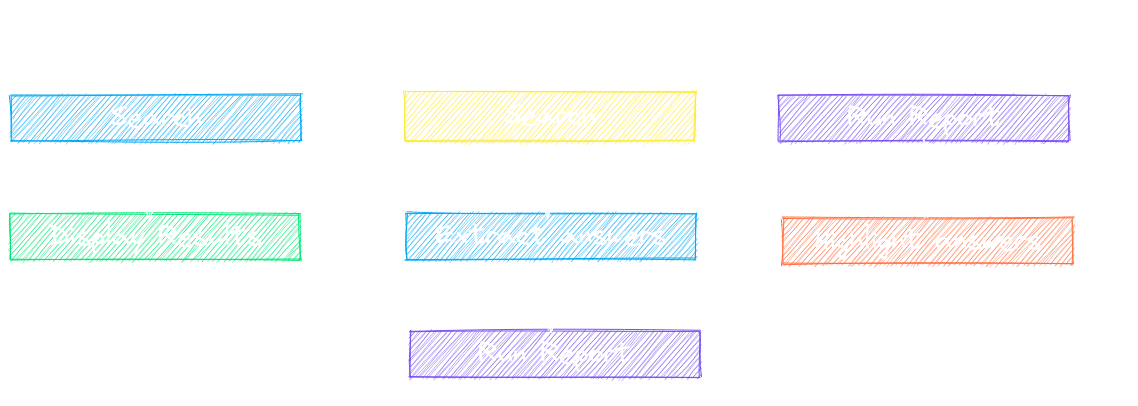
paperai is a combination of a txtai embeddings index, a SQLite database with the articles and an LLM. These components are joined together in a txtai RAG pipeline.
Each article is parsed into sections and stored in a data store along with the article metadata. Embeddings are built over the full corpus. The LLM analyzes context-limited requests and generates outputs.
Multiple entry points exist to interact with the model.
- paperai.report - Builds a report for a series of queries. For each query, the top scoring articles are shown along with matches from those articles. There is also a highlights section showing the most relevant results.
- paperai.query - Runs a single query from the terminal
- paperai.shell - Allows running multiple queries from the terminal
Recognition
paperai and/or NeuML has been recognized in the following articles.