The open-source CSV importer, maintained by @tableflowhq
npm install csv-import
Open-source CSV, TSV, and XLS/XLSX file importer for React and JavaScript
How It Works
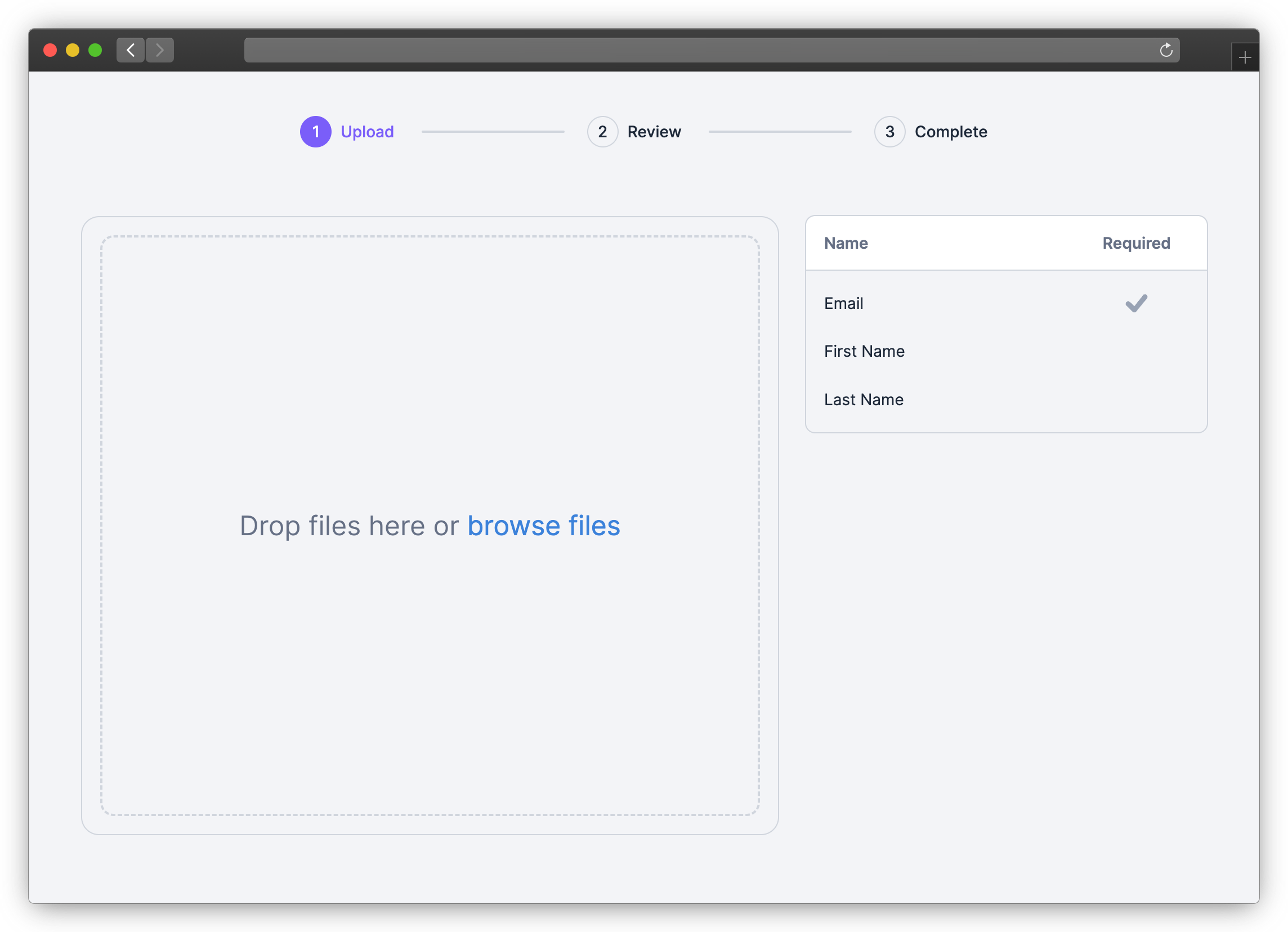
- Embed the CSV Importer in your app with the React or JavaScript SDK
- Define the columns your users can import (via the
templateparameter) - Your users import their files in your app
- Retrieve the imported data from the
onCompleteevent
Get Started
1. Install SDK
Use NPM or Yarn to install the SDK for React or JavaScript.
NPM
npm install csv-import-react
# or
npm install csv-import-js
Yarn
yarn add csv-import-react
# or
yarn add csv-import-js
2. Add the importer to your application
Using React
import { CSVImporter } from "csv-import-react";
import { useState } from "react";

function MyComponent() {
  const [isOpen, setIsOpen] = useState(false);

  return (
    <>
      <button onClick={() => setIsOpen(true)}>Open CSV Importer</button>

      <CSVImporter
        modalIsOpen={isOpen}
        modalOnCloseTriggered={() => setIsOpen(false)}
        darkMode={true}
        onComplete={(data) => console.log(data)}
        template={{
          columns: [
            {
              name: "First Name",
              key: "first_name",
              required: true,
              description: "The first name of the user",
              suggested_mappings: ["First", "Name"],
            },
            {
              name: "Age",
            },
          ],
        }}
      />
    </>
  );
}
Using JavaScript
<head>
  <script src="https://unpkg.com/csv-import-js@latest/index.js"></script>
</head>
<body>
  <button id="uploadButton">Open CSV Importer</button>
  <div id="app"></div>
  <script>
    const importer = CSVImporter.createCSVImporter({
      domElement: document.getElementById("app"),
      modalOnCloseTriggered: () => importer?.closeModal(),
      onComplete: (data) => console.log(data),
      darkMode: true,
      template: {
        columns: [
          {
            name: "First Name",
            key: "first_name",
            required: true,
            description: "The first name of the user",
            suggested_mappings: ["First", "Name"],
          },
          {
            name: "Age",
          },
        ],
      },
    });

    const uploadButton = document.getElementById("uploadButton");
    uploadButton.addEventListener("click", () => {
      importer?.showModal();
    });
  </script>
</body>
SDK Reference
isModal (boolean, default: true)
When set to true (default value), the importer will behave as a modal with its open state controlled by modalIsOpen. When set to false, the importer will be embedded directly in your page.
modalIsOpen (boolean, default: false)
Only used when isModal is true: Controls the importer modal being open or closed.
React SDK Only: For the JavaScript SDK, use .showModal() and .closeModal() to operate the modal.
modalOnCloseTriggered (function)
Only used when isModal is true: A function called when the user clicks the close button or clicks outside of (when used with modalCloseOnOutsideClick) the importer. useState can be used to control the importer modal opening and closing.
const [isOpen, setIsOpen] = useState(false);
<button onClick={() => setIsOpen(true)}>Open CSV Importer</button>
<CSVImporter
  modalIsOpen={isOpen}
  modalOnCloseTriggered={() => setIsOpen(false)}
  ...
/>
modalCloseOnOutsideClick (boolean, default: false)
Only used when isModal is true: Clicking outside the modal will call the modalOnCloseTriggered function.
template (object)
Configure the columns used for the import.
template={{
  columns: [
    {
      name: "First Name",
      key: "first_name",
      required: true,
      description: "The first name of the user",
      suggested_mappings: ["First", "Name"],
    },
    {
      name: "Age",
    },
    {
      name: "Category",
      // `multiple` allows multiple source columns to be mapped to a single destination column
      multiple: true,
      // `combiner` is the function used to combine the values from multiple source columns; defaults to joining with a space
      combiner: (values: string[]) => values.join(' | '),
    }
  ],
}}
onComplete (function)
Callback function that fires when a user completes an import. It returns data, an object that contains the row data, column definitions, and other information about the import.
onComplete={(data) => console.log(data)}
Example data:
{
  "num_rows": 2,
  "num_columns": 3,
  "columns": [
    {
      "key": "age",
      "name": "Age"
    },
    {
      "key": "email",
      "name": "Email"
    },
    {
      "key": "first_name",
      "name": "First Name"
    }
  ],
  "rows": [
    {
      "index": 0,
      "values": {
        "age": 23,
        "email": "maria@example.com",
        "first_name": "Maria"
      }
    },
    {
      "index": 1,
      "values": {
        "age": 32,
        "email": "robert@example.com",
        "first_name": "Robert"
      }
    }
  ]
}
darkMode (boolean, default: false)
Toggle between dark mode (true) and light mode (false).
primaryColor (string)
Specifies the primary color for the importer in hex format. Use customStyles to customize the UI in more detail.
primaryColor = "#7A5EF8";
customStyles (object)
Apply custom styles to the importer with an object containing CSS properties and values. Note that custom style properties will override primaryColor and any default styles from darkMode.
Available options:
customStyles={{
  "font-family": "cursive",
  "font-size": "15px",
  "base-spacing": "2rem",
  "border-radius": "8px",
  "color-primary": "salmon",
  "color-primary-hover": "crimson",
  "color-secondary": "indianRed",
  "color-secondary-hover": "crimson",
  "color-tertiary": "indianRed",
  "color-tertiary-hover": "crimson",
  "color-border": "lightCoral",
  "color-text": "brown",
  "color-text-soft": "rgba(165, 42, 42, .5)",
  "color-text-on-primary": "#fff",
  "color-text-on-secondary": "#ffffff",
  "color-background": "bisque",
  "color-background-modal": "blanchedAlmond",
  "color-input-background": "blanchedAlmond",
  "color-input-background-soft": "white",
  "color-background-menu-hover": "bisque",
  "color-importer-link": "indigo",
  "color-progress-bar": "darkGreen"
}}
Internationalization
Predefined languages
- Out-of-the-box support for various languages.
- Common languages are available through the language prop (i.e.,
language="fr"for French). - Available predefined languages:
- en
- es
- fr
Customizable language
- Language keys can be exported and overridden.
- Labels and messages can be customized to any text.
- Translations key examples can be found in
src/i18n/es.ts
// Set up custom translations
const customTranslations = {
  jp: {
    Upload: "アップロード",
    "Browse files": "ファイルを参照",
  },
  pt: {
    Upload: "Carregar",
    "Browse files": "Procurar arquivos",
  },
};

return (
  <CSVImporter language="jp" customTranslations={customTranslations} ...props />
)
showDownloadTemplateButton (boolean, default: true)
When set to false, hide the Download Template button on the first screen of the importer.
skipHeaderRowSelection (boolean, default: false)
When set to true, the importer will not display and skip the Header Row Selection step and always choose the first row in the file as the header.
Contributing
Setting Up the Project
To set up the project locally, follow these steps:
- Clone the repository
git clone https://github.com/tableflowhq/csv-import.git
cd csv-import
- Install dependencies
yarn install
- Build the project
yarn build
Running Storybook
To run Storybook locally, follow these steps:
- Start Storybook
yarn storybook
- Open Storybook in your browser: Storybook should automatically open in your default browser. If it doesn't, navigate to http://localhost:6006.
Modifying the project and testing with the demo app
The project includes a demo app that you can use to test your changes. The demo app has its own README.md file with detailed instructions on how to set it up and run it.
- Make your changes in the codebase.
- Follow the instructions in the demo app's
README.mdto set up and run the demo app. This will help you verify that your changes work as expected in a real application. - Commit your changes and push them to your forked repository.
- Create a pull request to the main repository.
Get In Touch
Let us know your feedback or feature requests! Submit a GitHub issue here.