huiyadanli/PasteEx
C#Windows
:clipboard: Paste As File 把剪贴板的内容直接粘贴为文件
paste-as-filepasteclipboardtoolportablescreenshotwindowspasteintofilesshortcut
Métricas clave
Crecimiento de estrellas
Estrellas
1.5k
Forks
136
Crecimiento semanal
+0
Issues
25
5001k
ago 2017feb 2019ago 2020mar 2022sept 2023abr 2025oct 2026
README
English | 中文
PasteEx



Paste the contents of the clipboard into files.
- Custom text extension rules.
- Automatically identify the image file extension, and support the transparent PNG and dynamic GIF image.
- Faster and more convenient Monitor Mode.
More functions and usage see :blue_book:document.
:zap:Download v1.1.9.1 (latest version)
If you use Scoop, you can install PasteEx using the following command:
scoop install 'https://raw.githubusercontent.com/acdzh/zpt/master/bucket/pasteex.json'
Screenshot
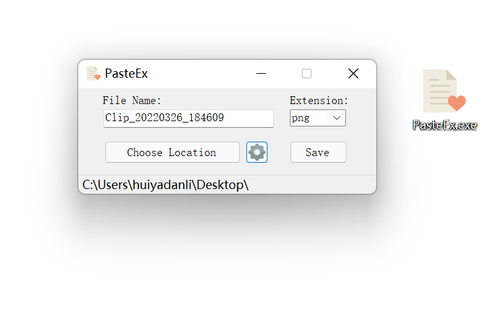
Usage
Requirements:
- Windows 7 or higher
- .NET Framework 4.5.2 or higher
Download decompression and run PasteEx.exe . There will be UAC prompts when adding context menus.
How to uninstall: It is a portable software. Just remove the context menu on the settings page and delete it.