rubickCenter/rubick

TypeScriptrubickcenter.github.io/docs
macOSWindowsLinux

alternativa a Alfred

🔧 Electron based open source toolbox, free integration of rich plug-ins. 基于 electron 的开源工具箱,自由集成丰富插件。

electroncross-platformmacoswindowsdesktop-apptoolkitjavascriptutools
Crecimiento de estrellas
Estrellas
10k
Forks
1k
Crecimiento semanal
+5
Issues
144
5k10k
ene 2023mar 2024jun 2025ago 2026
Artefactosnpm
README

English | 简体中文

Rubick

downloads latest release github action building license github stars gitee mirror
Open-source plugin-based desktop efficiency toolbox. The plugins are installed and uninstalled based on npm, which is very lightweight. The plugin data supports webdav multi-terminal synchronization, which is very secure. It supports internal network deployment and can be customized for further development, which is very flexible.

Get Rubick

Download the latest release:

Docs

Rubick website

Rubick Docs

How To Use Rubick

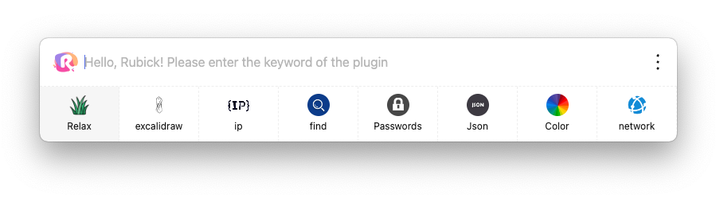
After installing rubick, you can quickly launch the main program by pressing the shortcut keys Alt/Option+R. Entering keywords in the main program input box can search for corresponding apps, plugins, files... Select the ones you want and use them.

If you don't want the function, you can click the logo on the left to enter the plugin market and find the ones you want to install.

Feature list

  • Plugin management based on the npm package pattern, installing plugins is as simple as installing npm packages.
  • Supports WebDAV for multi-device data synchronization, ensuring true data security synchronization.
  • A unique system plugin mode that allows plugins to become an integral part of Rubick.
  • Supports the quick launch of local apps, files, and folders.
  • Supports enterprise-level intranet deployment.
  • Supports multiple languages.

Core functionality showcase.

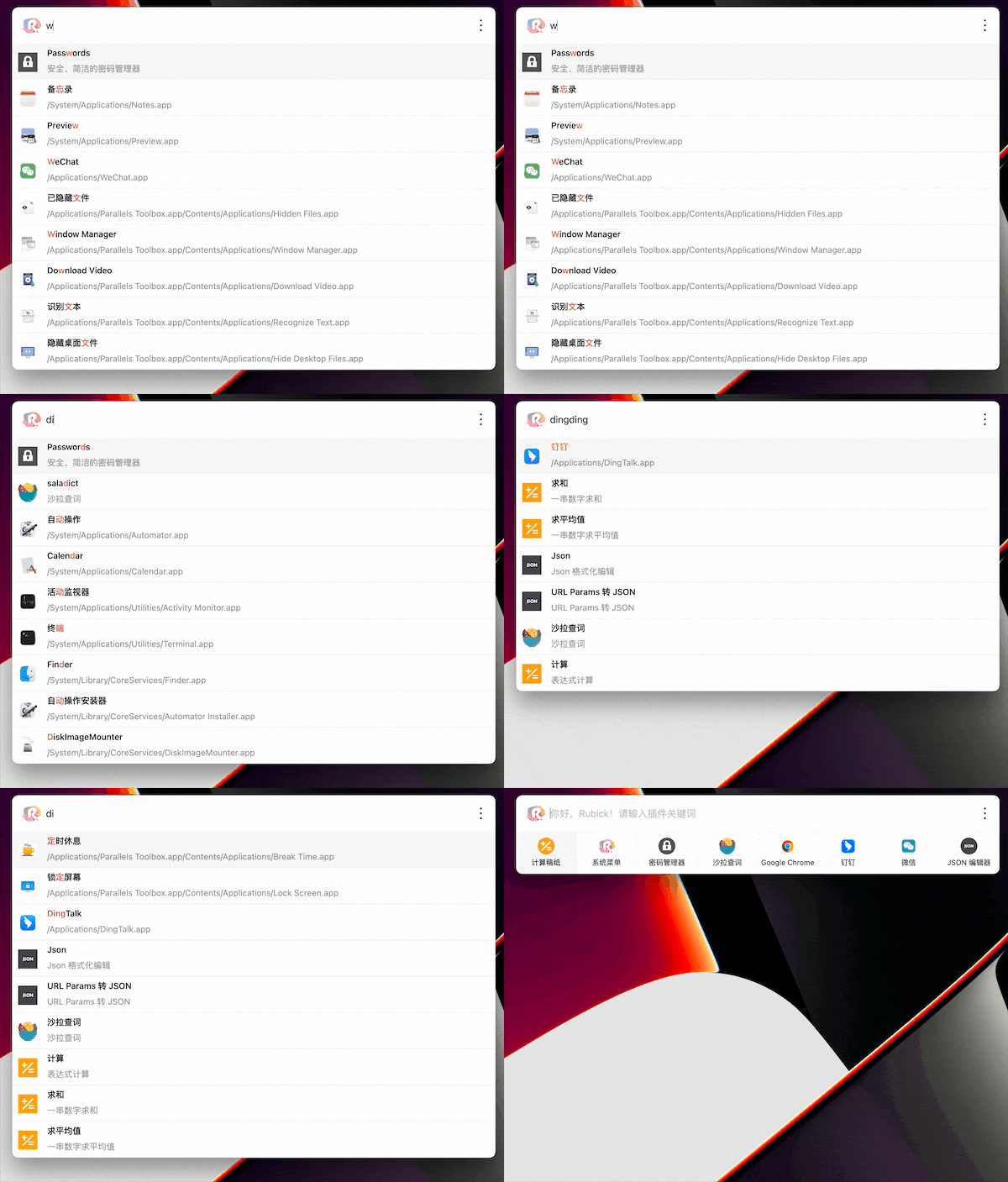
1. Search system application

Support pinyin and abbreviations to search system applications:
2. UI plug-in installation

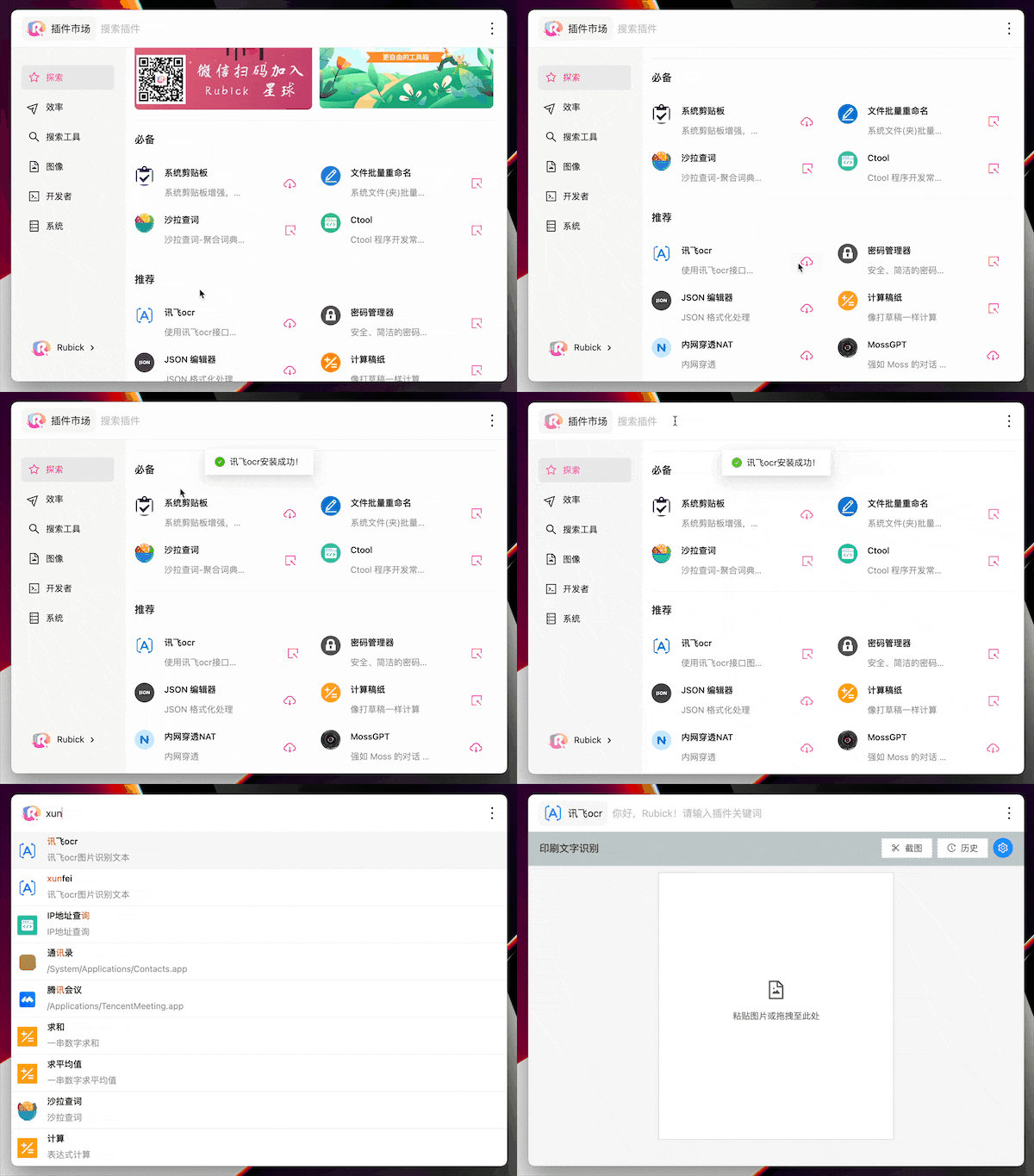
Click the rubick icon on the right side of the search box to enter the plug-in market, select the desired plug-in, and click the download button to download. After the download is complete, you can find the installed plug-in under the Installed tab

After the installation is complete, enter the plug-in call up command to use the corresponding plug-in:
3. System plug-in installation

The system plug-in installation method is the same as that of the UI category. In the plug-in market, select the system category and find the system plug-in that suits you to install it.

After the system plug-in is installed successfully, rubick needs to be restarted to take effect

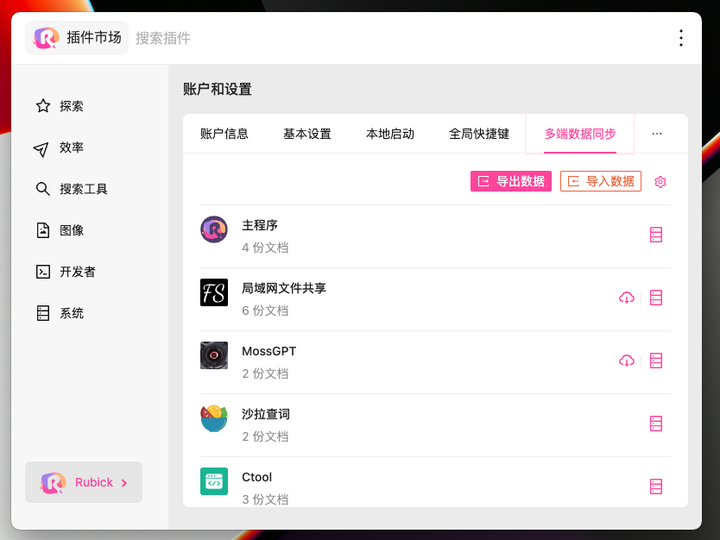
4. Multi-device data synchronization based on WebDAV.

In "Rubick," search for "Preferences," go to "Account and Settings," and then select "Multi-Device Data Synchronization." You can export and import data for the use of Rubick plugins.
Rubick Plugins Repositories

Rubick Plugins Database

Rubick Plugin CLI

1. Join the Knowledge Planet

We have accumulated a lot of knowledge and common issues about rubick on the Knowledge Planet. You can pay to join our knowledge community to discuss with us. We will answer at any time!

2. Buy me a cup of coffee

If the project is helpful to you, you can buy me a cup of coffee as a reward!

友情链接

Feedback

Those who are interested in this project or want to exchange and learn can scan the QR code and add the following WeChat, with the comment rubick, to help us grow better.


image

Featured|HelloGitHub

Contribute

This project exists thanks to all the people who contribute. [Contribute].

License

This project is licensed under the MIT License - see the LICENSE file for details.

Repositorios relacionados
microsoft/vscode

Visual Studio Code

TypeScriptnpmappMIT Licenseeditorelectron
code.visualstudio.com
191.5k42k
electron/electron

:electron: Build cross-platform desktop apps with JavaScript, HTML, and CSS

C++appMIT Licenseelectronjavascript
electronjs.org
122.9k17.5k
microsoft/playwright

Playwright is a framework for Web Testing and Automation. It allows testing Chromium, Firefox and WebKit with a single API.

TypeScriptnpmappApache License 2.0playwrighttesting
playwright.dev
95.8k6.4k
toeverything/AFFiNE

There can be more than Notion and Miro. AFFiNE(pronounced [ə‘fain]) is a next-gen knowledge base that brings planning, sorting and creating all together. Privacy first, open-source, customizable and ready to use.

TypeScriptnpmappOthereditorcrdt
affine.pro
72.3k5.2k
marktext/marktext

📝A simple and elegant markdown editor, available for Linux, macOS and Windows.

TypeScriptnpmappMIT Licensemacostypewriter-mode
marktext.me
61.2k4.5k
atom/atom

:atom: The hackable text editor

JavaScriptnpmappMIT Licenseatomeditor
atom.io
60.7k17.2k
laurent22/joplin

Joplin - the privacy-focused note taking app with sync capabilities for Windows, macOS, Linux, Android and iOS.

TypeScriptnpmappOtherreact-nativenodejs
joplinapp.org
56.3k6.3k
agalwood/Motrix

A full-featured download manager.

TypeScriptnpmappOthermotrixaria2
motrix.app
55.3k5k
lyswhut/lx-music-desktop

一个基于 Electron 的音乐软件

TypeScriptnpmappApache License 2.0music-playerjavascript
lyswhut.github.io/lx-music-doc/
53.4k7k
upscayl/upscayl

🆙 Upscayl - #1 Free and Open Source AI Image Upscaler for Linux, MacOS and Windows.

TypeScriptnpmappGNU Affero General Public License v3.0aiesrgan
upscayl.org
49.1k2.5k
GitSquared/edex-ui

A cross-platform, customizable science fiction terminal emulator with advanced monitoring & touchscreen support.

JavaScriptnpmcliGNU General Public License v3.0terminalscience-fiction
45.1k3.2k
siddharthvaddem/openscreen

Create stunning demos for free. Open-source, no subscriptions, no watermarks, and free for commercial use. An alternative to Screen Studio.

TypeScriptnpmappMIT Licenseelectronpixijs
39.9k3.1k