A video player for iOS, based on AVPlayer, support the horizontal, vertical screen. support adjust volume, brightness and seek by slide, support subtitles.
BMPlayer





A video player for iOS, based on AVPlayer, support the horizontal, vertical screen. support adjust volume, brightness and seek by slide, support subtitles.
Features
- Support for horizontal and vertical play mode
- Support play online URL and local file
- Adjust brightness by slide vertical at left side of screen
- Adjust volume by slide vertical at right side of screen
- Slide horizontal to fast forward and rewind
- Support multi-definition video
- Custom playrate
- Add Http header and other options to AVURLAsset
- Easy to customize
- Supporting show local and online subtitles
- Swift 5
Requirements
- iOS 10.0+
- Xcode 10.0+
- Swift 4+
Supporting the project
You can support the project by checking out our sponsor page. It takes only one click:

This advert was placed by GitAds
Installation
CocoaPods
| Swift | podfile |
|---|---|
| Swift 5.0 | pod 'BMPlayer', '~> 1.3.0' |
| Swift 4.2 | pod 'BMPlayer', '~> 1.2.0' |
| Swift 4.0 | pod 'BMPlayer', '~> 1.0.0' |
| Swift 3.0 | pod 'BMPlayer', '~> 0.9.1' |
| Swift 2.2 | pod 'BMPlayer', '~> 0.3.3' |
To test the experimental caching support with VIMediaCache, use
pod 'BMPlayer/CacheSupport', :git => 'https://github.com/BrikerMan/BMPlayer.git'
Swift Pakage Manager
'https://github.com/BrikerMan/BMPlayer.git'
Carthage
Add BMPlayer in your Cartfile.
github "BrikerMan/BMPlayer"
Run carthage to build the framework and drag the built BMPlayer.framework into your Xcode project.
Demo
run pod install at Example folder before run the demo.
Usage (Support IB and code)
Set status bar color
Please add the View controller-based status bar appearance field in info.plist and change it to NO
IB usage
Direct drag IB to UIView, the aspect ratio for the 16:9 constraint (priority to 750, lower than the 1000 line), the code section only needs to achieve. See more detail on the demo.
import BMPlayer

player.playWithURL(URL(string: url)!)

player.backBlock = { [unowned self] (isFullScreen) in
    if isFullScreen == true { return }
    let _ = self.navigationController?.popViewController(animated: true)
}
Code implementation by SnapKit
import BMPlayer

player = BMPlayer()
view.addSubview(player)
player.snp.makeConstraints { (make) in
    make.top.equalTo(self.view).offset(20)
    make.left.right.equalTo(self.view)
    // Note here, the aspect ratio 16:9 priority is lower than 1000 on the line, because the 4S iPhone aspect ratio is not 16:9
    make.height.equalTo(player.snp.width).multipliedBy(9.0/16.0).priority(750)
}
// Back button event
player.backBlock = { [unowned self] (isFullScreen) in
    if isFullScreen == true { return }
    let _ = self.navigationController?.popViewController(animated: true)
}
Set video url
let asset = BMPlayerResource(url: URL(string: "http://baobab.wdjcdn.com/14525705791193.mp4")!,
                             name: "风格互换:原来你我相爱")
player.setVideo(resource: asset)
multi-definition video with cover
let res0 = BMPlayerResourceDefinition(url: URL(string: "http://baobab.wdjcdn.com/1457162012752491010143.mp4")!,
                                      definition: "高清")
let res1 = BMPlayerResourceDefinition(url: URL(string: "http://baobab.wdjcdn.com/1457162012752491010143.mp4")!,
                                      definition: "标清")

let asset = BMPlayerResource(name: "周末号外丨中国第一高楼",
                             definitions: [res0, res1],
                             cover: URL(string: "http://img.wdjimg.com/image/video/447f973848167ee5e44b67c8d4df9839_0_0.jpeg"))

player.setVideo(resource: asset)
Add HTTP header for request
let header = ["User-Agent":"BMPlayer"]
let options = ["AVURLAssetHTTPHeaderFieldsKey":header]

let definition = BMPlayerResourceDefinition(url: URL(string: "http://baobab.wdjcdn.com/1457162012752491010143.mp4")!,
                                            definition: "高清",
                                            options: options)

let asset = BMPlayerResource(name: "Video Name",
                             definitions: [definition])
Listening to player state changes
See more detail from the Example project
Block
//Listen to when the player is playing or stopped
player?.playStateDidChange = { (isPlaying: Bool) in
    print("playStateDidChange \(isPlaying)")
}

//Listen to when the play time changes
player?.playTimeDidChange = { (currentTime: TimeInterval, totalTime: TimeInterval) in
    print("playTimeDidChange currentTime: \(currentTime) totalTime: \(totalTime)")
}
Delegate
protocol BMPlayerDelegate {
    func bmPlayer(player: BMPlayer ,playerStateDidChange state: BMPlayerState) { }
    func bmPlayer(player: BMPlayer ,loadedTimeDidChange loadedDuration: TimeInterval, totalDuration: TimeInterval)  { }
    func bmPlayer(player: BMPlayer ,playTimeDidChange currentTime : TimeInterval, totalTime: TimeInterval)  { }
    func bmPlayer(player: BMPlayer ,playerIsPlaying playing: Bool)  { }
}
Customize player
Needs to change before the player alloc.
// should print log, default false
BMPlayerConf.allowLog = false
// should auto play, default true
BMPlayerConf.shouldAutoPlay = true
// main tint color, default whiteColor
BMPlayerConf.tintColor = UIColor.whiteColor()
// options to show header view (which include the back button, title and definition change button) , default .Always,options: .Always, .HorizantalOnly and .None
BMPlayerConf.topBarShowInCase = .Always
// loader type, see detail:https://github.com/ninjaprox/NVActivityIndicatorView
BMPlayerConf.loaderType  = NVActivityIndicatorType.BallRotateChase
// enable setting the brightness by touch gesture in the player
BMPlayerConf.enableBrightnessGestures = true
// enable setting the volume by touch gesture in the player
BMPlayerConf.enableVolumeGestures = true
// enable setting the playtime by touch gesture in the player
BMPlayerConf.enablePlaytimeGestures = true
Advanced Customize
- Subclass
BMPlayerControlViewto create your personal control UI, check the Example. - Use the
BMPlayerLayerwith your own player control view.
Demonstration

Reference:
This project heavily reference the Objective-C version of this project ZFPlayer, thanks for the generous help of ZFPlayer's author.
Contact me:
- Blog: https://eliyar.biz
- Email: eliyar917@gmail.com
Contributors
You are welcome to fork and submit pull requests.
License
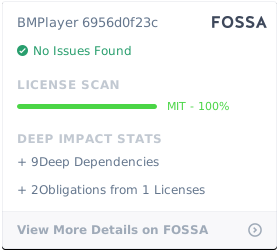
BMPlayer is available under the MIT license. See the LICENSE file for more info.