SelfhostedPro/Yacht
VueA web interface for managing docker containers with an emphasis on templating to provide 1 click deployments. Think of it like a decentralized app store for servers that anyone can make packages for.





Yacht
Yacht is a container management UI with a focus on templates and 1-click deployments.
I'm currently rewriting the backend in Typescript as an attempt to have a language that more people would contribute to. You can follow development of that here.
Please note, that while we are rewriting the back end. The Yacht.sh website is outdated on its instructions, please visit https://dev.yacht.sh for now. The main Yacht.sh site will be updated with the new release.
Demo:
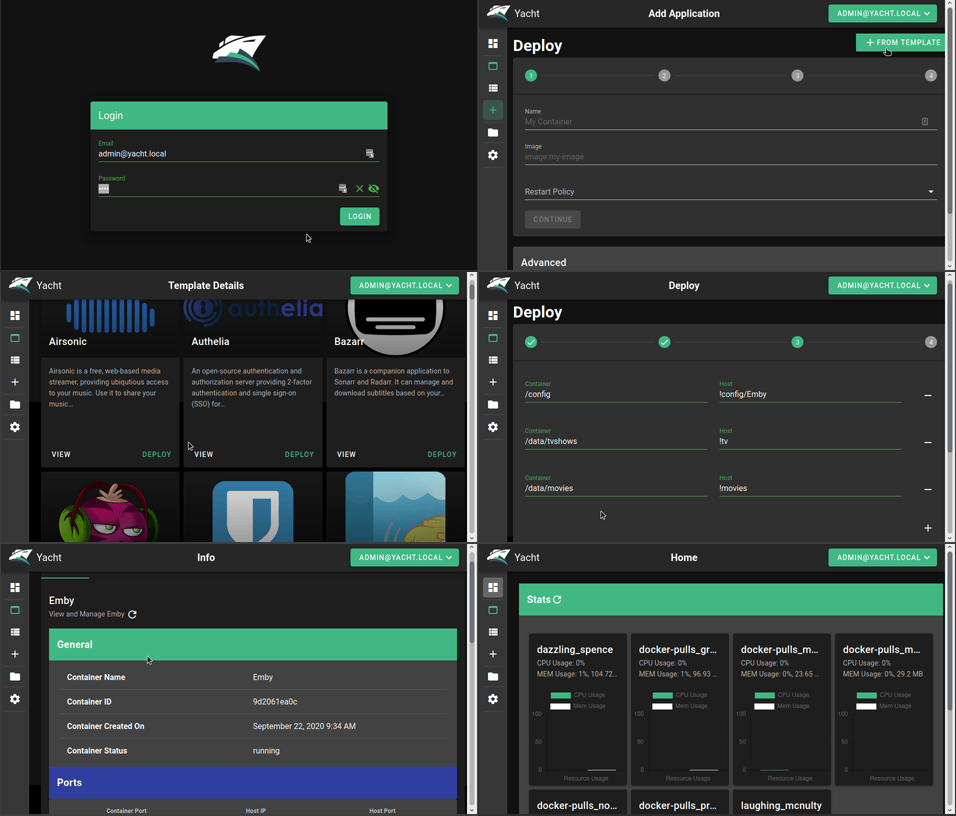
Installation:
Currently only linux has been verified as working but we are open to the idea of supporting windows eventually as well.
Keep in mind, this is an alpha so the risk of data loss is real and it may not be stable
Installation documentation can be found here.
Check out the getting started guide if this is the first time you've used Yacht: https://dev.yacht.sh/docs/Installation/Getting_Started
Yacht is also available via the DigitalOcean marketplace:

We can also be found on Linode
<img src="https://www.linode.com/wp-content/uploads/2021/01/Linode-Logo-Black.svg" width="200" >
Features So Far:
- Vuetify UI Framework
- Basic Container Management
- Template Framework
- Easy Template Updating
- Centralized settings for volume management and similar QOL functionality.
- Docker-Compose Compatibility
- Advanced Container Management (Edit/Modify)
Planned Features:
- Container Monitoring
- Easy access to container interfaces
- User Management
- Scheduled Jobs
If you want something that's not planned please open a feature request issue and we'll see about getting it added.
Templating:
Currently Yacht is compatible with portainer templates. You'll add a template url in the "Add Template" settings. The the template will be read, separated into apps, and imported into the database. The apps associated with the templates are linked via a db relationship so when the template is removed, so are the apps associated with it. We store the template url as well so we can enable updating templates with a button press.
We recommend starting with:
https://raw.githubusercontent.com/SelfhostedPro/selfhosted_templates/yacht/Template/template.json
In templates you are able to define variables (starting with !) to have them automatically replaced by whatever variable the user has set in their server settings (ie. !config will be replaced by /yacht/AppData/Config by default).
Notes for ARM devices
If you're on arm and graphs aren't showing up add the following to your cmdline.txt:
cgroup_enable=cpuset cgroup_enable=memory cgroup_memory=1
Supported Environment Variables
You can utilize the following environment variables in Yacht. None of them are mandatory.
| Variable | Description |
|---|---|
| PUID | Set userid that the container will run as. |
| PGID | Set groupid that the container will run as. |
| SECRET_KEY | Setting this to a random string ensures you won't be logged out in between reboots of Yacht. |
| ADMIN_EMAIL | This sets the email for the default Yacht user. |
| DISABLE_AUTH | This disables authentication on the backend of Yacht. It's not recommended unless you're using something like Authelia to manage authentication. |
| DATABASE_URL | If you want to have Yacht use a database like SQL instead of the built in sqlite on you can put that info here in the following format:postgresql://user:password@postgresserver/db |
| COMPOSE_DIR | This is the path inside the container which contains your folders that have docker compose projects. (compose tag only) |
Notes for installing Docker and Yacht on WSL2 platform under Windows
If you’re running under WSL2 inside Windows, because of the difference in how permissions are handled. Your essentially inside of a Linux machine accessing a Windows file system. You will need to run after installation before adding the Yacht container:
$ sudo usermod -aG docker $USER
Additional information about this can be found in the Post-installation steps for Linux
Update button not working?
If the built in update button isn't working for you try the following command:
docker run --rm -d -v /var/run/docker.sock:/var/run/docker.sock containrrr/watchtower:latest --cleanup --run-once <container-name>