📖《网络代理与VPN应用详解》 详细阐述代理、隧道、VPN运作过程,并对GFW策略如:地址端口封锁、服务器缓存投毒、数字验证攻击、SSL连接阻断做相关的原理说明
《VPN及代理应用详解》
 |
 |
 |
 |
 |
|---|
intro
本书着重于上网的方式与获取信息的技巧,并对相关流行且典型的软件做简要的上手配置,以及原理的相关说明。
《这本书》示例的多数网址,以及更多资料收录在 w3-goto-world ,书中的相关章节搭配存储库 科学上网 效果会更好!不得不说,这个免费梯子真厉害:Pawdroid/Free-servers,现在的代理软件都进化到实现VPN的功能了:clash-verge-rev,以及千种配置 mihomo_yamls 太强了。
update
《这本书能让你连接互联网》-> 《VPN及代理应用详解》的更新要点:
增加速成科学上网篇章
增加相关上网方式以及软件配置操作
crx_header_invalid 解决方案的说明
VPN连接上服务器却无法访问任何网页及其他网络的解决办法
Windows 无法设置系统代理的问题
项目内置 probot 机器人,method 新增 战略家模式
其他更新 click me!
- 增加对虚拟电话注册方案的说明
- 谷歌新账户注册方式
- 网页时光机以及查找相似站点
- 利用个人博客作为连接互联网的中转
此外,还精简了不必要的重复内容,图片采用 postimages 支持,项目由30M降低到144KB大小,非常方便在线部署及下载,欢迎 fork 《这本书》!
NET::ERR_CERT_AUTHORITY_INVALID
浏览器会额外提示:攻击者可能试图从 xxx.github.io 窃取你的信息,此服务器无法证明它是 xxx.github.io;你的计算机的操作系统不信任它的安全证书。这可能是由配置错误或者有攻击者截获你的连接而导致的。当继续访问时又会403。
解招!:更改为如下提供的百度、阿里、腾讯DNS,再用ipconfig/flushdns 刷新缓存。原因简述:ISP提供的DNS发送错误的根证书,换成能向访问网站提供正确证书的第三方DNS。
- 百度DNS:180.76.76.76
- 阿里DNS:223.5.5.5、223.6.6.6
- 腾讯DNS:119.29.29.29、182.254.116.116
usage
在线部署
- fork 《这本书》 到你的 repo
- 修改 docs/index.html 将
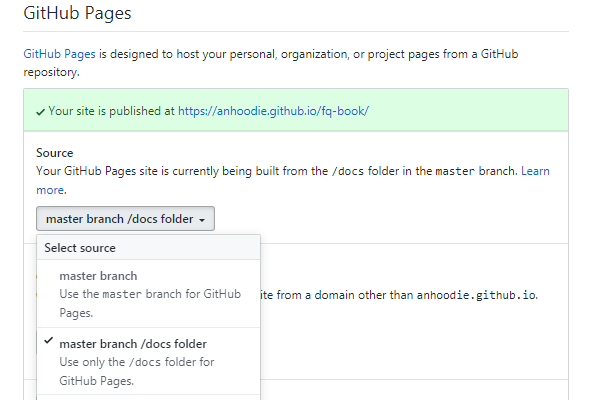
window.$docsify = {}的repo修改成你的 repo - 在 settings 找到 GitHub Pages 并选择
master brach/docs folder - 访问
https://你的GitHub用户名.github.io/fq-book即可看到效果
这里以 anhoodie 为示例 click me!

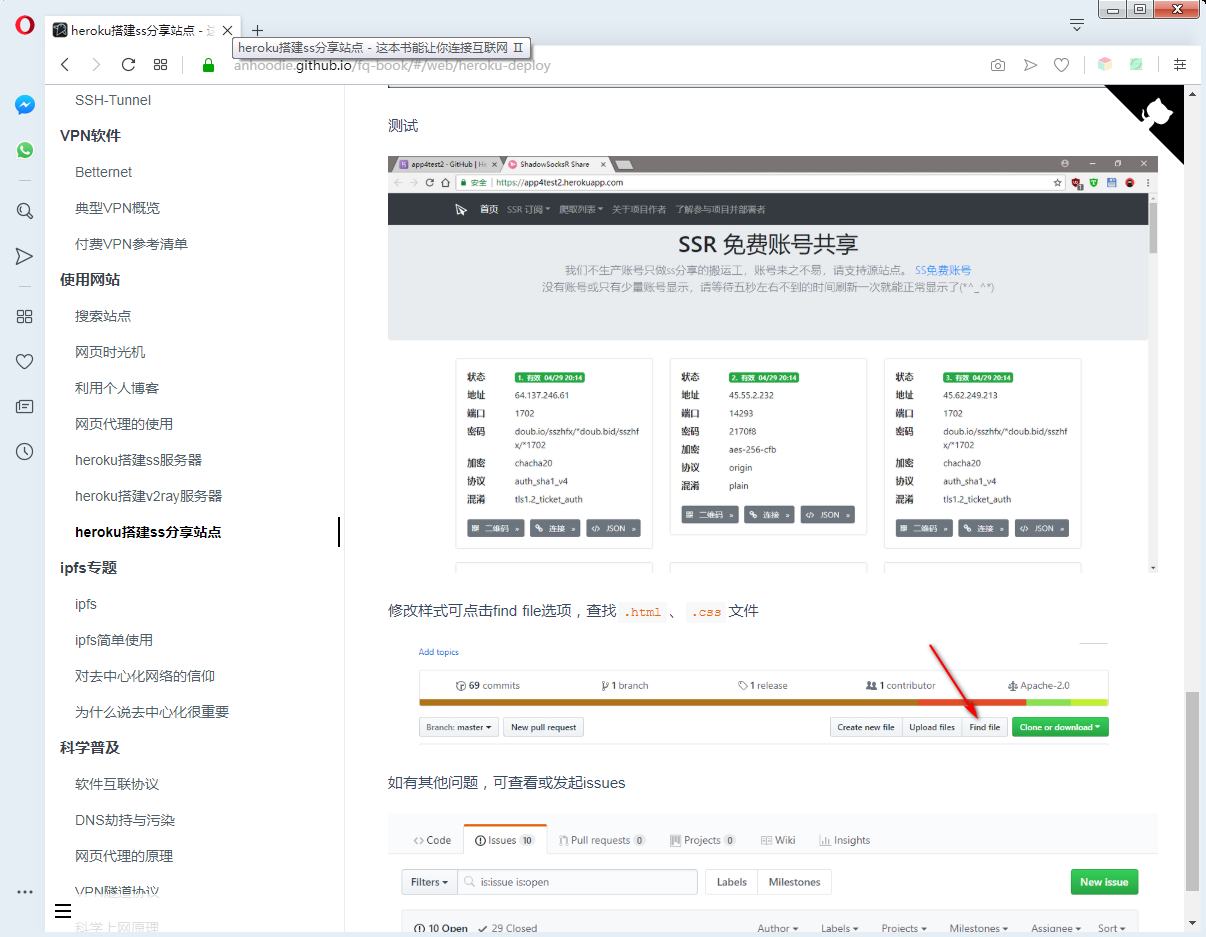
预览
本地部署
所需环境:git、node;安装很简单一直 下一步 直到完成安装即可。
- 右击选择
git bash在命令行中输入npm i docsify-cli -g - 点击
clone or download下载.zip并解压缩 - 进入到
fq-book-master/docs目录 - 右击打开
git bash输入docsify init . - 使用
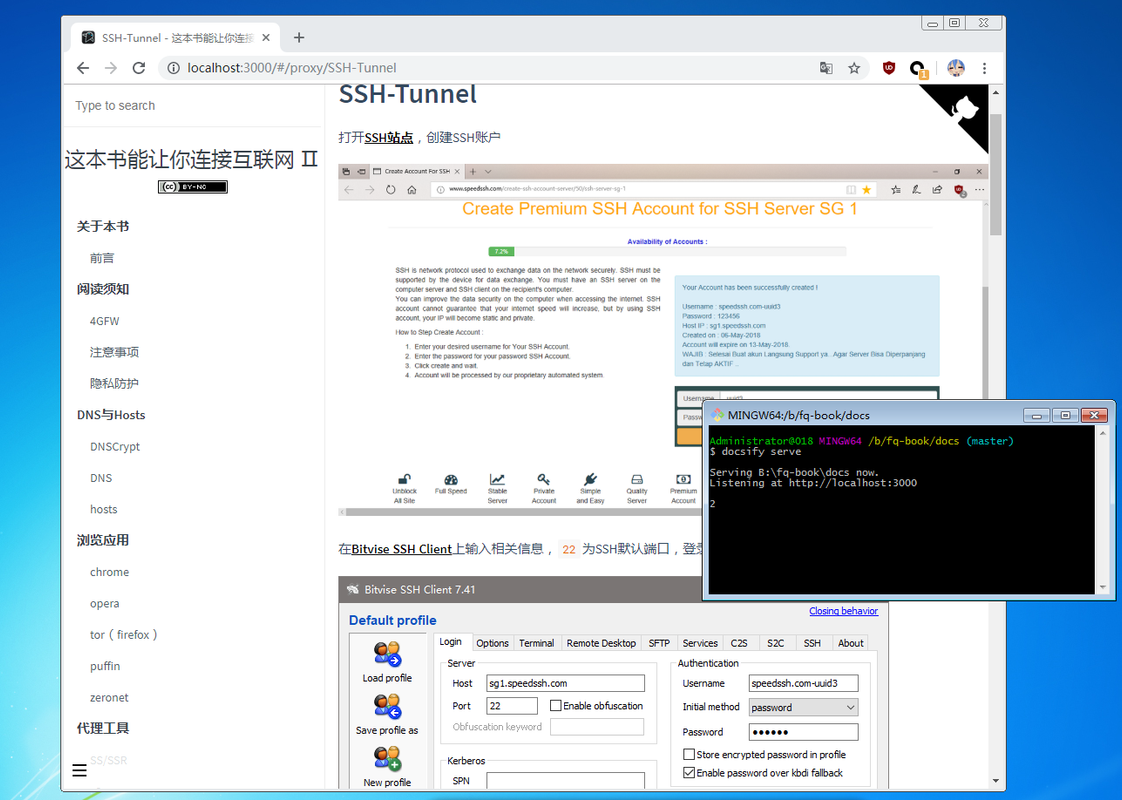
docsify serve完成本地部署 - 在浏览器中输入
localhost:3000即可看到效果 :joy:
关于更多详细,请看docsify官网文档
使用Offline Explorer可将《这本书》的整个网页内容下载到本地,进行离线观看
当然,也可选择将该书docsify类型转换为gitbook生成格式,并用其自带的命令制作《这本书》的PDF
获取更新
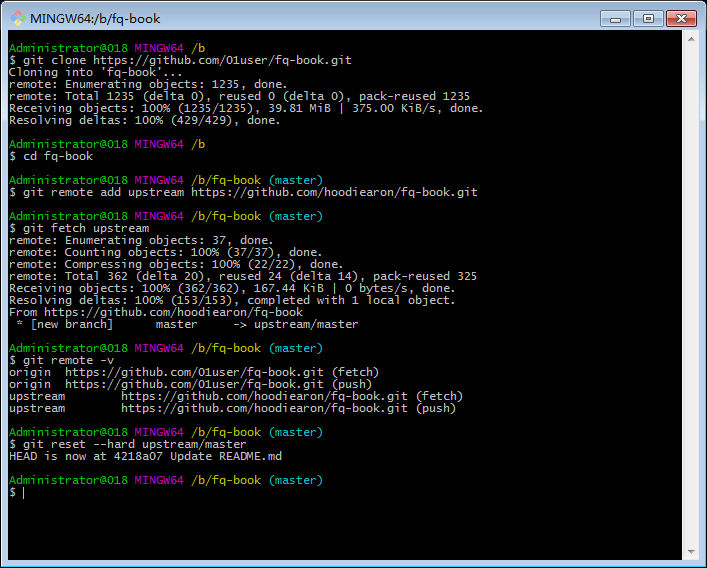
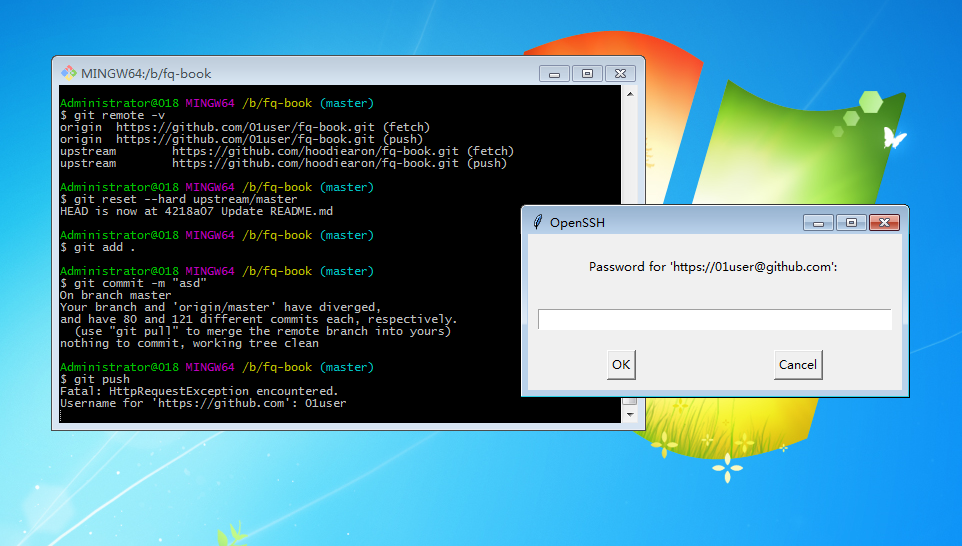
以01user为例,在本地部署时,旧版图链已经失效了,新版已经采用 postimage 支持;此时就需升级成 《这本书Ⅱ》,获取更新其实非常简单,在fork的基础上,执行以下指令
git clone https://github.com/你的github用户名/fq-book.git
cd fq-book
git remote add upstream https://github.com/hoochanlon/fq-book.git
# 若需必要的分支变更,还是使用合适: git fetch --all
git fetch upstream
# 对Git有所了解的话,建议还是使用:`git pull upstream master --allow-unrelated-histories` 以审查代码的形式更新
git reset --hard upstream/master
提交到自己的repo
git add .
git commit -m "test"
# 此指令只方便newbie或不得已的强制;会些Git还是推荐:git push -u --force-with-lease origin master
git push -u -f origin master
输入账号&密码即可上传到自己repo完成Github账户仓库远程更新。更多作业指令操作说明,请看Git 官方文档,在特殊情况,有可能需要涉及到代理、镜像、浅克隆设置
更新图示 click me!
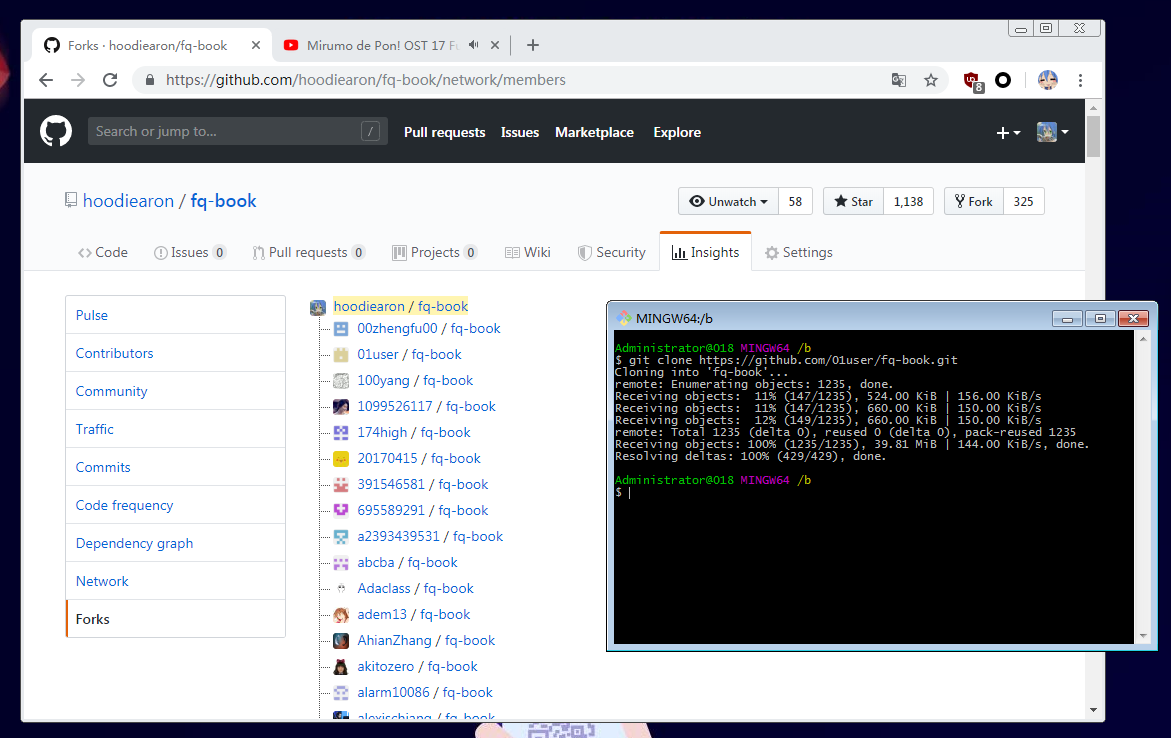
部署测试
提交到repo
代理设置
git代理
git客户端代理设置,以及取消代理
git config --global http.proxy 'socks5://127.0.0.1:1080' && \
git config --global https.proxy 'socks5://127.0.0.1:1080'

git config --global --unset https.proxy
git config --global --unset http.proxy
git clone 默认会下载项目的完整历史版本,若只关心最新的代码,而不关心之前的历史,网速差的朋友可以使用浅复制功能:
git clone --depth=1 https://github.com/你的用户名/你的repo.git
Mac终端
Mac终端的代理设置(http&https)以及取消代理
export ALL_PROXY=socks5://127.0.0.1:1080

unset ALL_PROXY"
代理软件即便是开全局模式,终端也不会走代理的,需另设。此外,Mac终端设置了代理git是可以不用在设置了。这个可用 curl cip.cc 来判断软件是否走了代理通道
ssh
## github ssh 配置
### https://help.github.com/articles/using-ssh-over-the-https-port/

## HTTP 代理
ProxyCommand socat - PROXY:127.0.0.1:%h:%p,proxyport=8848

## socks5 代理
 ProxyCommand nc -v -x 127.0.0.1:1080 %h %p
更多代理设置见:SunSeekerX's Notebook-代理设置大全,相关问题见:v2ex-为什么全局代理后,CMD依然Ping不通Google? (2024.1.12)
essays
设置HOSTS、DNS的软件,推荐:Ip Switch(导入GitHub hosts可参考ineo6/hosts)、DNSCrypt ,我觉得不管代理、vpn怎么变(技术迭代,换来换去),反正这两个设置软件总是要的。VPN、proxy软件又出来个新玩意什么,clashios提及到的软件也是可以参考的咯。
下载组件方面,一些喜欢折腾环境配置的人也自然总结了一些经验写着项目里,例如:homebrew-install、Thanks-Mirror、package-manager-proxy-settings。
SteamTools游戏加速器,满足steam基本的社区商店、社区消息浏览,还行吧,毕竟是免费的。dogfight360写的UsbEAm Hosts Editor在进入游戏anti-cheat(反外挂插件)加速上也还好。以及apex英雄(iOS/iPadOS版)虽然锁区,但挂个小火箭,其实也能玩。
mind you
本书允许演绎及共享但禁止商用,科学上网仅为研究需要,以下是免责声明:
- 本书面向海外华人用户且仅供科研与学习,切勿用于其他用途
- 中国居民请自觉关闭本书并24小时内删掉与此相关的所有内容,否则出现一切后果本书作者概不负责
© 2019 hoochanlon