⚡️A native, local-first alternative to Logitech Options+, written in Rust 🦀 — remap buttons, DPI, and SmartShift over HID++. No account, no telemetry.
↓ ダウンロード
すべてのリリース →[!WARNING] OpenLogi is under active development and not yet stable — features and config may still change. Give the repo a Star ⭐ and Watch 👀 it to get notified when a new release lands.

OpenLogi
⚡️ A native, local-first alternative to Logitech Options+, written in Rust 🦀
Unlock the full capabilities of Logitech mice, keyboards, and webcams over HID++ and UVC









Fed up with Options+? Try OpenLogi.
Runs on macOS, Linux, and Windows.
Beyond Options+
Things OpenLogi does that Options+ won't:
- Stay light. Native Rust + GPUI.
- Run on Linux. Linux is a first-class platform in OpenLogi.
- Gestures on supported buttons. Assign gesture actions to supported controls — or turn gestures off entirely.
- Plain-text config. Everything is one TOML file you can sync between machines however you like.
- Script it. A real CLI alongside the GUI: a JSON automation API for DPI, SmartShift, Fn-lock, and report rate, plus hardware diagnostics.
Features
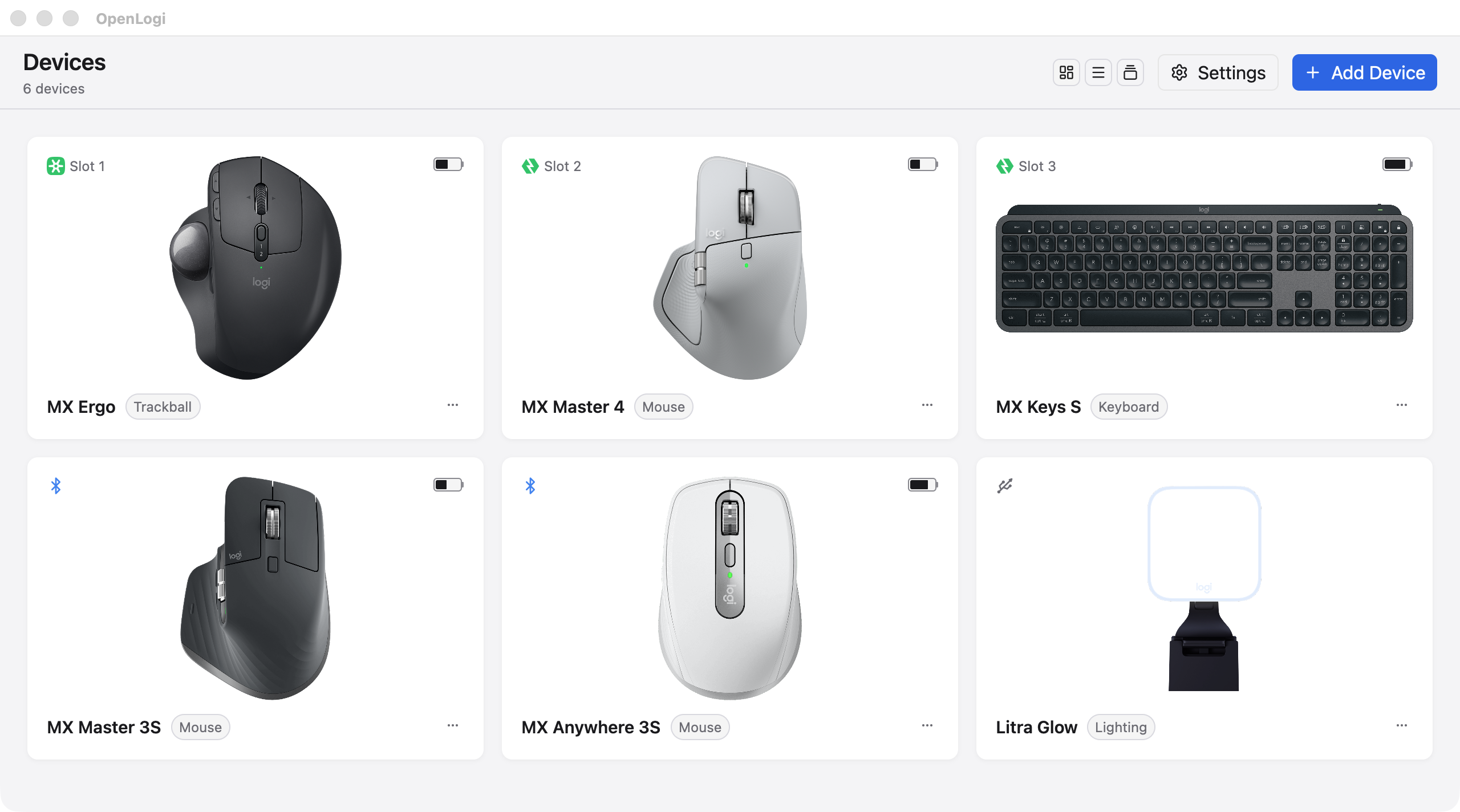
Devices
- Logi Bolt and Unifying receivers, Bluetooth, and wired connections, with battery level and charge state
- Low-battery notices at the bottom of the screen, once per discharge, with no OS notification permission
- An on-screen indicator when a keyboard turns Caps Lock on or off, plus Num Lock and Scroll Lock on Windows and Linux
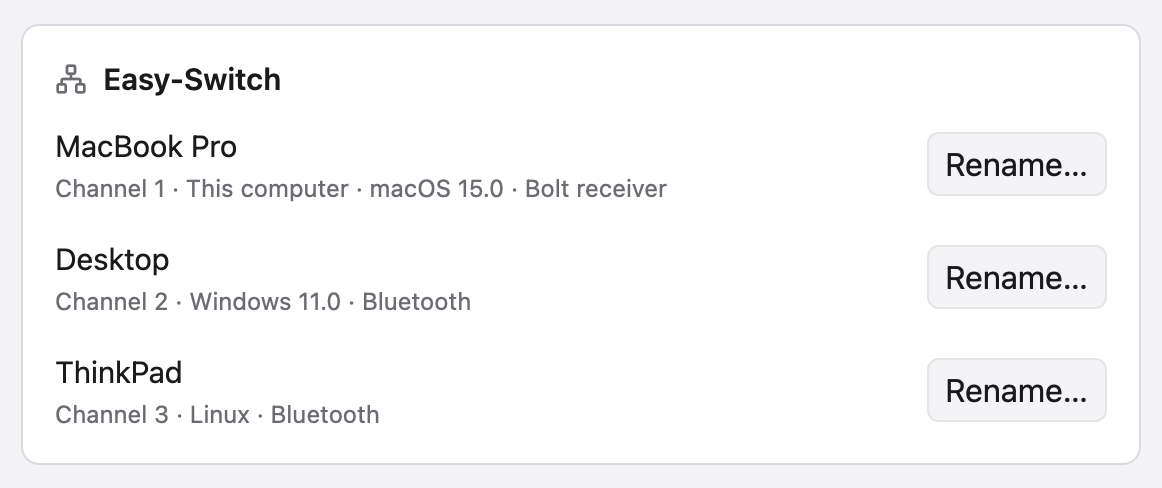 |
Easy-Switch
|
Buttons and actions
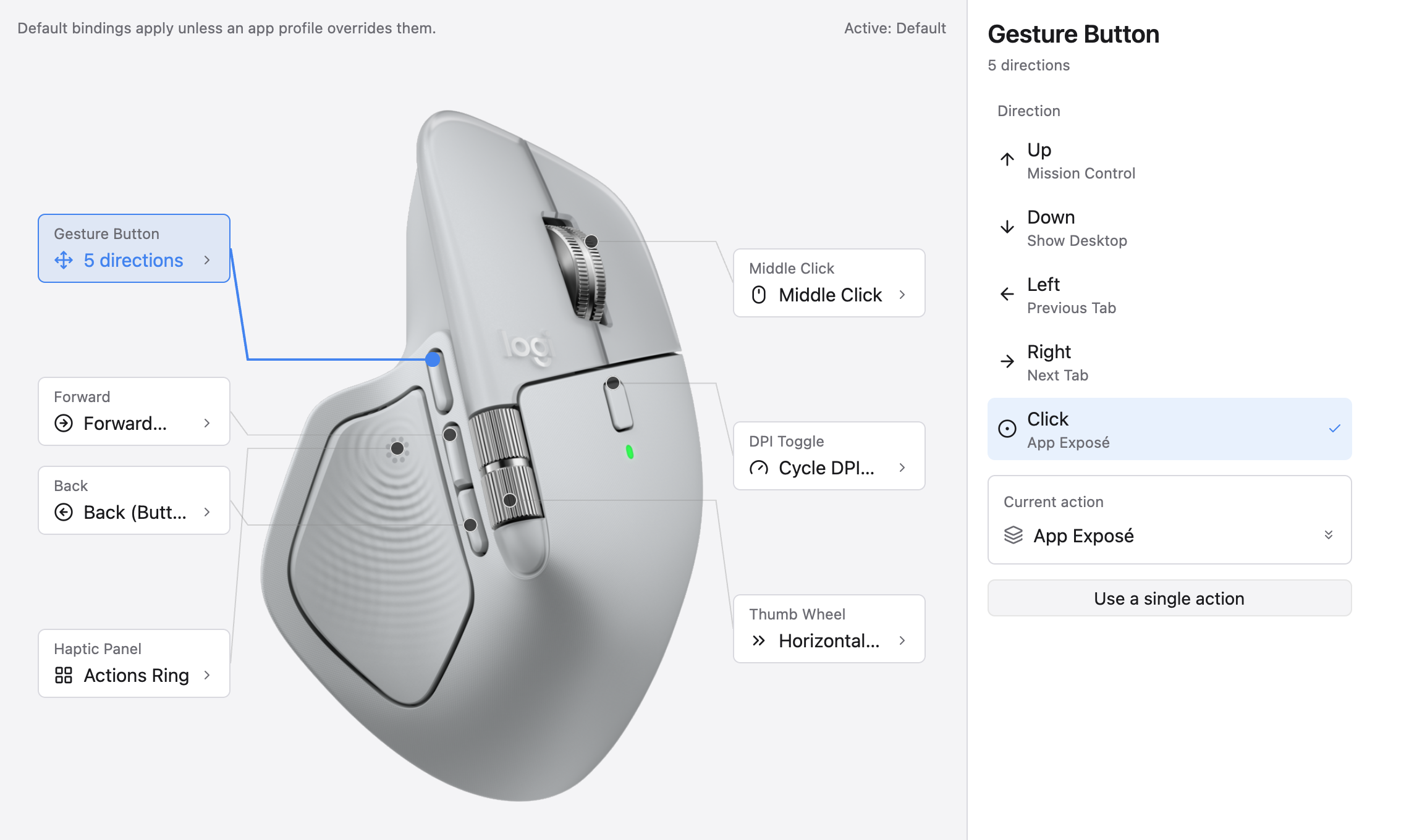 |
Remap any button
|
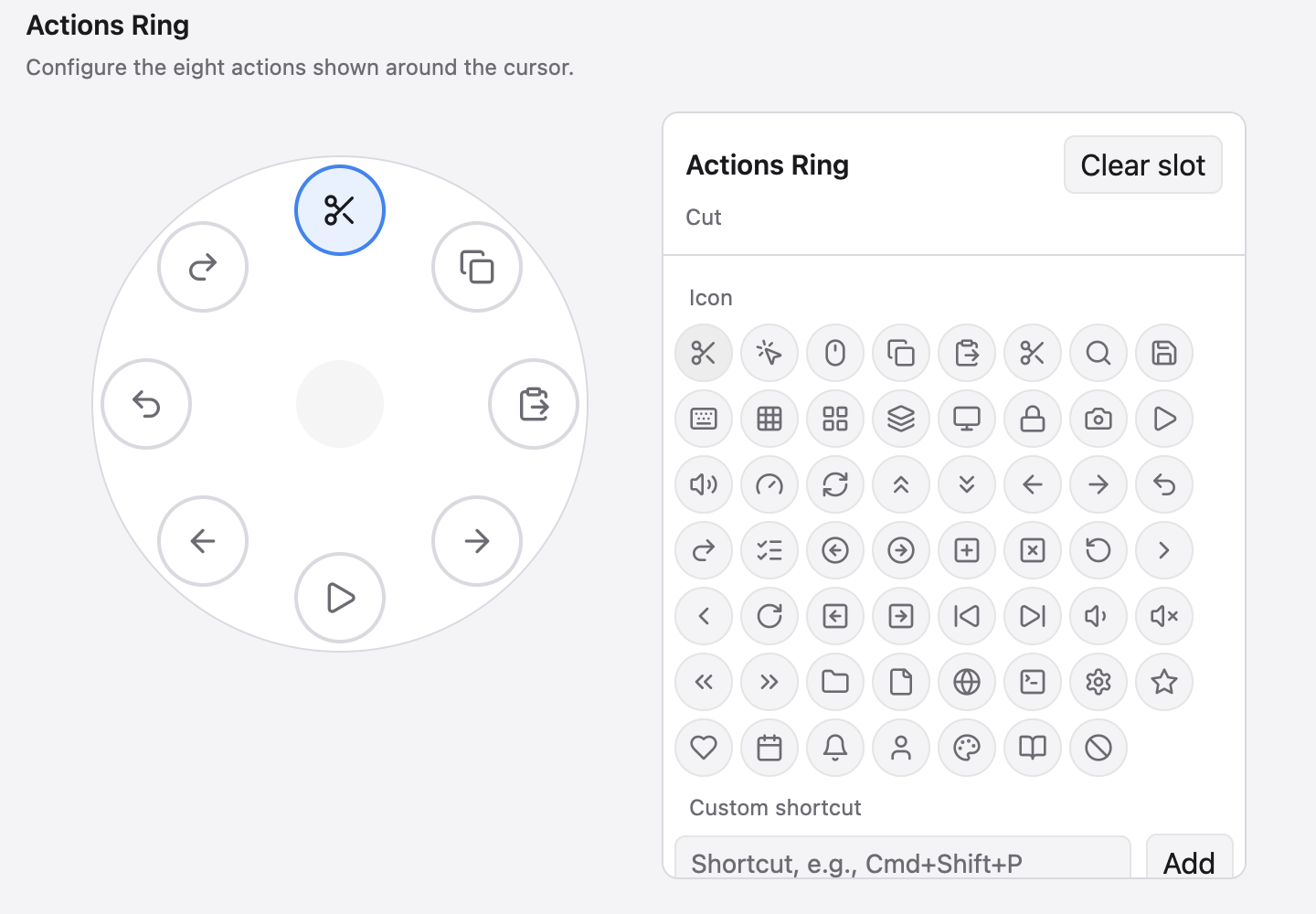 |
Actions Ring
|
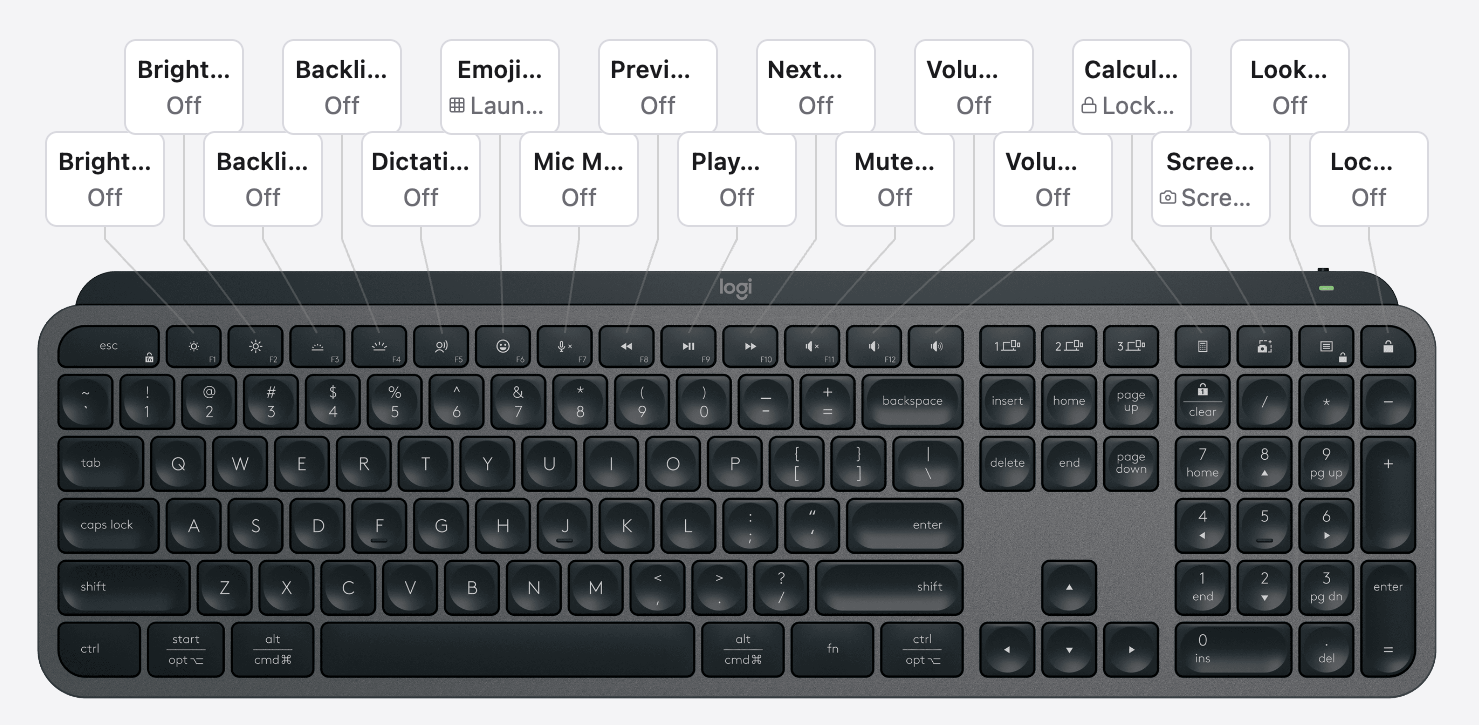 |
Keyboard keys
|
Per-application profiles switch with the focused app. An [apps] alias lets one profile follow an application across platforms.
Pointer and scrolling
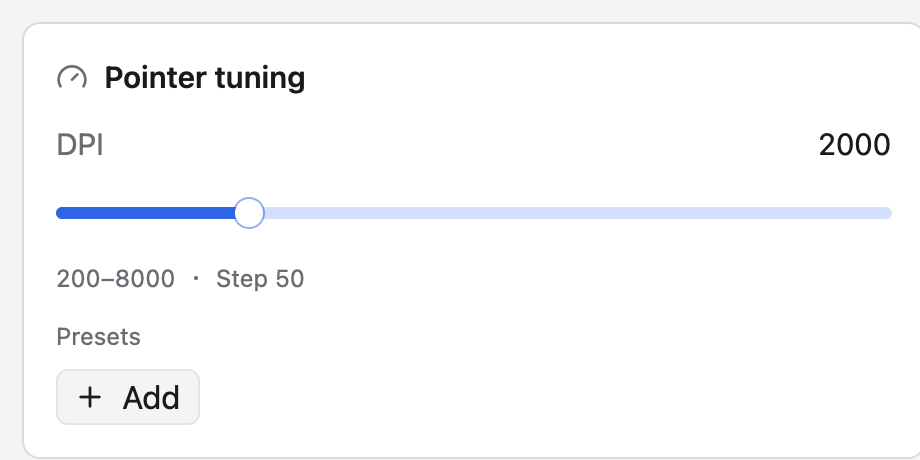 |
Pointer
|
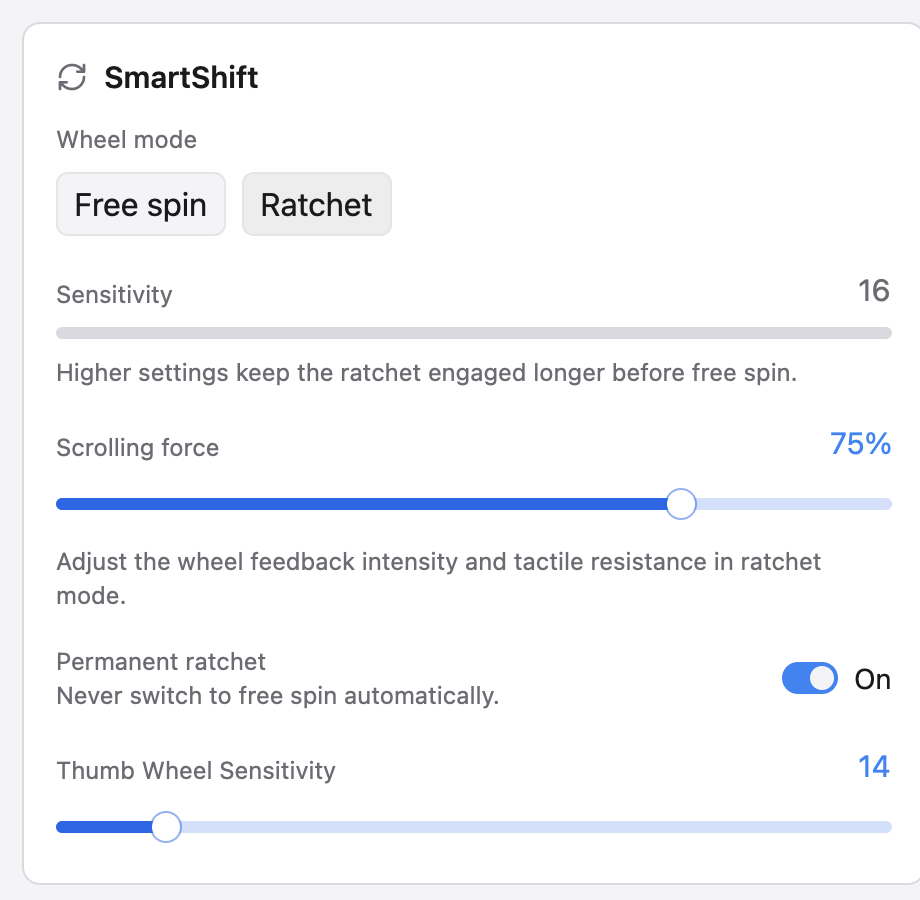 |
SmartShift
|
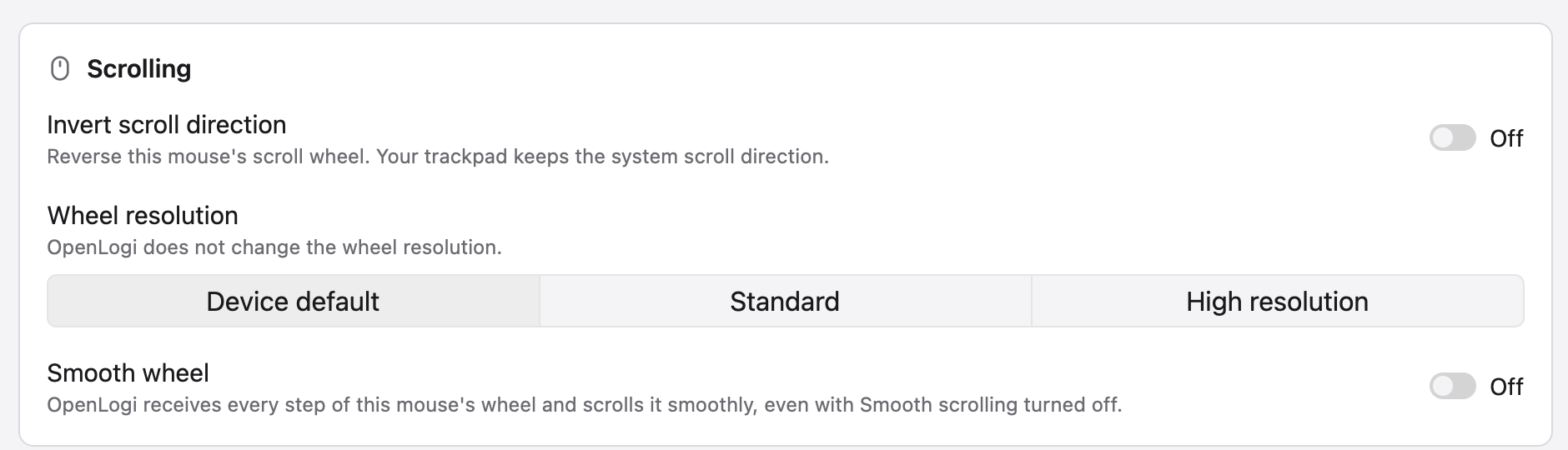 Scrolling
|
Keyboard and lighting
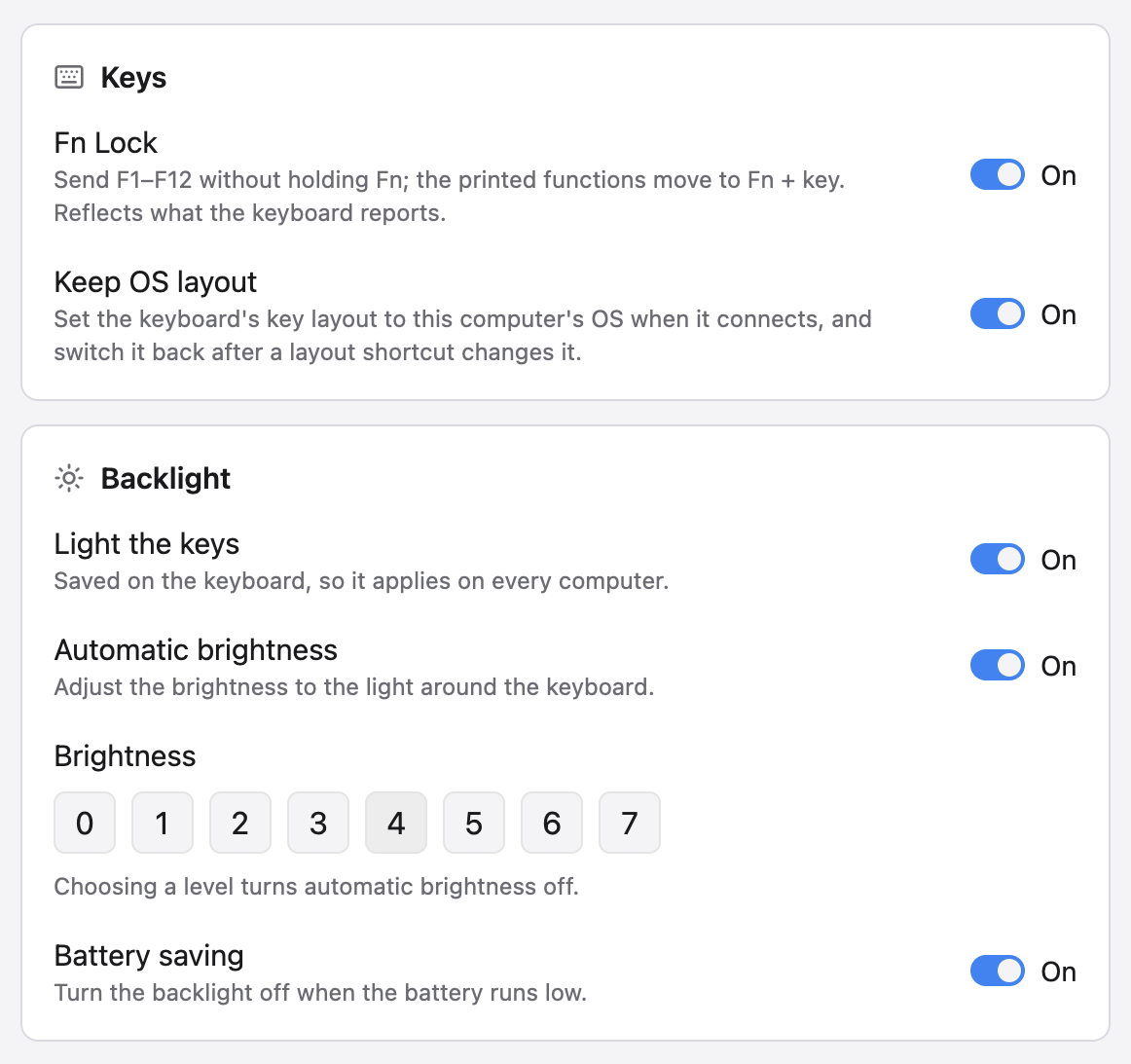 |
Keyboard
|
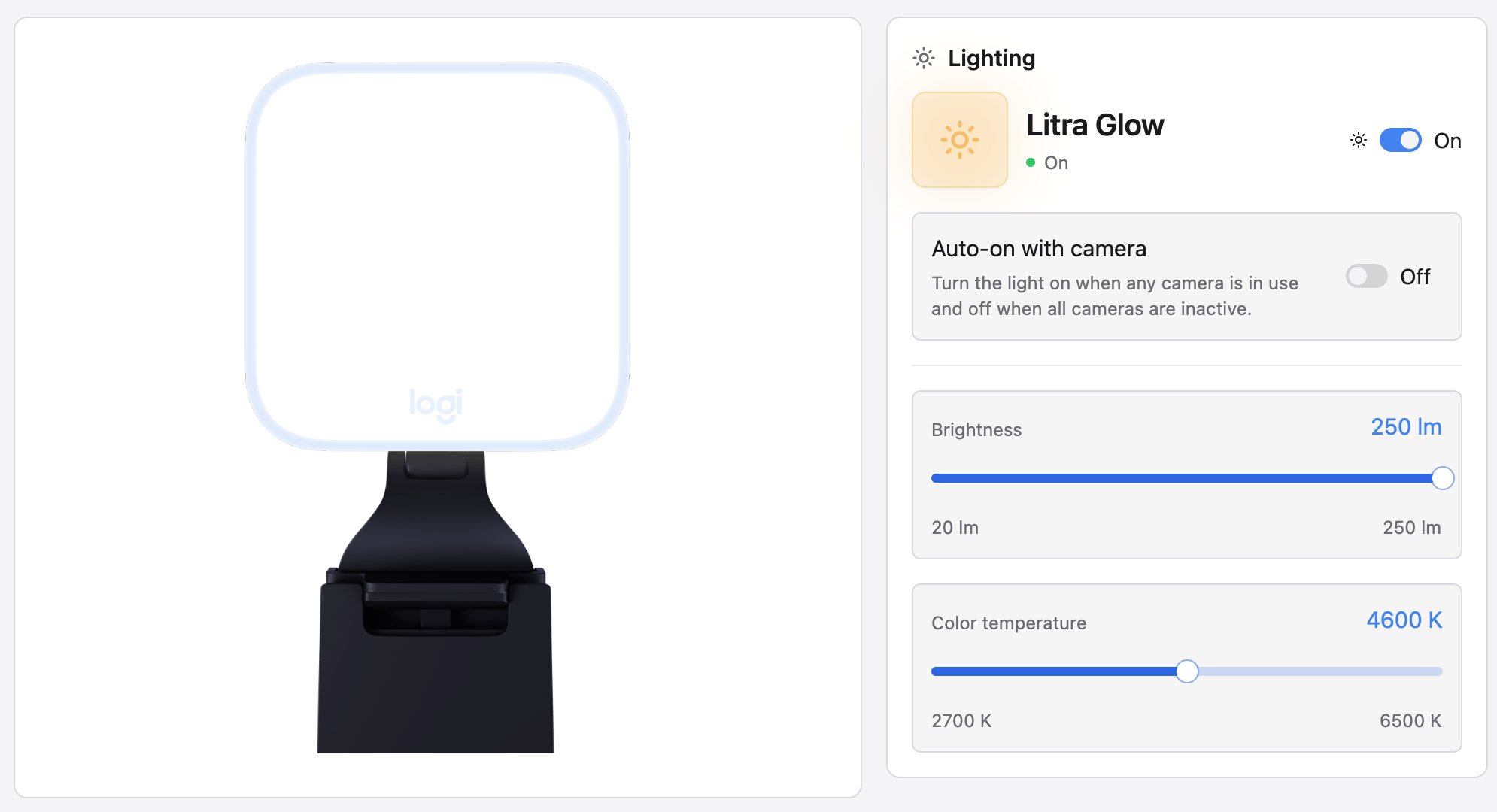 |
Litra lights
|
Webcams
- Any Logitech UVC webcam (Brio, StreamCam, the C920 series, …), plug and play
- Live preview that holds the camera only while you watch; leave it and the LED goes off
- Zoom, pan, tilt, focus, exposure, white balance, and every other UVC control, written to the hardware so Meet, Zoom, and OBS see the change
- Built-in Default / Streaming / Video call profiles plus your own snapshots, kept per camera
Feature coverage depends on what each device reports; the app shows only the controls a device supports.
Platform support
| Feature | macOS | Windows | Linux |
|---|---|---|---|
| Mouse button remapping and gestures | ✓ | ✓ | ✓ |
| Keyboard F-key remapping | ✓ | ✓ | — |
| Per-application profiles | ✓ | ✓ | X11, wlroots (sway, Hyprland), GNOME with the companion extension |
| Mouse profile follows the window under the pointer | ✓ | ✓ | X11 only |
| Media keys | Native | Native | D-Bus MPRIS |
| Window-manager actions (desktops, Mission Control, …) | Native | Native equivalents | GNOME, KDE (KWin), Hyprland; some macOS-only actions do nothing |
| Menu-bar / tray icon | ✓ | ✓ | — |
| In-app updates | Sparkle | Built-in | Built-in |
Install
[!IMPORTANT] Quit Logi Options+ (and Solaar on Linux) first. Only one application can own a receiver at a time.
| Platform | System | Architecture |
|---|---|---|
| macOS | macOS 13 or later | Apple silicon, Intel |
| Linux | GLIBC 2.35 or newer | x86_64, arm64 |
| Windows | Tested on Windows 11 | x86_64, arm64 |
Every download carries a minisign signature and an entry in SHA256SUMS. To build from source, see DEVELOPMENT.md.
macOS

Or with Homebrew:
brew install --cask openlogi
Open OpenLogi and grant Accessibility and Input Monitoring when macOS asks. OpenLogi then updates itself through Sparkle.
Linux
Or install the right package for your distribution with one command. It verifies the minisign signature and starts the agent; install minisign first:
curl -fsSL https://github.com/AprilNEA/OpenLogi/releases/latest/download/install.sh | sh
On Arch Linux, the openlogi AUR package builds the release from source:
yay -S openlogi
To read the script before running it, and for the AUR package, Flatpak, NixOS, and distributions without systemd, see INSTALL-linux.md.
Windows
Usage (CLI)
See USAGE.md
Configuration
Settings use plain TOML; saves preserve symlinked config files. See CONFIGURATION.md.
Developing
See DEVELOPMENT.md, including macOS input-hook safety.
Acknowledgments
- Windows, cameras, and i18n by @davidbudnick — keyboard RGB, Windows support, Logitech webcam support
- Linux port by @cserby — Linux support
- Solaar by @pwr — open-source HID++ implementation
- Mouser by @TomBadash — a local, account-free Options+ replacement
License
The code in this repository is dual-licensed under either of
- Apache License, Version 2.0 (LICENSE-APACHE)
- MIT license (LICENSE-MIT)
at your option.
Third-party code
crates/openlogi-hidpp is a vendored fork of hidpp
by @lus, licensed 0BSD.
Logo & brand assets
Thanks to @kubai087 for designing the OpenLogi
logo. The OpenLogi logo and app icon (the brand assets under
design/) are © 2026 AprilNEA, all rights reserved, and are not covered by the MIT/Apache
licenses above; see design/LICENSE. Forking the code grants
no right to the OpenLogi name, logo, or icon; please don't use them to represent
your own projects, forks, or distributions without prior written permission.
Not affiliated with Logitech. "Logitech", "MX Master", and "Options+" are trademarks of Logitech International S.A.