An AI agent that writes (actually useful) code for you

An AI agent that writes and fixes code for you.

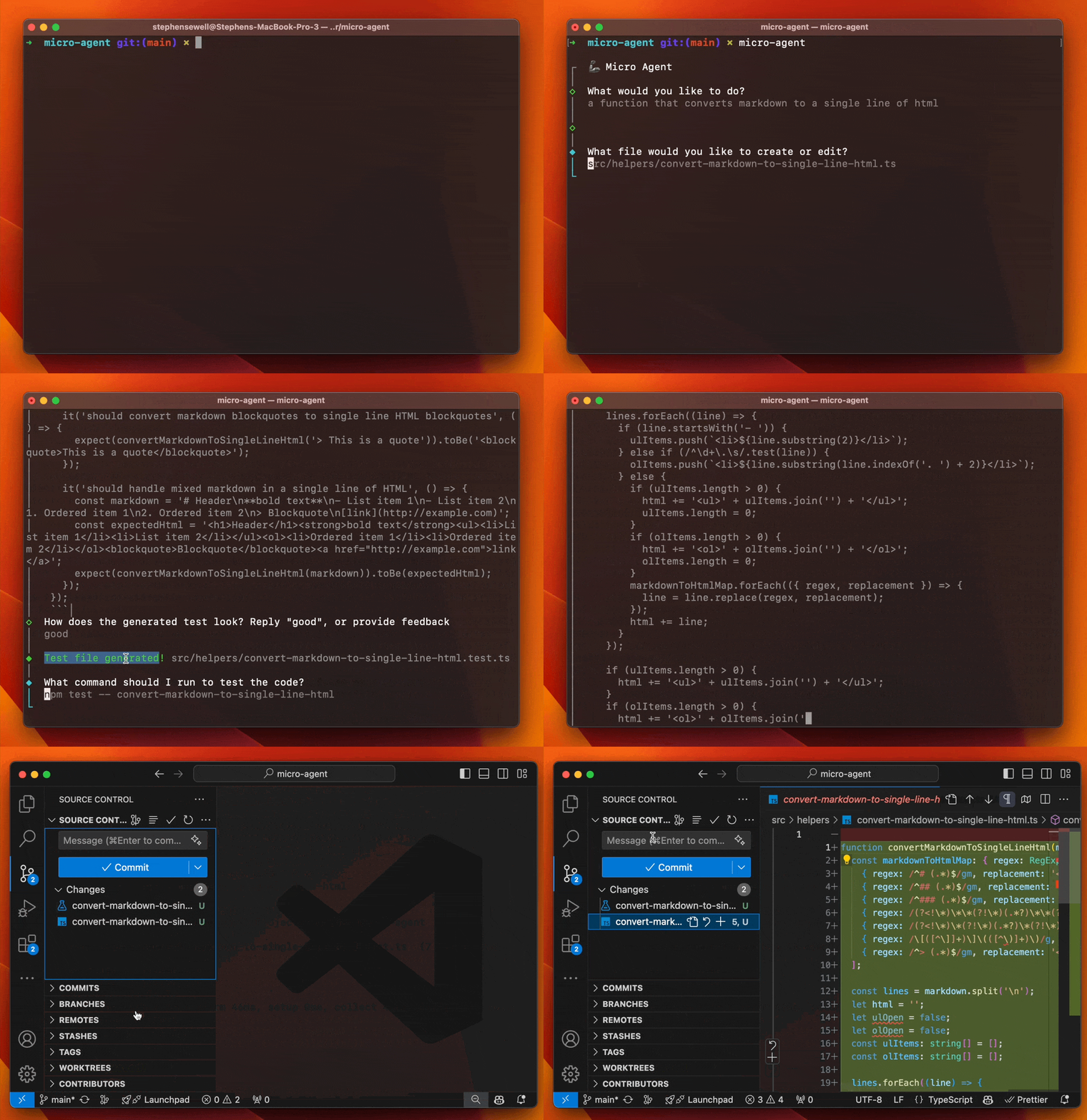
Micro Agent
Just run micro-agent, give it a prompt, and it'll generate a test and then iterate on code until all test cases pass.
Why?
LLMs are great at giving you broken code, and it can take repeat iteration to get that code to work as expected.
So why do this manually when AI can handle not just the generation but also the iteration and fixing?
Why a "micro" agent?
AI agents are cool, but general-purpose coding agents rarely work as hoped or promised. They tend to go haywire with compounding errors. Think of your Roomba getting stuck under a table, x1000.
The idea of a micro agent is to
- Create a definitive test case that can give clear feedback if the code works as intended or not, and
- Iterate on code until all test cases pass
Read more on why Micro Agent exists.
What this project is not
This project is not trying to be an end-to-end developer. AI agents are not capable enough to reliably try to be that yet (or probably very soon). This project won't install modules, read and write multiple files, or do anything else that is highly likely to cause havoc when it inevitably fails.
It's a micro agent. It's small, focused, and does one thing as well as possible: write a test, then produce code that passes that test.
Installation
Micro Agent requires Node.js v18 or later.
npm install -g @builder.io/micro-agent
Getting Started
The best way to get started is to run Micro Agent in interactive mode, where it will ask you questions about the code it generates and use your feedback to improve the code it generates.
micro-agent
Look at that, you're now a test-driven developer. You're welcome.
Running Manually
Add an LLM API key
Micro Agent works with Claude, OpenAI, Ollama, or any OpenAI compatible provider such as Groq. You need to add your API key to the CLI:
micro-agent config set OPENAI_KEY=<your token>
micro-agent config set MODEL=gpt-4o
Or, for Claude:
micro-agent config set ANTHROPIC_KEY=<your token>
micro-agent config set MODEL=claude
To use a custom OpenAI API endpoint, such as for use with Ollama or Groq, you can set the endpoint with:
micro-agent config set OPENAI_API_ENDPOINT=<your endpoint>
micro-agent config set OPENAI_API_ENDPOINT=https://api.groq.com/openai/v1
Unit test matching
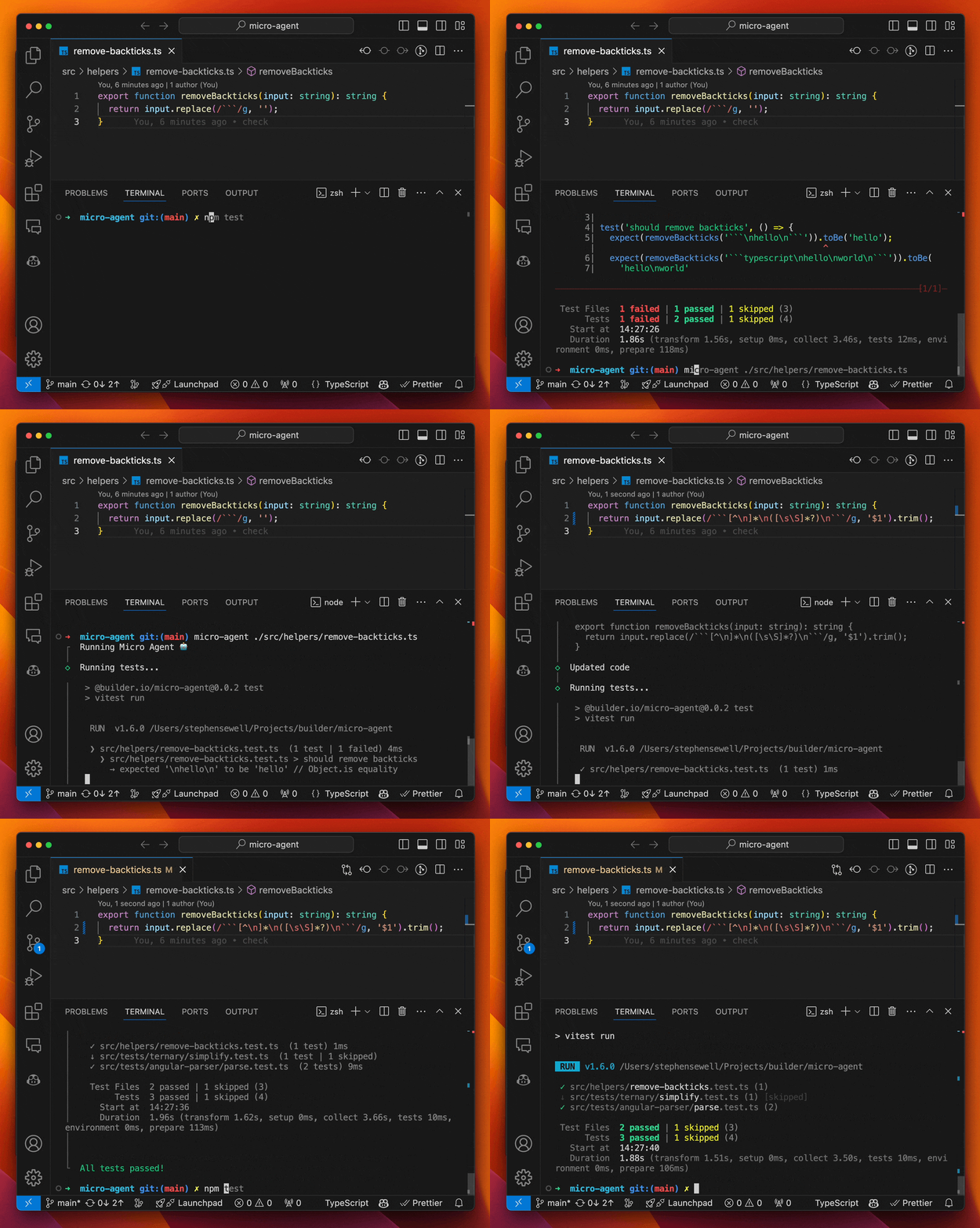
To run the Micro Agent on a file in unit test matching mode, you need to provide a test script that will run after each code generation attempt. For instance:
micro-agent ./file-to-edit.ts -t "npm test"
This will run the Micro Agent on the file ./file-to-edit.ts running npm test and will write code until the tests pass.
The above assumes the following file structure:
some-folder
├──file-to-edit.ts
├──file-to-edit.test.ts # test file. if you need a different path, use the -f argument
└──file-to-edit.prompt.md # optional prompt file. if you need a different path, use the -p argument
By default, Micro Agent assumes you have a test file with the same name as the editing file but with .test.ts appended, such as ./file-to-edit.test.ts for the above examples.
If this is not the case, you can specify the test file with the -f flag. You can also add a prompt to help guide the code generation, either at a file located at <filename>.prompt.md like ./file-to-edit.prompt.md or by specifying the prompt file with the -p. For instance:
micro-agent ./file-to-edit.ts -t "npm test" -f ./file-to-edit.spec.ts -p ./path-to-prompt.prompt.md
Visual matching (experimental)
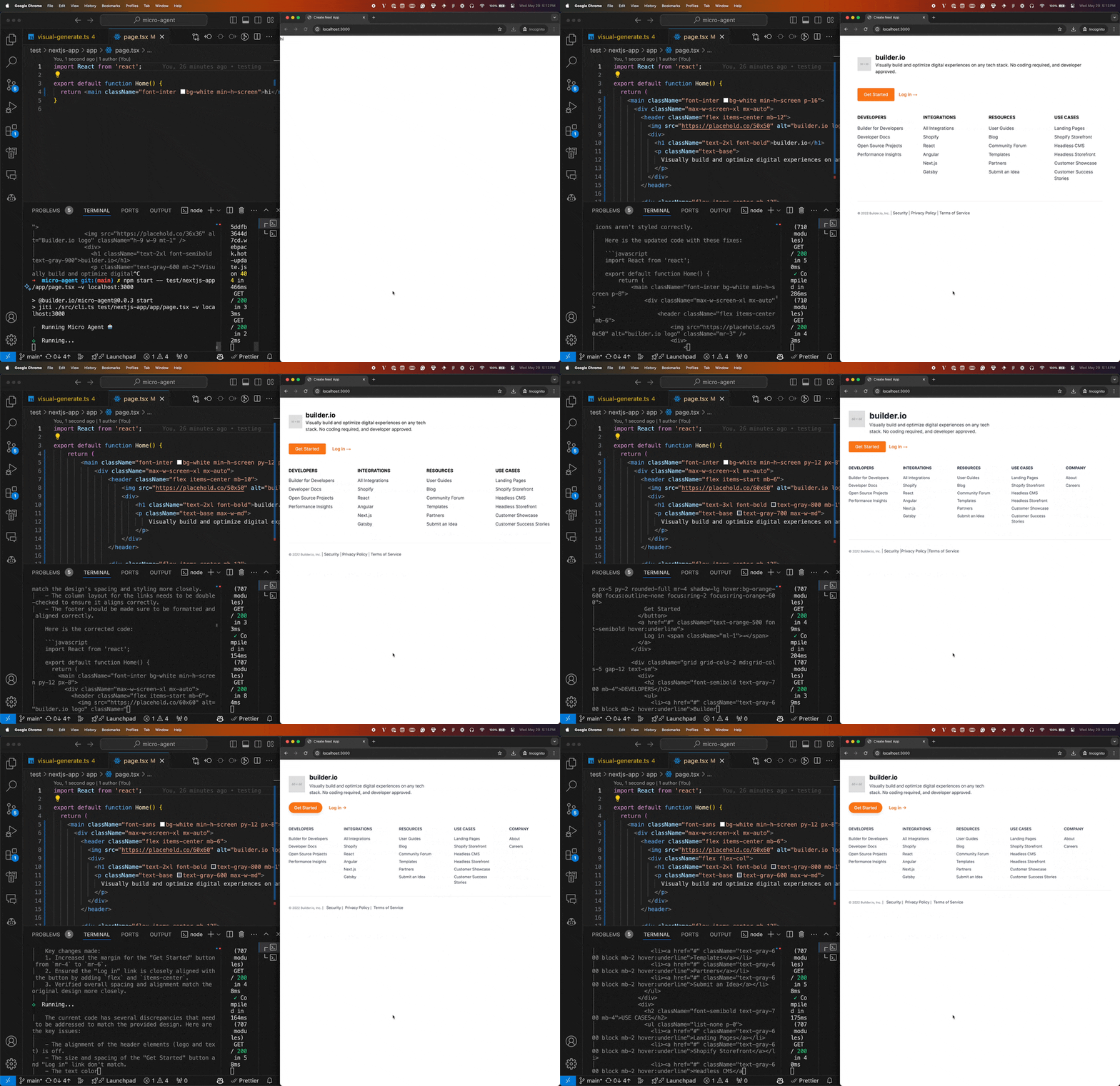
[!WARNING] This feature is experimental and under active development. Use with caution.
Micro Agent can also help you match a design. To do this, you need to provide a design and a local URL to your rendered code. For instance:
micro-agent ./app/about/page.tsx --visual localhost:3000/about
Micro agent will then generate code until the rendered output of your code more closely matches a screenshot file that you place next to the code you are editing (in this case, it would be ./app/about/page.png).
The above assumes the following file structure:
app/about
├──page.tsx # The code to edit
├──page.png # The screenshot to match
└──page.prompt.md # Optional, additional instructions for the AI
Adding an Anthropic API key
[!NOTE] Using the visual matching feature requires an Anthropic API key.
OpenAI is simply just not good at visual matching. We recommend using Anthropic for visual matching. To use Anthropic, you need to add your API key to the CLI:
micro-agent config set ANTHROPIC_KEY=<your token>
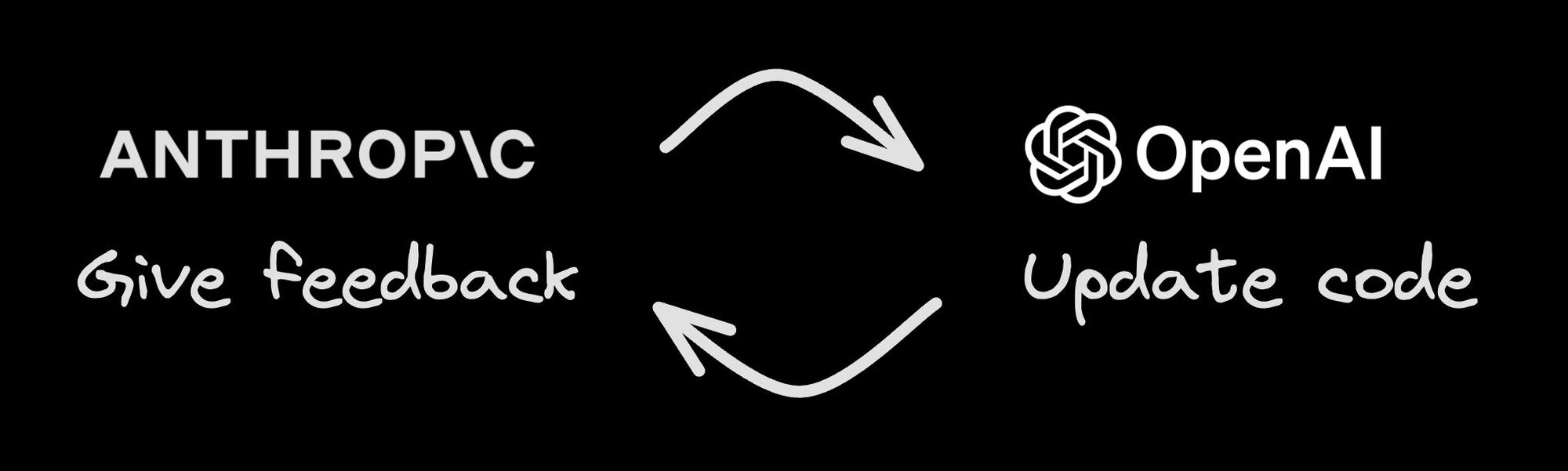
Visual matching uses a multi-agent approach where Anthropic Claude Opus will do the visual matching and feedback, and then OpenAI will generate the code to match the design and address the feedback.
Integration with Figma
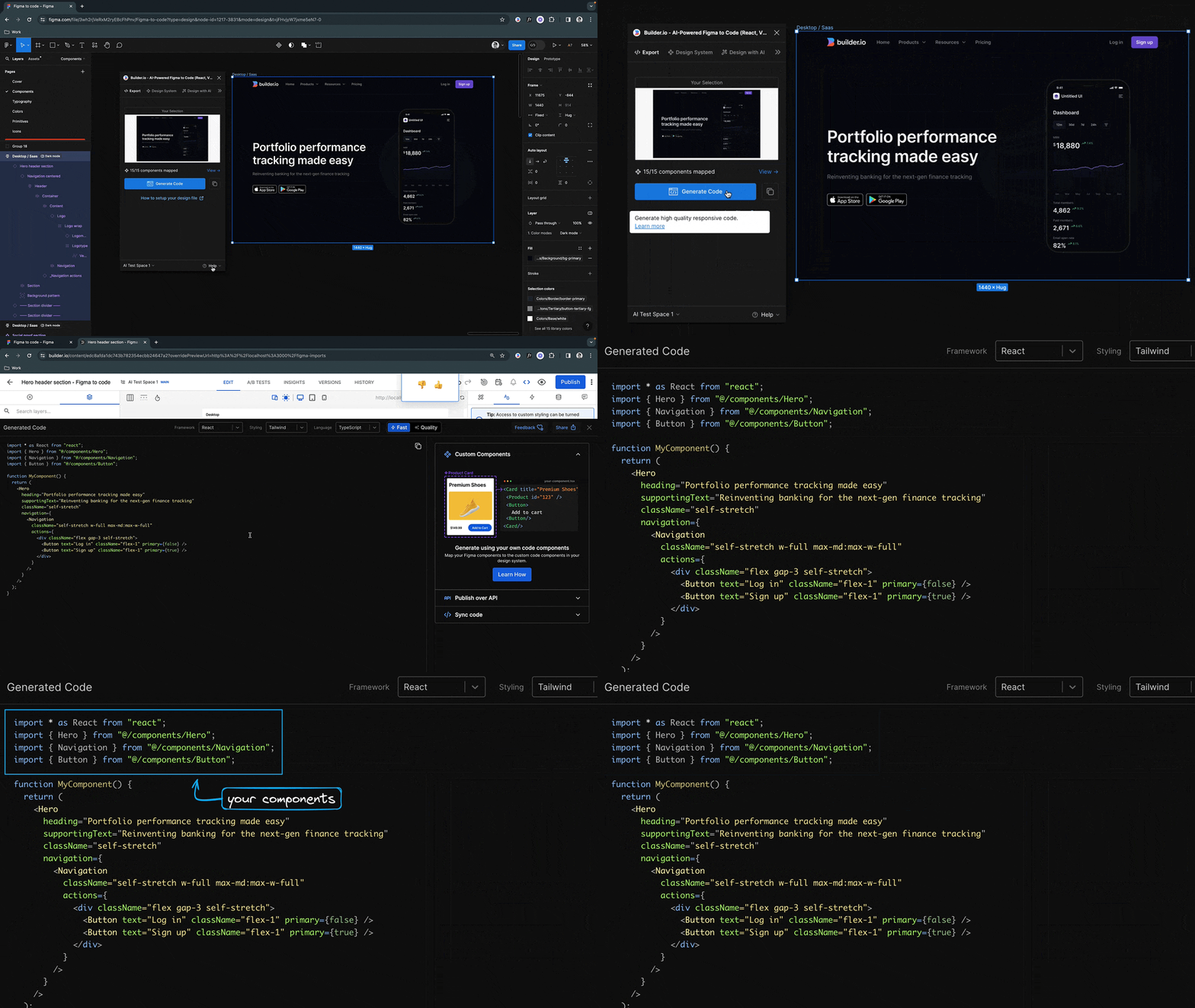
Micro Agent can also integrate with Visual Copilot to connect directly with Figma to ensure the highest fidelity possible design to code, including fully reusing the exact components and design tokens from your codebase.
Visual Copilot connects directly to Figma to assist with pixel perfect conversion, exact design token mapping, and precise reusage of your components in the generated output.
Then, Micro Agent can take the output of Visual Copilot and make final adjustments to the code to ensure it passes TSC, lint, tests, and fully matches your design including final tweaks.
Configuration
Max runs
By default, Micro Agent will do 10 runs. If tests don't pass in 10 runs, it will stop. You can change this with the -m flag, like micro-agent ./file-to-edit.ts -m 20.
Config
You can configure the CLI with the config command, for instance to set your OpenAI API key:
micro-agent config set OPENAI_KEY=<your token>
or to set an Anthropic key:
micro-agent config set ANTHROPIC_KEY=<your token>
By default Micro Agent uses gpt-4o as the model, but you can override it with the MODEL config option (or environment variable):
micro-agent config set MODEL=gpt-3.5-turbo
or, if you supply an Anthropic key, you can use any Claude model. by default claude is an alias to claude-3-5-sonnet-20241022:
micro-agent config set MODEL=claude
Config UI
To use a more visual interface to view and set config options you can type:
micro-agent config
To get an interactive UI like below:
◆  Set config:
│  ○ OpenAI Key
│  ○ Anthropic Key
│  ○ OpenAI API Endpoint
│  ● Model (gpt-4o)
│  ○ Done
└
Environment variables
All config options can be overridden as environment variables, for instance:
MODEL=gpt-3.5-turbo micro-agent ./file-to-edit.ts -t "npm test"
Upgrading
Check the installed version with:
micro-agent --version
If it's not the latest version, run:
micro-agent update
Or manually update with:
npm update -g @builder.io/micro-agent
Contributing
We would love your contributions to make this project better, and gladly accept PRs. Please see ./CONTRIBUTING.md for how to contribute.
If you are looking for a good first issue, check out the good first issue label.
Feedback
If you have any feedback, please open an issue or @ me at @steve8708 on Twitter.
Usage
Usage:
  micro-agent <file path> [flags...]
  micro-agent <command>

Commands:
  config        Configure the CLI
  update        Update Micro Agent to the latest version

Flags:
  -h, --help                      Show help
  -m, --max-runs <number>         The maximum number of runs to attempt
  -p, --prompt <string>           Prompt to run
  -t, --test <string>             The test script to run
  -f, --test-file <string>        The test file to run
  -v, --visual <string>           Visual matching URL
      --thread <string>           Thread ID to resume
      --version                   Show version
