IcaliaLabs/Presentr
SwiftSwift wrapper for custom ViewController presentations on iOS






Presentr is a simple customizable wrapper for the Custom View Controller Presentation API introduced in iOS 8.
About
iOS let's you modally present any view controller, but if you want the presented view controller to not cover the whole screen or modify anything about its presentation or transition you have to use the Custom View Controller Presentation API's.
This can be cumbersome, specially if you do it multiple times in your app. Presentr simplifies all of this. You just have to configure your Presentr object depending on how you want you view controller to be presented, and the framework handles everything for you.
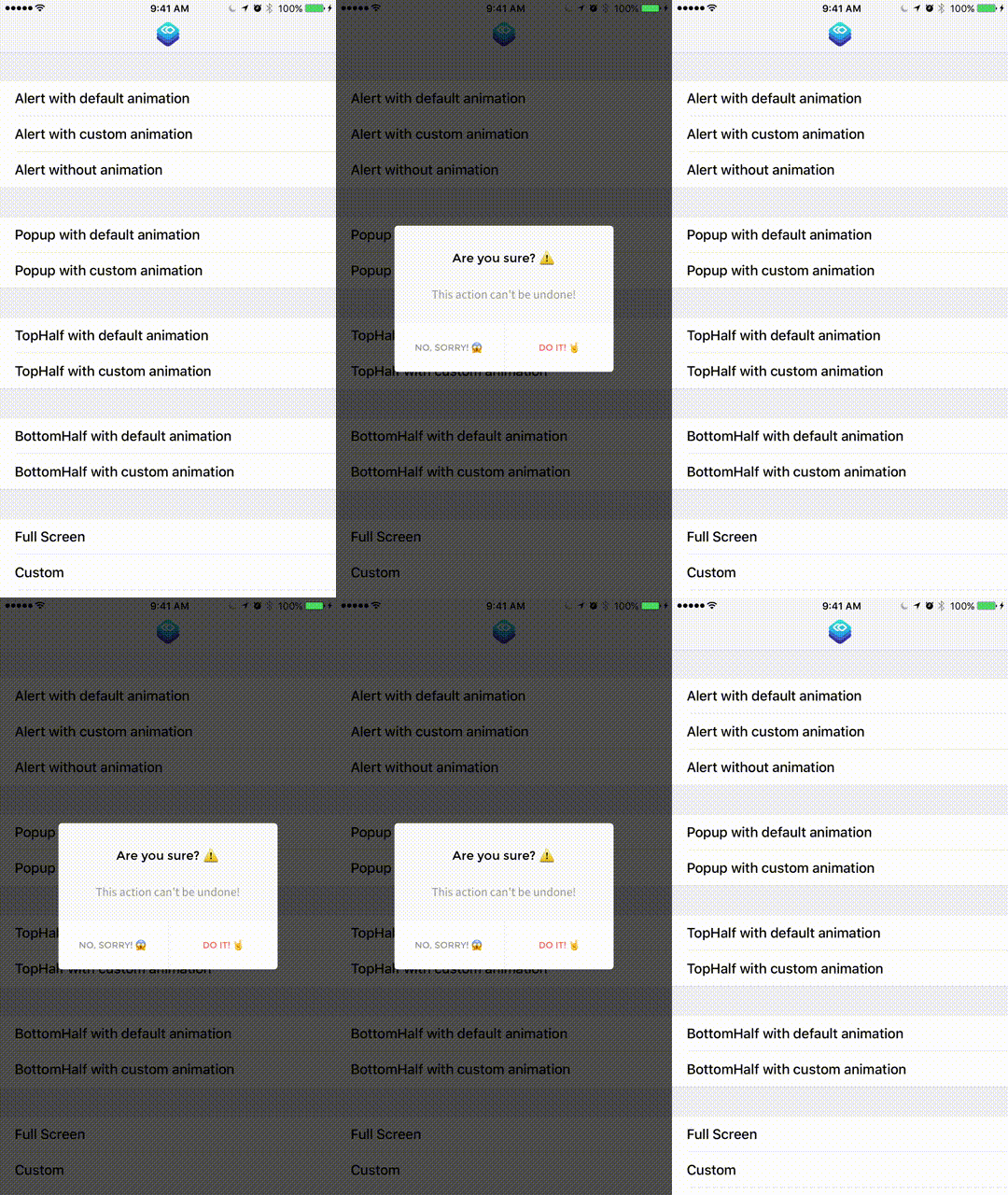

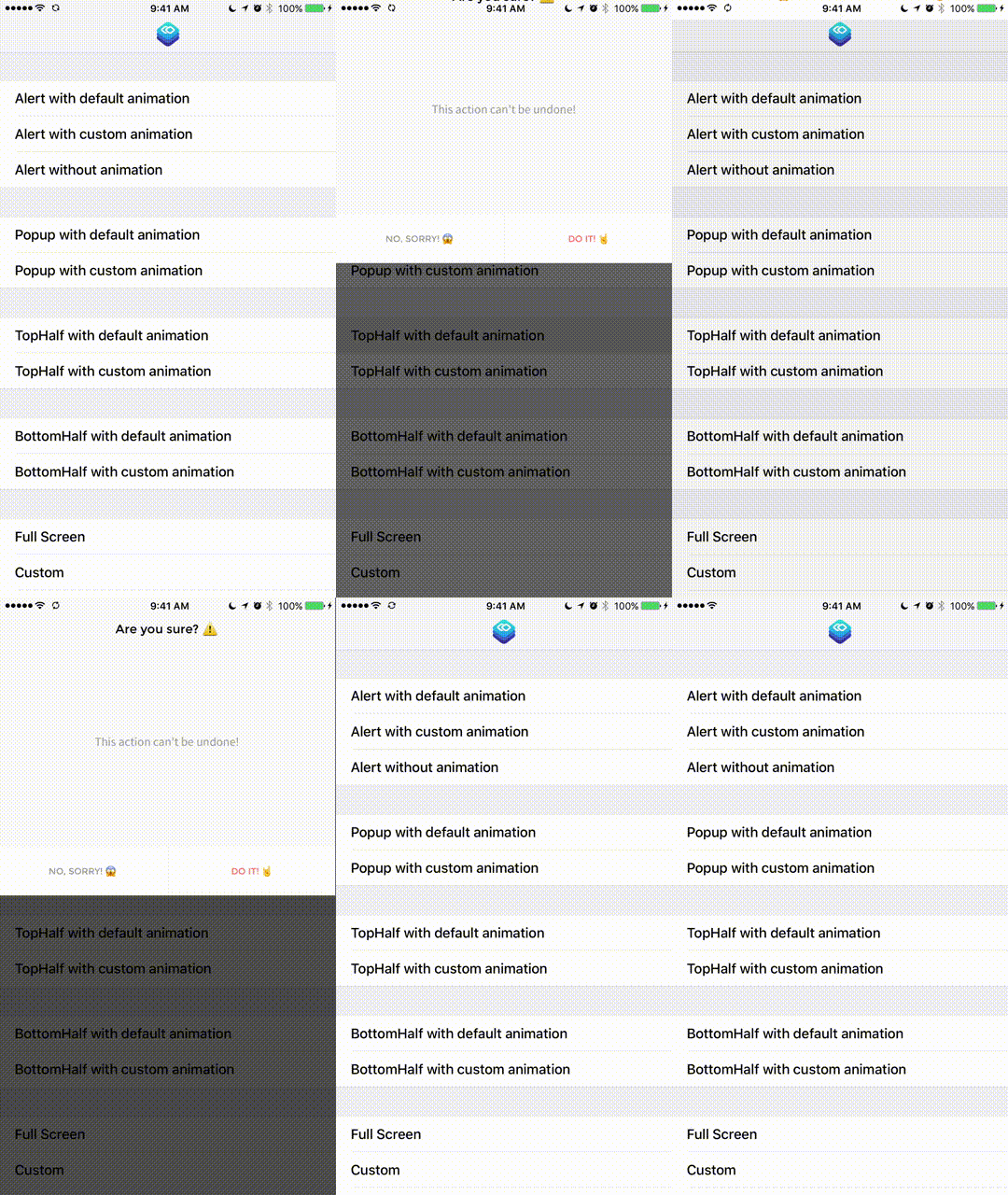
These are just examples of an Alert UI presented in multiple ways. But, with Presentr you can present any custom View Controller you create in any of the Presentation types, or create your own custom one!
What's New
1.9
- Support for Xcode 10 / iOS 12 / Swift 4.2
- Last version before big 2.0 update
1.3.1
- New
FlipHorizontaltransition type (thanks to @falkobuttler) - New
CoverFromCornertransition type (thanks to @freakdragon) - New
customOrientationModalSize (thanks to @freakdragon) - KeyboardTranslation now works for all Presentation Type's (thanks to @oxozle)
- Other bug fixes & improvements
1.3
- Swift 4 / Xcode 9 / iOS 11 Support
- Bug fixes
1.2.0
- You can add custom BackgroundView. (thanks to @clebta)
- Add custom text color for AlertViewController
- New PresentationType called .dynamic that allows dynamic sizing of ViewController using AutoLayout to calculate size.
- You can set the context so the presentation is done properly on a child view controller and not the whole screen.
- You can also set the behavior for a tap outside the context.
- Simpler PresentrAnimation architecture. Simpler to modify existing transition animations or create your own.
- Two new animations to replace system ones, CoverVertical & CrossDissolve.
- All animations are now Presentr's, no more Apple animations. This allows greater control & less bugs.
- Swipe to dismiss feature greatly improved.
- Bug fixes and other small improvements.
1.1.0
- You are now able to create your own custom transition animations. See how in readme. (thanks to @fpg1503 & @danlozano)
- New animation available, coverVerticalWithSpring (thanks to @fpg1503)
See CHANGELOG.md for previous
Contributing
- Fork project
- Checkout Develop branch
- Create Feature branch off of the Develop branch
- Create awesome feature/enhancement/bug-fix
- Optionally create Issue to discuss feature
- Submit pull request from your Feature branch to Presentr’s Develop branch
Supported Swift Versions
| Presentr Version | Swift Version | Min. iOS Version |
|---|---|---|
| <= 0.1.8 | Swift 2.2 | >= iOS 8.0 |
| == 0.2.1 | Swift 2.3 | >= iOS 8.0 |
| >= 1.0.0 | Swift 3.0 | >= iOS 9.0 |
| >= 1.3 | Swift 4.0 | >= iOS 9.0 |
| >= 1.9 | Swift 4.0 & Swift 4.2 | >= iOS 9.0 |
Installation
Cocoapods
use_frameworks!

pod 'Presentr'
Carthage
Add Presentr to you Cartfile
github "IcaliaLabs/Presentr"
Install using
carthage update --platform ios
Manually
- Download and drop
/Presentrfolder in your project. - You're done!
Getting started
Create a Presentr object
It is important to hold on to the Presentr object as a property on the presenting/current View Controller since internally it will be used as a delegate for the custom presentation, so you must hold a strong reference to it.
Your Presentr can be as simple as this:
class ViewController: UIViewController {

  let presenter = Presentr(presentationType: .alert)

}
Or as complex as this:
class ViewController: UIViewController {

  let presenter: Presentr = {
        let width = ModalSize.full
        let height = ModalSize.fluid(percentage: 0.20)
        let center = ModalCenterPosition.customOrigin(origin: CGPoint(x: 0, y: 0))
        let customType = PresentationType.custom(width: width, height: height, center: center)

        let customPresenter = Presentr(presentationType: customType)
        customPresenter.transitionType = .coverVerticalFromTop
        customPresenter.dismissTransitionType = .crossDissolve
        customPresenter.roundCorners = false
        customPresenter.backgroundColor = .green
        customPresenter.backgroundOpacity = 0.5
        customPresenter.dismissOnSwipe = true
        customPresenter.dismissOnSwipeDirection = .top
        return customPresenter
    }()

}
Present the view controller.
Instantiate the View Controller you want to present and use the customPresentViewController method along with your Presentr object to do the custom presentation.
let controller = SomeViewController()
customPresentViewController(presenter, viewController: controller, animated: true, completion: nil)
This is a helper method provided for you as an extension on UIViewController. It handles setting the Presentr object as the delegate for the presentation & transition.
Remember to setup Auto Layout on the ViewController so it can be displayed well on any size.
The PresentationType (and all other properties) can be changed later on in order to reuse the Presentr object for other presentations.
presenter.presentationType = .popup
Main Types
Presentation Type
public enum PresentationType {

  case alert
  case popup
  case topHalf
  case bottomHalf
  case fullScreen
  case dynamic(center: ModalCenterPosition)
  case custom(width: ModalSize, height: ModalSize, center: ModalCenterPosition)

}
Alert & Popup
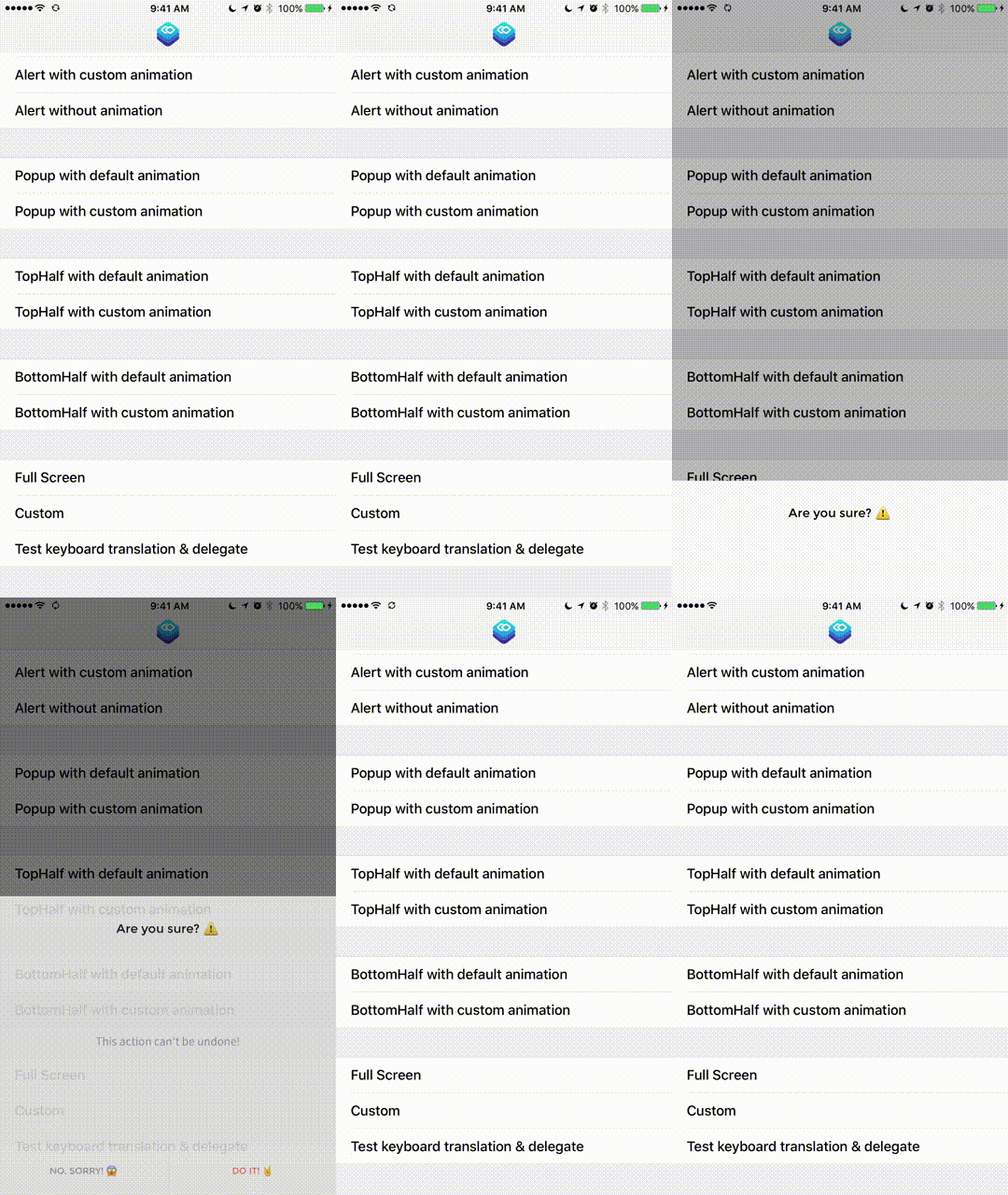
BottomHalf & TopHalf
Transition Type
public enum TransitionType {

  case coverVertical
  case crossDissolve
  case coverVerticalFromTop
  case coverHorizontalFromRight
  case coverHorizontalFromLeft
  case custom(PresentrAnimation)

}
Properties
Properties are optional, as they all have Default values.
The only required property for Presentr is the PresentationType. You initialize the object with one, but it can be changed later on.
presenter.presentationType = .popup
You can choose a TransitionType, which is the animation that will be used to present or dismiss the view controller.
presenter.transitionType = .coverVerticalFromTop
presenter.dismissTransitionType = .crossDissolve
You can change the background color & opacity for the background view that will be displayed below the presented view controller. You can also set a customBackgroundView that will be displayed on top of the built-in background view.
presenter.backgroundColor = UIColor.red
presenter.backgroundOpacity = 1.0
presenter.customBackgroundView = UIView()
You could also turn on the blur effect for the background, and change it's style. If you turn on the blur effect the background color and opacity will be ignored.
presenter.blurBackground = true
presenter.blurStyle = UIBlurEffectStyle.light
You can choose to disable rounded corners on the view controller that will be presented.
presenter.roundCorners = false
If set to true you can modify the cornerRadius.
presenter.cornerRadius = 10
Using the PresentrShadow struct can set a custom shadow on the presented view controller.
let shadow = PresentrShadow()
shadow.shadowColor = .black
shadow.shadowOpacity = 0.5
shadow.shadowOffset = CGSize(5,5)
shadow.shadowRadius = 4.0

presenter.dropShadow = shadow
You can choose to disable dismissOnTap that dismisses the presented view controller on tapping the background. Default is true. Or you can disable the animation for the dismissOnTap and dismissOnSwipe.
presenter.dismissOnTap = false
presenter.dismissAnimated = false
You can activate dismissOnSwipe so that swiping inside the presented view controller dismisses it. Default is false because if your view controller uses any kind of scroll view this is not recommended as it will mess with the scrolling.
You can also se the direction, for example in case your ViewController is an Alert at the top, you would want to dismiss it by swiping up.
presenter.dismissOnSwipe = true
presenter.dismissOnSwipeDirection = .top
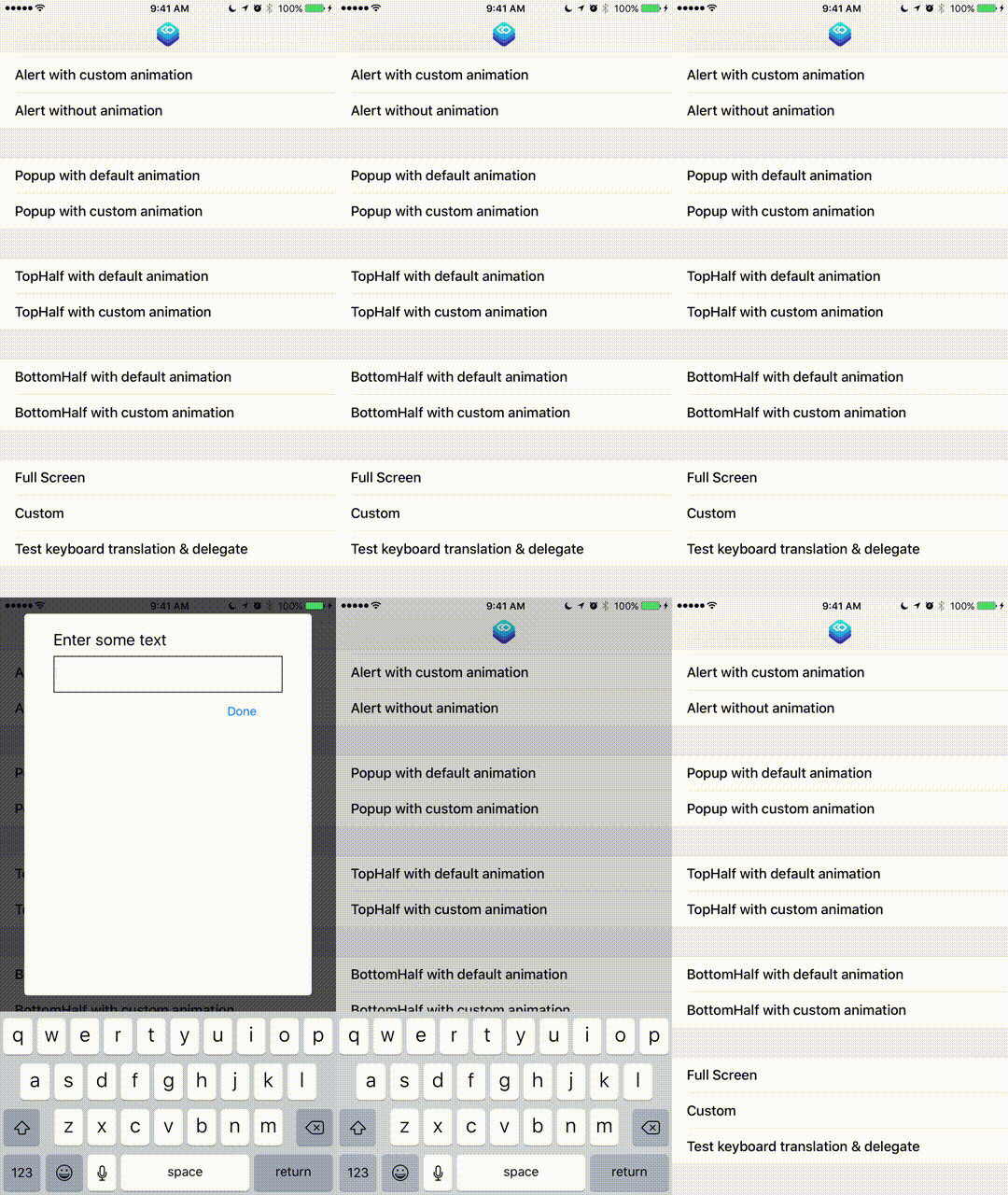
If you have text fields inside your modal and the presentationType property is set to popup, you can use a KeyboardTranslationType to tell Presentr how to handle your modal when the keyboard shows up.
presenter.keyboardTranslationType = .none
presenter.keyboardTranslationType = .moveUp
presenter.keyboardTranslationType = .compress
presenter.keyboardTranslationType = .stickToTop
If you are doing a presentation inside a SplitViewController or any other type of container/child ViewController situation you can use these properties to handle it properly.
Set the viewControllerForContext to the ViewController you want Presentr to use for framing the presentation context. shouldIgnoreTapOutsideContext is set to false by default. This handles what happens when they click outside the context (on the other ViewController).
Be sure to set the viewControllerForContext property before presenting, not on initialization, this makes sure that Auto Layout has finished it's work and the frame for the ViewController is correct.
@IBAction func didSelectShowAlert(_ sender: Any) {
	presenter.viewControllerForContext = self
	presenter.shouldIgnoreTapOutsideContext = true
	customPresentViewController(presenter, viewController: alertController, animated: true, completion: nil)
}
Other / Advanced
- Built in AlertViewController
- PresentrDelegate
- PresentationType customization & more
- TransitionType customization, PresentrAnimation & more
Requirements
- iOS 9.0+
- Xcode 8.0+
- Swift 3.0+
Documentation
Read the docs.
Author
Main Contributors
Gabriel Peart
Logo design by Eduardo Higareda
Alert design by Noe Araujo
License
Presentr is released under the MIT license.
See LICENSE for details.