ランキングに戻る
django-tables2 - An app for creating HTML tables
djangopythontableviewtablessorting
主要指標
スター成長
スター
2k
フォーク
444
週間成長
—
Issue
91
1k2k
2011年3月2013年9月2016年4月2018年11月2021年6月2023年12月2026年7月
成果物PyPI
pip install django-tables2README
django-tables2 - An app for creating HTML tables


django-tables2 simplifies the task of turning sets of data into HTML tables. It
has native support for pagination and sorting. It does for HTML tables what
django.forms does for HTML forms. e.g.
- Available on pypi as django-tables2
- Tested against currently supported versions of Django and supported python 3 versions Django supports.
- Documentation on readthedocs.org
- Bug tracker
Features:
- Any iterable can be a data-source, but special support for Django
QuerySetsis included. - The builtin UI does not rely on JavaScript.
- Support for automatic table generation based on a Django model.
- Supports custom column functionality via subclassing.
- Pagination.
- Column based table sorting.
- Template tag to enable trivial rendering to HTML.
- Generic view mixin.
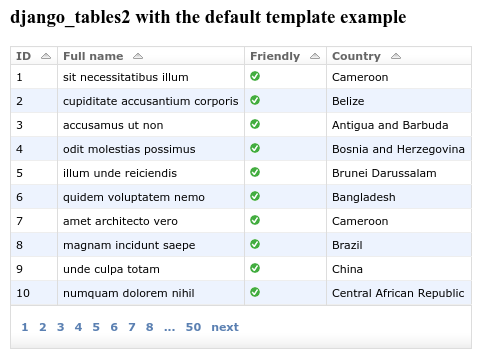
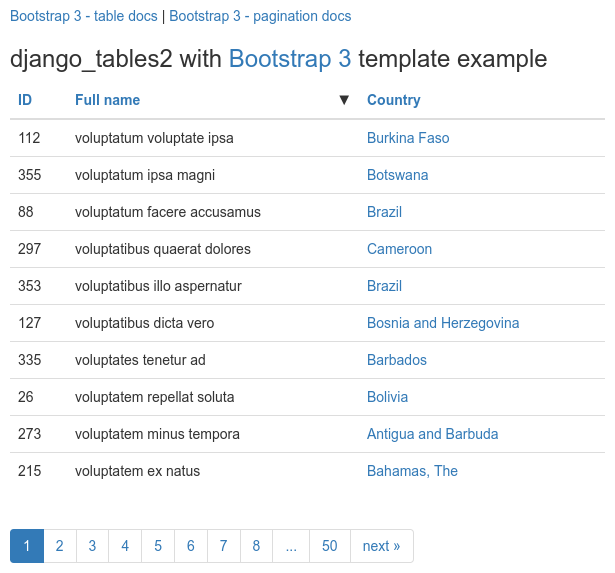
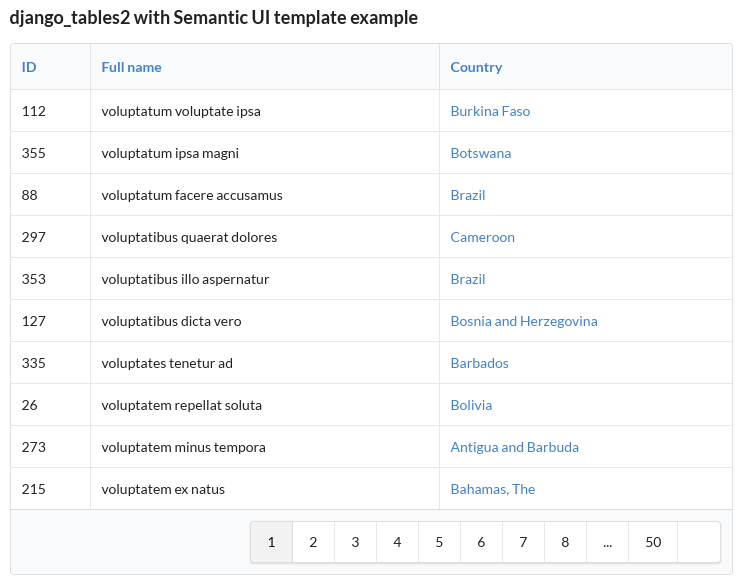
Example
Start by adding django_tables2 to your INSTALLED_APPS setting like this:
INSTALLED_APPS = (
    ...,
    "django_tables2",
)
Creating a table for a model Simple is as simple as:
import django_tables2 as tables

class SimpleTable(tables.Table):
    class Meta:
        model = Simple
This would then be used in a view:
class TableView(tables.SingleTableView):
    table_class = SimpleTable
    queryset = Simple.objects.all()
    template_name = "simple_list.html"
And finally in the template:
{% load django_tables2 %}
{% render_table table %}
This example shows one of the simplest cases, but django-tables2 can do a lot more! Check out the documentation for more details.
関連リポジトリ