A Raspberry Pi jukebox, playing local music, podcasts, web radio and streams triggered by RFID cards, web app or home automation. All plug and play via USB. GPIO scripts available.
composer require miczflor/rpi-jukebox-rfidPhoniebox: the RPi-Jukebox-RFID







Introduction
Phoniebox is a contactless jukebox for the Raspberry Pi, playing audio files, playlists, podcasts, web streams and spotify triggered by RFID cards. All plug and play via USB, no soldering iron needed. It also features GPIO buttons control support.
Everyone builds an original
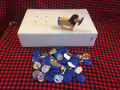
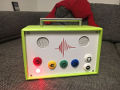
This is one of the most inspiring and gratifying experiences: Phoniebox is about Open Source AND Open Design.
See innovation, upcycling and creativity in the Phoniebox Gallery




Install Phoniebox
🔥 Version 3 is coming
The goal for Version 3 was to tidy up the codebase, focus on a single programming language for the core (Python), establish a solid plugin system and build a responsive web client. Read on here if you want to learn about more reasons.
👋 Looking for adopters, testers and contributors
If you want to test or help develop this new version called future3, let us know what you think about the new architecture, the new web application and help us find bugs (or fix them proactively).
While Version 3 is still under development, it is becoming a lot more stable! Although not all of the features from version 2.x have been ported to version 3 so far.
If you seek the adventure, your support will be more then welcome. Before contributing, check out the following references.
- ⭐ Releases
- 🎵 Install Jukebox Version 3
- 🐛 Report a bug
- 🚀 Propose a feature
- ☑️ Feature Status
- 📖 Documentation
- 👩💻 Development
- 🦄 Code: Release Branch, Development Branch
🎶 Version 2
[!NOTE] Version 3 is becoming mature and will soon be the new default of Phoniebox. Therefore Version 2 is slowly going into a maintenance mode and no new features will be added to this version.
Check out the following references.
- ⭐ Releases
- 🎵 Install Jukebox Version 2
- 🐛 Report a bug
- ☑️ Features
- 📖 Documentation
- 🦄 Code: Release Branch, Development Branch
Features Version 2
- The one-line install script handles both Classic and +Spotify when setting up your Phoniebox
- integrated selection of RFID readers
- features non-interactive installs based on a config file
- RFID control for playout and controlling your Phoniebox (e.g. set maximum volume with RFID cards).
- Support for various RFID readers, e.g.
- USB
- RC522
- PN532
- PC/SC
- also multiple readers simultaneously
- GPIO control for buttons and much more to control your Phoniebox via GPIO.
- Control via smooth Web App running on ajax from your phone, tablet or PC. You can play, upload, move files, assign new RFID cards, control playout, settings, etc.
- Support for files with embedded chapters metadata (like m4a)
- Customizable poweroff command
- WiFi management
- RFID cards to toggle WiFi (or switch it on/off)
- Read out the WiFi IP address (if you are connecting to a new network and don't know where to point your browser)
- Hotspot Phoniebox: ad-hoc hotspot if no known network found (IP: 10.0.0.5 SSID: phoniebox Password: PlayItLoud)
- Touchscreen LCD display Player (file:
index-lcd.phpin web app) - Integrate your Phoniebox in your Smart Home with MQTT.
- Player control
- Playout Resume switch for audio books, allowing you to jump straight back to where you were (unless you fell asleep...).
- Playout Shuffle switch to mix up your playlists.
- Audio sources
- Local audio files
- Download from YouTube directly to your Phoniebox.
- Support for Spotify integration.
- Podcast feature for Phoniebox
Quick install Version 2
- Check Installation instructions with the One line install script for Raspberry Pi OS.
- Two editions:
- Phoniebox Classic supports local audio, web radio, podcasts, YouTube (download and convert), GPIO and/or RFID
- MUST READ for users of Phoniebox +Spotify Edition
- Once everything has been installed and configured, read the manual to change settings, register RFID cards, add audio.
- Adding push buttons to control volume, skipping tracks, pause, play: read the GPIO Control Readme.
- There's also a Complete Install Guide
Contact and Support
- Please ask general questions in Discussions
- Bugs and enhancements should still be in Issues.
- Want to discuss with others? Check out our Matrix community
Documentation
Documentation can be found in the GitHub wiki for Phoniebox. Please try to add content in the wiki regarding special hardware, software tweaks and the like.
Manual
In the Manual you will learn:
- How to connect to the Phoniebox from any computer to add and edit audio files.
- How to register new RFID cards, assign them a human readable shortcut and add audio files for each card.
- How to add webradio stations and other streams to the playout files - and even mix web based and local files.
- Adding Podcasts the your Phoniebox
- How to control the Phoniebox through the web app.
- How to assign cards specific tasks such as changing the volume level or shutting down the Phoniebox.
Troubleshooting
There is a growing section of troubleshooting including:
- I want to improve the onboard audio quality
- I am moving, how do I get the Phoniebox into my new WiFi network?
- The RFID Reader doesn't seem to work.
- Changing the volume does not work, but the playout works.
- Script
daemon_rfid_reader.pyonly works via SSH not by RFID cards. - Script daemon is closing down unexpectedly.
- Everything seems to work, but I hear nothing when swiping a card.
- I would like to use two cards / IDs to do the same thing.
Hardware aka Shopping List
Here is a list of equipment needed. You can find a lot second hand online (save money and the planet). The links below lead to Amazon, not at all because I want to support them, but because their PartnerNet program helps to support the Phoniebox maintenance (a little bit...).
[!NOTE] Depending on individual projects, the hardware requirements vary.
Raspberry Pi
You might be surprised how easy and affordable you can get an RPi second hand. Think about the planet before you buy a new one.
RFID Reader and cards / fobs
- RFID Card Reader (USB): Neuftech USB RFID Reader ID using 125 kHz - make sure to buy compatible cards, RFID stickers or key fobs working with the same frequency as the reader.
- RFID cards: 125 KHz EM4100 make sure the frequency matches the RFID card reader!
- RFID fobs / key rings: EM4100 RFID-Transponder-Schlüsselring, 125 KHz make sure the frequency matches the RFID card reader!
- RFID Kit RC522: RC522 Reader, Chip, Card for Raspberry Pi 13.56MHz
- RFID sticker / tags: MIFARE RFID NFC Tags untested by me personally, but reported to work with work with RC522 and PN532 card readers.
Speakers / amps
- USB Stereo Speaker Set (6 Watt, 3,5mm jack, USB-powered) black | This USB powered speaker set sounds good for its size, is good value for money and keeps this RPi project clean and without the need of a soldering iron :)
- USB A Male to Female Extenstion Cable with Switch On/Off | I placed this USB extension between the USB power adapter and the Phoniebox. This will allow you to switch the Phoniebox on and off easily.
- USB 2.0 Hub 4-port bus powered USB Adapter | Depending on your setup, you will need none, one or two of these. If you are using the external USB powered speakers, you need one to make sure the speakers get enough power. If you want to use the additional USB soundcard and have an older RPi, you might need a second one to make sure you can connect enough devices with the RPi.
Arcade Buttons
- USB Interface for Arcade buttons if you insist on not soldering hardware.
- Arcade Buttons / Sensors (one of these might suit you)
- Arcade Buttons / Schalter in various colours if you want buttons for the GPIO control.
- Arcade Buttons wit LED and custom icons as used by @splitti.
- Set: Arcade Buttons / Tasten / Schalter GPIO Extension Board Starter Kit including cables and breadboard.
- Touch Sensor / Kapazitive Touch Tasten these are not buttons to press but to touch as GPIO controls.
Special hardware
These are links to additional items, which will add an individual flavour to your Phoniebox setup. Consult the issue threads to see if your idea has been realised already.
- Ground Loop Isolator / Entstörfilter Audio this seems to get rid off crackles in the audio out (a typical RPi problem)
- Mechanical audio switch if you want to connect differen audio devices, this is the easiest way (in connection with the Ground Loop Isolator you will get good results)
- Rotary Encoder / Drehregler / Dial for volume control. Read here for more information on how to integrate the rotary dial
- HiFiBerry DAC+ Soundcard Read here for more information on how to HifiBerry Soundcard integration
- HDMI zu HDMI + Optisches SPDIF mit 3,5-mm-Stereo-HDMI Audio-Extractor | HDMI zu SPDIF Konverter If you plan to use video, this might be the better solution than a USB soundcard or the hifiberry. If takes up some space, but will work with the HDMI audio out and split the signal to deliver audio through 3.5mm jack.
Components
Special hardware is now organised in the folder components. If you have new hardware attached to your Phoniebox, please add to this library! It currently contains soundcards, displays, GPIO controls, RFID reader, smarthome integration.
Support Phoniebox

If you like your Phoniebox, consider to buy me a coffee or donate via PayPal to micz.flor@web.de using the friends option.
Media
Phoniebox Gallery
Visit the Phoniebox Gallery
Videos and Screenshots
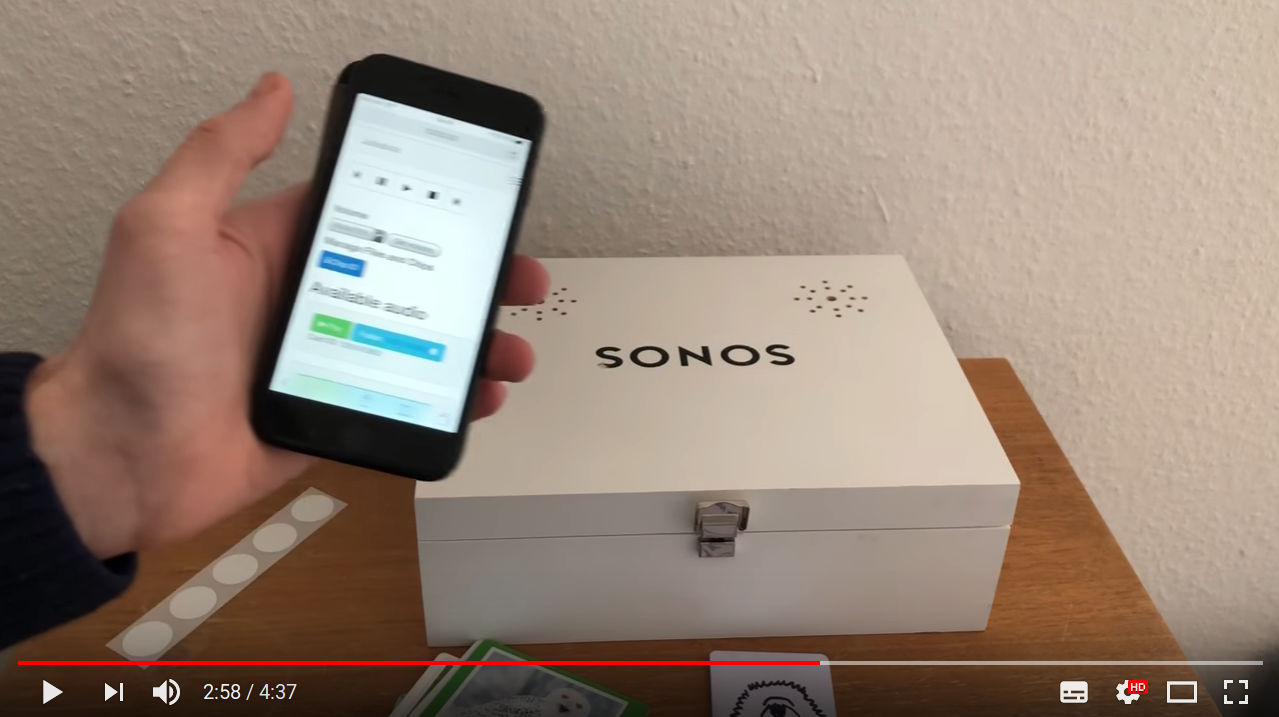
See the Phoniebox code in action, watch this video and read the blog post from iphone-ticker.de
We love Tech published a video screencast on how to build your Phoniebox (in German), you can find all the steps and see the final product here:
| Installation und Hardware | Web App and Audio / Spotify | The finished Phoniebox in action |
|---|---|---|
 |
 |
 |
A new video screencast about
What makes this Phoniebox easy to install and use:
- Runs on all Raspberry Pi models (1, 2, 3 and 4) and Raspberry Zero.
- Just plug and play using USB, no soldering iron needed.
- Once the Phoniebox is up and running, add music from any computer on your home network.
- Register new RFID cards easily without having to connect to the RPi.
- Play single or multiple files, podcasts or web streams.
- Volume control is also done with RFID cards or key fobs.
- Connect to your Phoniebox via your wifi network or run the Phoniebox like an access point and connect directly without a router.
- Bonus: control the Phoniebox from your phone or computer via a web app.
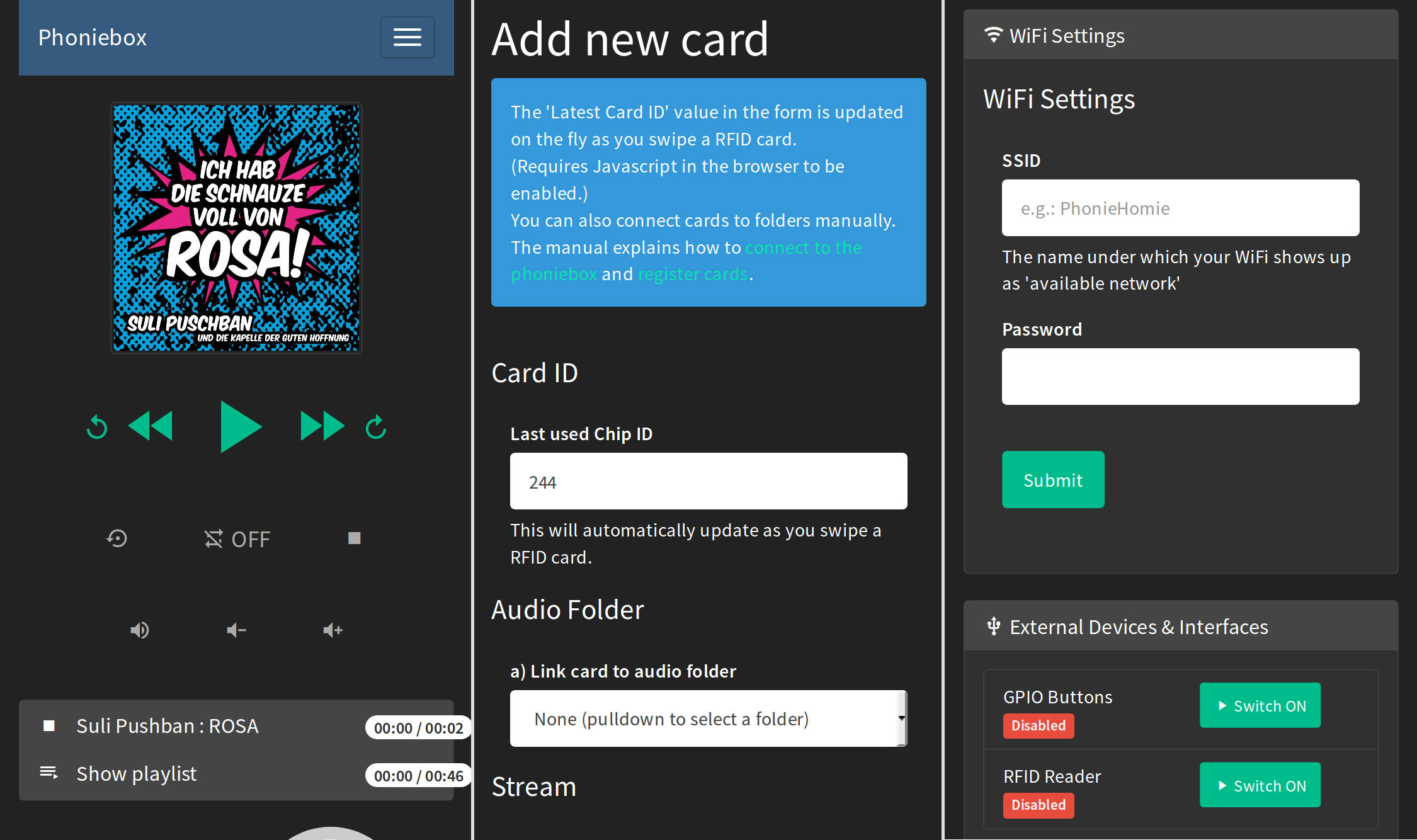
The web app runs on any device and is mobile optimised. It provides:
- An audio player to pause, resume, shuffle, loop, stop and skip to previous and next track.
- Sub folder support: manage your collection in sub folders. Phoniebox has two play buttons: only this folder and eeeeverything in this folder.
- Manage files and folders via the web app.
- Register new RFID cards, manage Phoniebox settings, display system info and edit the wifi connection.
- Covers displayed in the web app (files called
cover.jpg).
Sustainability
You might be surprised how easy and affordable you can get a RaspberryPi or an "appropriate" housing for your Phoniebox second hand. Think about the planet before you buy a new one. Creating a Phoniebox may be sustainable for the following reasons:
- You buy things second hand or do upcycling on unused objects and reduce newly produced products
- You built your Phoniebox yourself, so maintaining and repairing is not a problem (Additionally a great community helps you)
- Since the Phoniebox uses Linux as a base system it's very unlikely that you run out of system and security updates - so it can run and run and run...
- RFID cards or tags can be reused - no need to buy new plastic elements for changing the music or story linked to a card
- Build it together with your kids to show them that building things on their own is possible and in cooperation with others makes life easier and fun at the same time
Contributing improvements
Read the CONTRIBUTING.md file for more infos on how to contribute code.
Acknowledgments
There are many, many, many inspiring suggestions and solutions on the web to bring together the idea of a jukebox with RFID cards. I want to mention a few of these that have inspired me.
- Thanks to all the contributors. Not only for the good code review and feature suggestions, but also for the good spirit I get each time a new Phoniebox comes to this world :)
- Thanks to Andreas aka hailogugo for writing and testing the script for the GPIO buttons as controllers for the jukebox.
- Francisco Sahli's Music Cards: RFID cards + Spotify + Raspberry Pi written in python, playing songs from Spotify. The code music-cards is on GitHub.
- Jeremy Lightsmith's rpi-jukebox written in Python, using the mpg123 player
- Marco Wiedemeyer's Raspberry Pi Jukebox für Kinder (German) written in mono, using the MPD player
- Marcus Nasarek's Kindgerechter Audioplayer mit dem Raspberry Pi (German) triggered by QR codes via a camera instead of RFID cards, written in bash and using the xmms2 media player
- Huy Do's jukebox4kids / Jukebox für Kinder written in Python, the code is on github
- Willem van der Jagt's How I built an audio book reader for my nearly blind grandfather written in python and using the MDP player.
I also want to link to two proprietary and commercial projects, because they were an inspiration in the early days of the Phoniebox. Since the first release, the Phoniebox code has shown the power of open source development. Today, Phoniebox might be the most versatile project of its kind.
- tonies® - das neue Audiosystem für mehr Hör-Spiel-Spaß im Kinderzimmer. (German) You buy a plastic figure which then triggers the audiofile - which is served over the web.
- Hörbert - a MP3 player controlled by buttons In Germany this has already become a classic. They also started selling a DIY kit.