How to Copy Text from Images ? Answer is TextSnatcher !. Perform OCR operations in seconds on Linux Desktop.
gtk3ocrlinux-apptesseract-ocrmesonvalaelementary-appsflatpaklibhandy
주요 지표
스타 성장
스타
1.4k
포크
53
주간 성장
+1
이슈
37
5001k
2021년 7월2022년 5월2023년 3월2024년 2월2024년 12월2025년 10월2026년 9월
README
Thanks for all the Support shown by Stars, Issues and PRs 💌 ! Currently I'm Saving money for my Linux PC, Soon (next month) the project will be back with updates and fixes



TextSnatcher
Copy Text from Images with ease, Perform OCR operations in seconds.

Download


Features
- Multiple Language Support.
- Copy Text from images with a Drag.
- Drag over any Image and Paste.
- Fast and Easy to Use.
- This application uses the Tesseract OCR 4.x for the character recognition.
- Read more about Tesseract and Star ⭐️ Tesseract-Project.
Screencasts
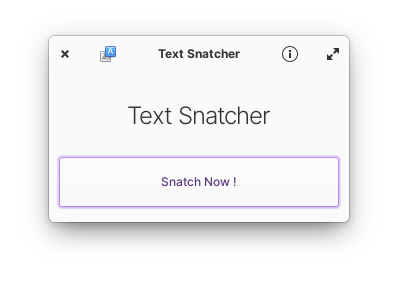
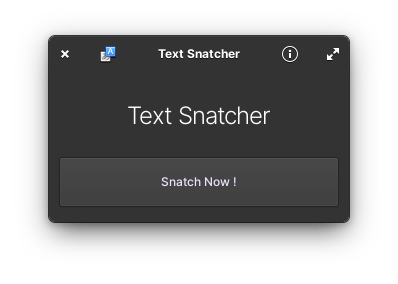
Screenshots
Support Me


Social Media Posts
LinkedIn Post on Why I created TextSnatcher
Dependencies
Ensure you have these dependencies installed
Runtime Dependency
- scrot
- tesseract-ocr
- tesseract language data arch repos debian repos
Buildtime Dependency
- granite
- gtk+-3.0
- gobject-2.0
- gdk-pixbuf-2.0
- libhandy-1
- libportal-0.5
Install, build and run
# clone repository
git clone https://github.com/RajSolai/TextSnatcher.git TextSnatcher
# cd to dir
cd TextSnatcher
# run meson
meson build --prefix=/usr
# cd to build, build and test
cd build
sudo ninja install && com.github.rajsolai.textsnatcher
Inspirations
- ReadMe: https://github.com/alainm23/planner
- Application Structure: https://github.com/alcadica/develop
- TextSniper (MacOS Application)
Made with ❤️ for Linux
관련 저장소