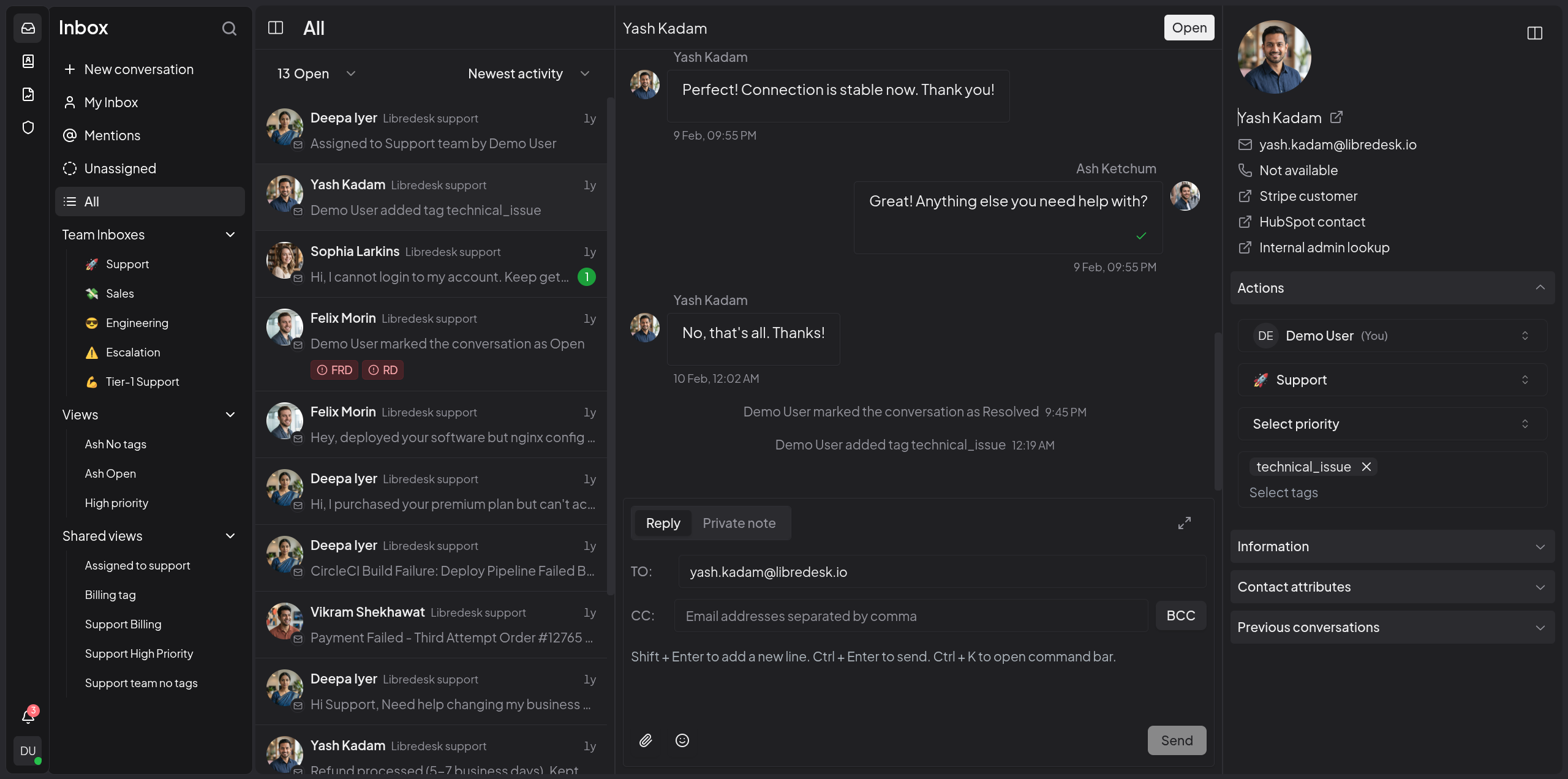
Omnichannel inbox Live chat, email, and more — all in one inbox. Connect support@, billing@, sales@ and manage every conversation from a single, unified interface.
Live chat widget Embed a real-time chat widget on your website. Engage visitors instantly and handle live conversations right from your support desk.
Granular permissions Create custom roles with granular permissions for teams and individual agents.
Automations Eliminate repetitive tasks with powerful automation rules. Auto-tag, assign, and route conversations based on custom conditions.
CSAT surveys Measure customer satisfaction with automated surveys.
Macros Save frequently sent messages as templates. With one click, send saved responses, set tags, and more.
Organization Keep conversations organized with tags, custom statuses for conversations, and snoozing. Find any conversation instantly from the search bar.
Auto assignment Distribute workload with auto assignment rules. Auto-assign conversations based on agent capacity or custom criteria.
SLA management Set and track response time targets. Get notified when conversations are at risk of breaching SLA commitments.
Custom attributes Create custom attributes for contacts or conversations such as the subscription plan or the date of their first purchase.
AI-assist Instantly rewrite responses with AI to make them more friendly, professional, or polished.
Activity logs Track all actions performed by agents and admins—updates and key events across the system—for auditing and accountability.
Webhooks Integrate with external systems using real-time HTTP notifications for conversation and message events.
Command bar Opens with a simple shortcut (CTRL+K) and lets you quickly perform actions on conversations.
# Download the compose file and sample config file in the current directory.
curl -LO https://github.com/abhinavxd/libredesk/raw/main/docker-compose.yml
curl -LO https://github.com/abhinavxd/libredesk/raw/main/config.sample.toml

# Copy the config.sample.toml to config.toml and edit it as needed.
cp config.sample.toml config.toml

# Run the services in the background.
docker compose up -d

# Setting System user password.
docker exec -it libredesk_app ./libredesk --set-system-user-password
Go to http://localhost:9000 and login with username System and the password you set using the --set-system-user-password command.