Apache JMeter open-source load testing tool for analyzing and measuring the performance of a variety of services
git clone https://github.com/apache/jmeter.git
An Open Source Java application designed to measure performance and load test applications.
By The Apache Software Foundation







What Is It?
Apache JMeter can measure performance and load test static and dynamic web applications.
It can be used to simulate a heavy load on a server, group of servers, network or object to test its strength or to analyze overall performance under different load types.
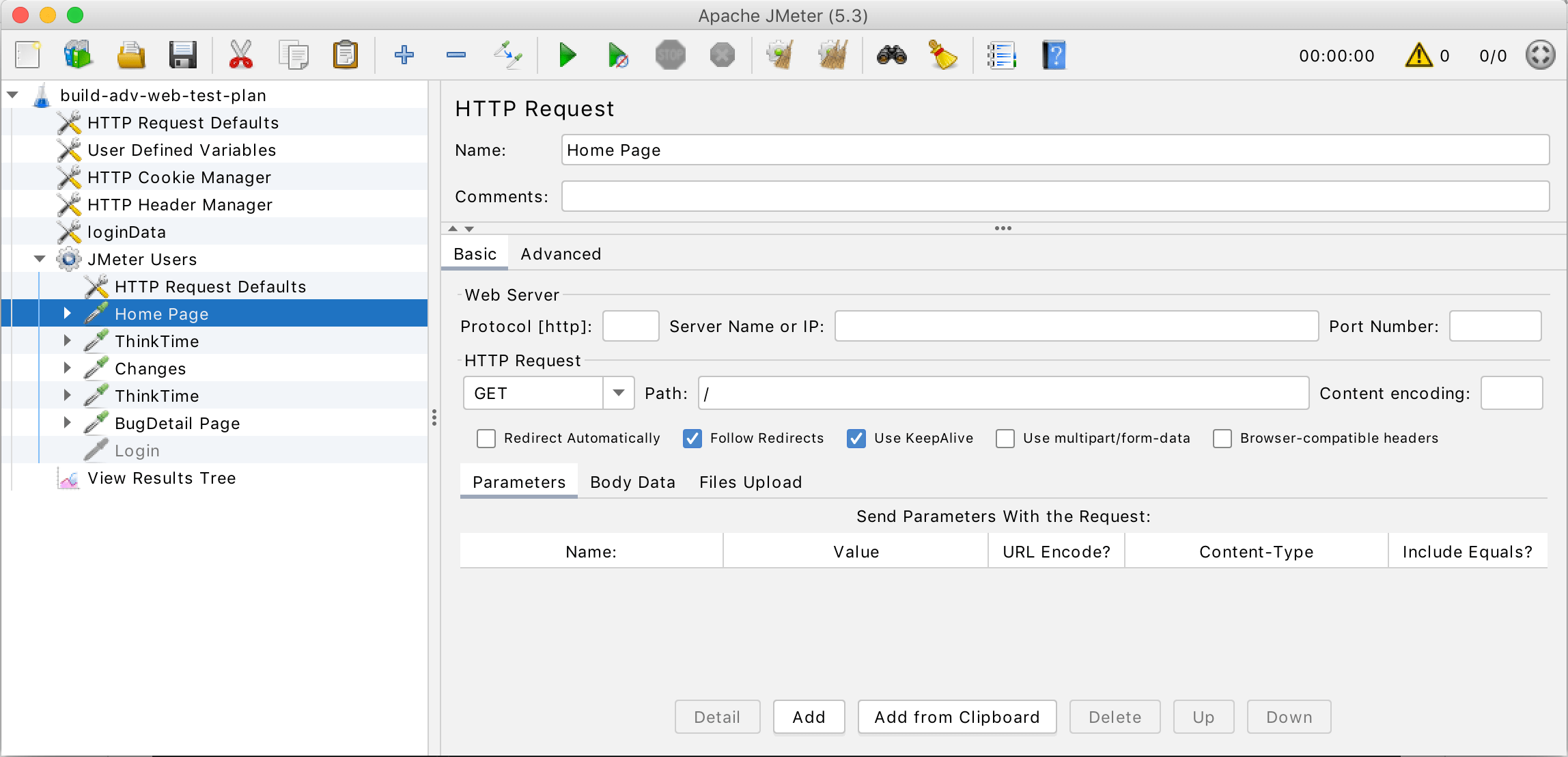
Features
Complete portability and 100% Java.
Multi-threading allows concurrent sampling by many threads and simultaneous sampling of different functions by separate thread groups.
Protocols
Ability to load and performance test many applications/server/protocol types:
- Web - HTTP, HTTPS (Java, NodeJS, PHP, ASP.NET,...)
- SOAP / REST Webservices
- FTP
- Database via JDBC
- LDAP
- Message-oriented Middleware (MOM) via JMS
- Mail - SMTP(S), POP3(S) and IMAP(S)
- Native commands or shell scripts
- TCP
- Java Objects
IDE
Fully featured Test IDE that allows fast Test Plan recording (from Browsers or native applications), building and debugging.
Command Line
Command-line mode (Non GUI / headless mode) to load test from any Java compatible OS (Linux, Windows, Mac OSX, ...)
Reporting
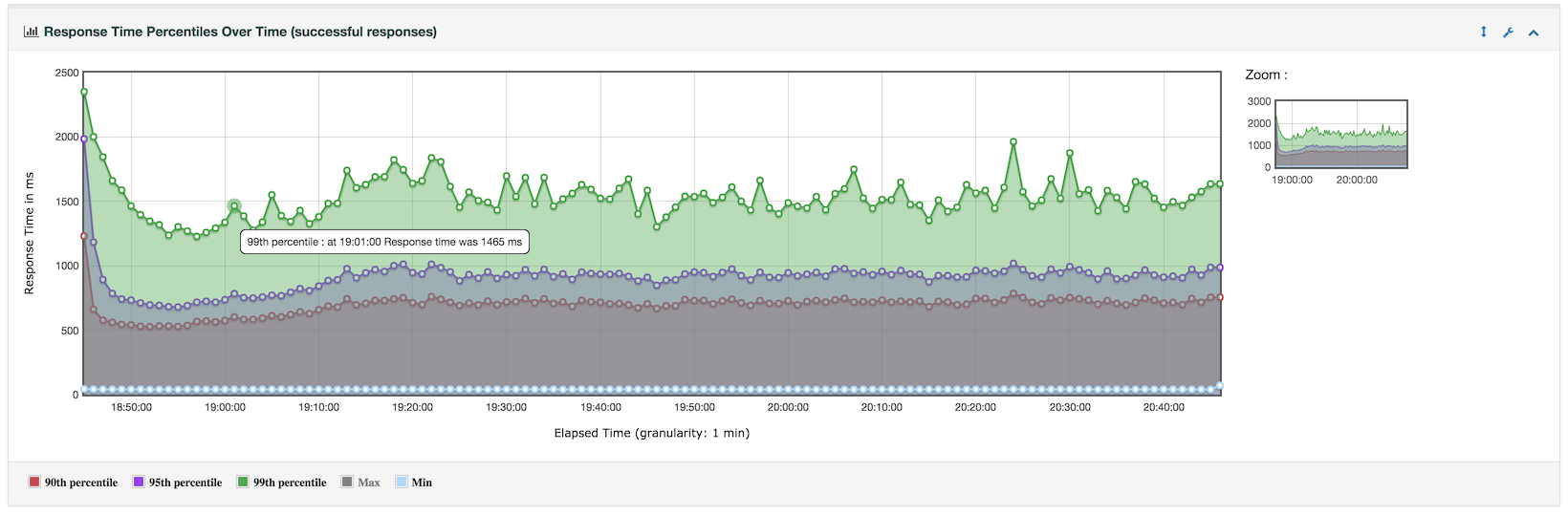
A complete and ready to present dynamic HTML report
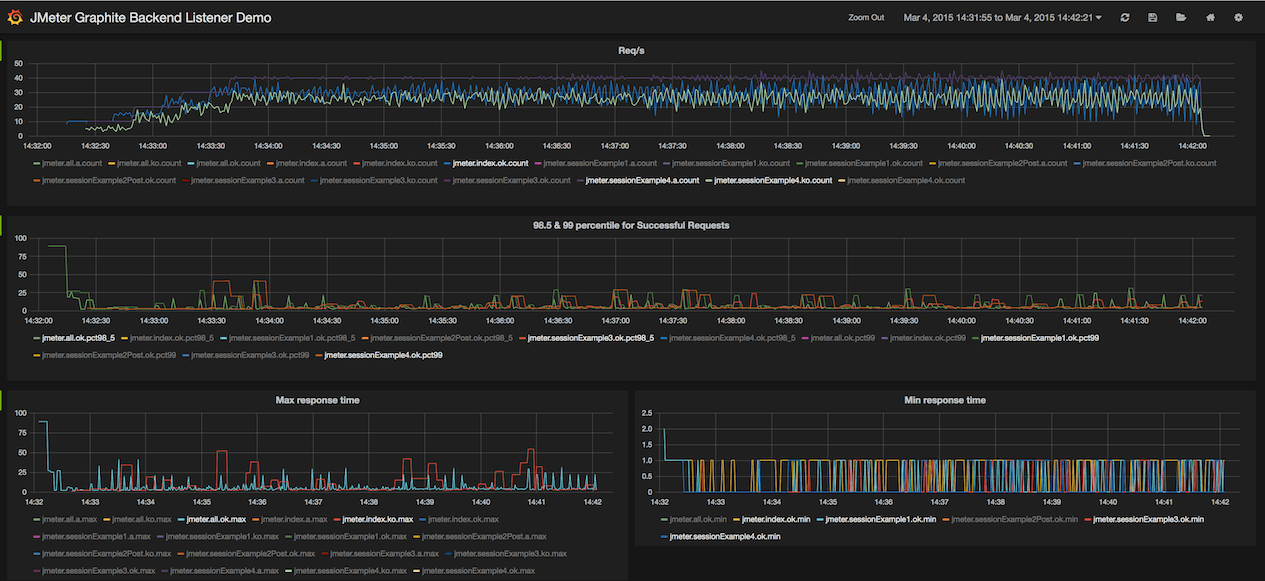
Live reporting into 3rd party databases like InfluxDB or Graphite
Correlation
Easy correlation through ability to extract data from most popular response formats, HTML, JSON, XML or any textual format
Highly Extensible Core
- Pluggable Samplers allow unlimited testing capabilities.
- Scriptable Samplers (JSR223-compatible languages like Groovy).
- Several load statistics can be chosen with pluggable tiers.
- Data analysis and visualization plugins allow great extensibility and personalization.
- Functions can be used to provide dynamic input to a test or provide data manipulation.
- Easy Continuous Integration via 3rd party Open Source libraries for Maven, Gradle and Jenkins.
The Latest Version
Details of the latest version can be found on the JMeter Apache Project web site
Requirements
The following requirements exist for running Apache JMeter:
Java Interpreter:
A fully compliant Java 17 Runtime Environment is required for Apache JMeter to execute. A JDK with
keytoolutility is better suited for Recording HTTPS websites.Optional jars:
Some jars are not included with JMeter. If required, these should be downloaded and placed in the lib directory
- JDBC - available from the database supplier
- JMS - available from the JMS provider
- Bouncy Castle - only needed for SMIME Assertion
Java Compiler (OPTIONAL):
A Java compiler is not needed since the distribution includes a precompiled Java binary archive.
Note that a compiler is required to build plugins for Apache JMeter.
Installation Instructions
Note that spaces in directory names can cause problems.
Release builds
Unpack the binary archive into a suitable directory structure.
Running JMeter
- Change to the
bindirectory - Run the
jmeter(Un*x) orjmeter.bat(Windows) file.
Windows
For Windows, there are also some other scripts which you can drag-and-drop a JMX file onto:
jmeter-n.cmd- runs the file as a non-GUI testjmeter-n-r.cmd- runs the file as a non-GUI remote (client-server) testjmeter-t.cmd- loads the file ready to run it as a GUI test
Documentation
The documentation available as of the date of this release is also included, in HTML format, in the docs directory, and it may be browsed starting from the file called index.html.
Reporting a bug/enhancement
See Issue Tracking.
Build instructions
Release builds
Unpack the source archive into a suitable directory structure. Most of the 3rd party library files can be extracted from the binary archive by unpacking it into the same directory structure.
Any optional jars (see above) should be placed in lib/opt and/or lib.
Jars in lib/opt will be used for building JMeter and running the unit tests,
but won't be used at run-time.
This is useful for testing what happens if the optional jars are not downloaded by other JMeter users.
If you are behind a proxy, you can set a few build properties in
~/.gradle/gradle.properties for Gradle to use the proxy:
systemProp.http.proxyHost=proxy.example.invalid
systemProp.http.proxyPort=8080
systemProp.http.proxyUser=your_user_name
systemProp.http.proxyPassword=your_password
systemProp.https.proxyHost=proxy.example.invalid
systemProp.https.proxyPort=8080
systemProp.https.proxyUser=your_user_name
systemProp.https.proxyPassword=your_password
Test builds
JMeter is built using Gradle, and it uses Gradle's Toolchains for JVM projects for provisioning JDKs. It means the code would search for the needed JDKs locally, or download them if they are not found.
By default, the code would use JDK 17 for build purposes, however it would set the target release to 8, so the resulting artifacts would be compatible with Java 8.
The following command builds and tests JMeter:
./gradlew build
If you want to use a custom JDK for building you can set -PjdkBuildVersion=11,
and you can select -PjdkTestVersion=21 if you want to use a different JDK for testing.
You can list the available build parameters by executing
./gradlew parameters
If the system does not have a GUI display then:
./gradlew build -Djava.awt.headless=true
The output artifacts (jars, reports) are placed in the build folder.
For instance, binary artifacts can be found under src/dist/build/distributions.
The following command would compile the application and enable you to run jmeter
from the bin directory.
Note that it completely refreshes
lib/contents, so it would remove custom plugins should you have them installed tolib/. However, it would keeplib/ext/plugins intact.
./gradlew createDist
Alternatively, you could get Gradle to start the GUI:
./gradlew runGui
Developer Information
Building and contributing is explained in details at building JMeter and CONTRIBUTING.md. More information on the tasks available for building JMeter with Gradle is available in gradle.md.
The code can be obtained from:
Licensing and Legal Information
For legal and licensing information, please see the following files:
Cryptographic Software Notice
This distribution may include software that has been designed for use with cryptographic software. The country in which you currently reside may have restrictions on the import, possession, use, and/or re-export to another country, of encryption software. BEFORE using any encryption software, please check your country's laws, regulations and policies concerning the import, possession, or use, and re-export of encryption software, to see if this is permitted. See https://www.wassenaar.org/ for more information.
The U.S. Government Department of Commerce, Bureau of Industry and Security (BIS), has classified this software as Export Commodity Control Number (ECCN) 5D002.C.1, which includes information security software using or performing cryptographic functions with asymmetric algorithms. The form and manner of this Apache Software Foundation distribution makes it eligible for export under the License Exception ENC Technology Software Unrestricted (TSU) exception (see the BIS Export Administration Regulations, Section 740.13) for both object code and source code.
The following provides more details on the included software that may be subject to export controls on cryptographic software:
Apache JMeter interfaces with the Java Secure Socket Extension (JSSE) API to provide
- HTTPS support
Apache JMeter interfaces (via Apache HttpClient4) with the Java Cryptography Extension (JCE) API to provide
- NTLM authentication
Apache JMeter does not include any implementation of JSSE or JCE.
Thanks
Thank you for using Apache JMeter.
Third party notices
Notice for mxparser:
This product includes software developed by the Indiana University Extreme! Lab. For further information please visit http://www.extreme.indiana.edu/