ReportGenerator converts coverage reports generated by coverlet, OpenCover, dotCover, Visual Studio, NCover, Cobertura, JaCoCo, Clover, gcov or lcov into human readable reports in various formats.

ReportGenerator
Powerful code coverage visualization


ReportGenerator converts coverage reports generated by coverlet, OpenCover, dotCover, Visual Studio, NCover, Cobertura, JaCoCo, Clover, gcov, or lcov into human readable reports in various formats.
The reports show the coverage quotas and also visualize which lines of your source code have been covered.
ReportGenerator supports merging several coverage files into a single report.
License
- ReportGenerator is licensed under the Apache License, Version 2.0
- You can support the project by buying a PRO license or by becoming a GitHub sponsor.
Sponsors have exclusive access to additional features.
Getting started
ReportGenerator is a commandline tool which works with full .NET Framework and .NET Core.
Use the online configuration tool to get started quickly.
Install the package matching your platform and needs
| Package | Platforms | Installation/Usage |
|---|---|---|
ReportGenerator  |
.NET Core >=8.0 .NET Framework 4.7 |
Use this package if your project is based on .NET Framework or .NET Core and you want to use ReportGenerator via the command line or a build script. Usage dotnet $(UserProfile).nuget\packages\reportgenerator\x.y.z\tools\net8.0\ReportGenerator.dll [options]$(UserProfile).nuget\packages\reportgenerator\x.y.z\tools\net10.0\ReportGenerator.exe [options]$(UserProfile)\.nuget\packages\reportgenerator\x.y.z\tools\net47\ReportGenerator.exe [options] |
dotnet-reportgenerator-globaltool  |
.NET Core >=8.0 | Use this package if your project is based on .NET Core and you want to use ReportGenerator as a (global) 'DotnetTool'. Installation dotnet tool install -g dotnet-reportgenerator-globaltooldotnet tool install dotnet-reportgenerator-globaltool --tool-path toolsdotnet new tool-manifestdotnet tool install dotnet-reportgenerator-globaltoolUsage reportgenerator [options]tools\reportgenerator.exe [options]dotnet reportgenerator [options] |
ReportGenerator.Core  |
.NET Standard 2.0 | Use this package if you want to write a custom plugin for ReportGenerator or if you want to call/execute ReportGenerator within your code base. Plugin development Custom reports Custom history storage |
| Azure DevOps extension | .NET Core >=8.0 | Add the Azure DevOps extension to your build pipeline. Learn more |
| GitHub Actions | .NET Core >=8.0 | Add the GitHub Action to your build pipeline. Learn more |
Usage / Command line parameters
Use the online configuration tool to get started quickly.
The more advanced settings are documented in the wiki.
Parameters:
    ["]-reports:<report>[;<report>][;<report>]["]
    ["]-targetdir:<target directory>["]
    [["]-reporttypes:<Html|HtmlSummary|...>[;<Html|HtmlSummary|...>]["]]
    [["]-sourcedirs:<directory>[;<directory>][;<directory>]["]]
    [["]-historydir:<history directory>["]]
    [["]-plugins:<plugin>[;<plugin>][;<plugin>]["]]
    [["]-assemblyfilters:<(+|-)filter>[;<(+|-)filter>][;<(+|-)filter>]["]]
    [["]-classfilters:<(+|-)filter>[;<(+|-)filter>][;<(+|-)filter>]["]]
    [["]-filefilters:<(+|-)filter>[;<(+|-)filter>][;<(+|-)filter>]["]]
    [["]-riskhotspotassemblyfilters:<(+|-)filter>[;<(+|-)filter>][;<(+|-)filter>]["]]
    [["]-riskhotspotclassfilters:<(+|-)filter>[;<(+|-)filter>][;<(+|-)filter>]["]]
    [["]-verbosity:<Verbose|Info|Warning|Error|Off>["]]
    [["]-title:<title>["]]
    [["]-tag:<tag>["]]
    [["]-license:<license>["]]

Explanations:
   Reports:            The coverage reports that should be parsed (separated by semicolon).
                       Globbing is supported.
   Target directory:   The directory where the generated report should be saved.
   Report types:       The output formats and scope (separated by semicolon).
                       Values: Badges, Clover, Cobertura, CsvSummary,
                       Markdown, MarkdownSummary, MarkdownAssembliesSummary, MarkdownSummaryGithub,
                       MarkdownDeltaSummary
                       OpenCover
                       Html, Html_Light, Html_Dark, Html_BlueRed
                       HtmlChart, HtmlInline, HtmlSummary, Html_BlueRed_Summary
                       HtmlInline_AzurePipelines, HtmlInline_AzurePipelines_Light, HtmlInline_AzurePipelines_Dark
                       JsonSummary, CodeClimate, Latex, LatexSummary, lcov, MHtml, SvgChart, SonarQube, TeamCitySummary
                       TextSummary, TextDeltaSummary
                       Xml, XmlSummary
                       cjson
   Source directories: Optional directories which contain the corresponding source code (separated by semicolon).
                       The source directories are used if coverage report contains classes without path information.
                       Globbing is not supported.
   History directory:  Optional directory for storing persistent coverage information.
                       Can be used in future reports to show coverage evolution.
   Plugins:            Optional plugin files for custom reports or custom history storage (separated by semicolon).
   Assembly filters:   Optional list of assemblies that should be included or excluded in the report.
   Class filters:      Optional list of classes that should be included or excluded in the report.
   File filters:       Optional list of files that should be included or excluded in the report.
   Risk hotspot assembly filters: Optional list of assemblies that should be included or excluded in the risk hotspots.
   Risk hotspot class filters:    Optional list of classes that should be included or excluded in the risk hotspots.
                       Exclusion filters take precedence over inclusion filters.
                       Wildcards are allowed.
   Verbosity:          The verbosity level of the log messages.
                       Values: Verbose, Info, Warning, Error, Off
   Title:              Optional title.
   Tag:                Optional tag or build version.
   License:            Optional license for PRO version. Get your license here: https://reportgenerator.io/pro
                       License can also be supplied via 'REPORTGENERATOR_LICENSE' environment variable.

Default values:
   -reporttypes:Html
   -assemblyfilters:+*
   -classfilters:+*
   -filefilters:+*
   -riskhotspotassemblyfilters:+*
   -riskhotspotclassfilters:+*
   -verbosity:Info

Examples:
   "-reports:coverage.xml" "-targetdir:C:\report"
   "-reports:target\*\*.xml" "-targetdir:C:\report" -reporttypes:Latex;HtmlSummary -title:IntegrationTest -tag:v1.4.5
   "-reports:coverage1.xml;coverage2.xml" "-targetdir:report" "-sourcedirs:C:\MyProject" -plugins:CustomReports.dll
   "-reports:coverage.xml" "-targetdir:C:\report" "-assemblyfilters:+Included;-Excluded.*"
.netconfig support
All the above parameters can also be persisted in a .netconfig file, under a [ReportGenerator]
section. Examples:
[ReportGenerator]
	reports = "coverage.xml"
	targetdir = "C:\\report"
	reporttypes = "Latex;HtmlSummary"
	assemblyfilters = "+Test;-Test"
	classfilters = "+Test2;-Test2"
All the plural options can also be specified as multiple singular entries, like:
[ReportGenerator]
	report = "coverage1.xml"
	report = "coverage2.xml"
	reporttype = "Latex"
	reporttype = "HtmlSummary"
	assemblyfilter = "+Test"
	assemblyfilter = "-Test"
	classfilter = "+Test2"
	classfilter = "-Test2"
	filefilter = "+cs"
	filefilter = "-vb"
	riskhotspotassemblyfilter = "+Test"
	riskhotspotassemblyfilter = "-Test"
	riskhotspotclassfilter = "+Test2"
	riskhotspotclassfilter = "-Test2"
	sourcedir = "src"
	sourcedir = "test"
Adding/removing values is trivial using the dotnet-config CLI:
# set a single-valued variable
dotnet config reportgenerator.reporttypes Latex;HtmlSummary
# add to multi-valued variable
dotnet config --add reportgenerator.report coverage3.xml
# clear all multi-valued entries for a variable
dotnet config --unset-all reportgenerator.assemblyfilter
Of course it's equally trivial to just edit the .netconfig file by hand.
MSBuild
A MSBuild task also exists:
<?xml version="1.0" encoding="utf-8"?>
<Project DefaultTargets="Coverage" xmlns="http://schemas.microsoft.com/developer/msbuild/2003" ToolsVersion="4.0">
  <ItemGroup>
    <PackageReference Include="ReportGenerator" Version="x.y.z" />
  </ItemGroup>
  <Target Name="Coverage">
    <ItemGroup>
      <CoverageFiles Include="OpenCover.xml" />
    </ItemGroup>
    <ReportGenerator ProjectDirectory="$(MSBuildProjectDirectory)" ReportFiles="@(CoverageFiles)" TargetDirectory="report" ReportTypes="Html;Latex" HistoryDirectory="history" Plugins="CustomReports.dll" AssemblyFilters="+Include;-Excluded" VerbosityLevel="Verbose" />
  </Target>
</Project>
The MSBuild task parameters can be complemented with the .netconfig, if used. That means that parameters
can be omitted if they are provided via .netconfig, which is useful when reusing fixed settings across
multiple projects in a solution, where the MSBuild task is only provided the dynamic values for the current
project:
Given the following .netconfig:
[ReportGenerator]
  reporttypes = "Html;Latex"
  targetdirectory = "report"
  historydirectory = "history"
  assemblyfilters = "+Include;-Excluded"
  verbosityLevel = "Verbose"
The above target could be simplified as:
  <Target Name="Coverage">
    <ItemGroup>
      <CoverageFiles Include="OpenCover.xml" />
    </ItemGroup>
    <ReportGenerator ProjectDirectory="$(MSBuildProjectDirectory)"
                     ReportFiles="@(CoverageFiles)"
                     Plugins="CustomReports.dll" />
  </Target>
Supported input and output file formats
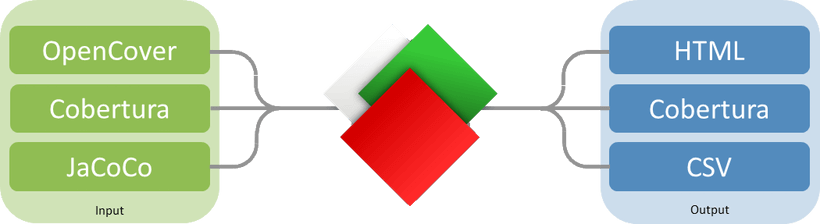
ReportGenerator supports several input and output formats.
The wiki explains the different output formats or you can download sample reports of all supported output formats.
If you need a custom format, you can create a plugin.
| Input formats | Output formats |
|---|---|
|
|
Screenshots
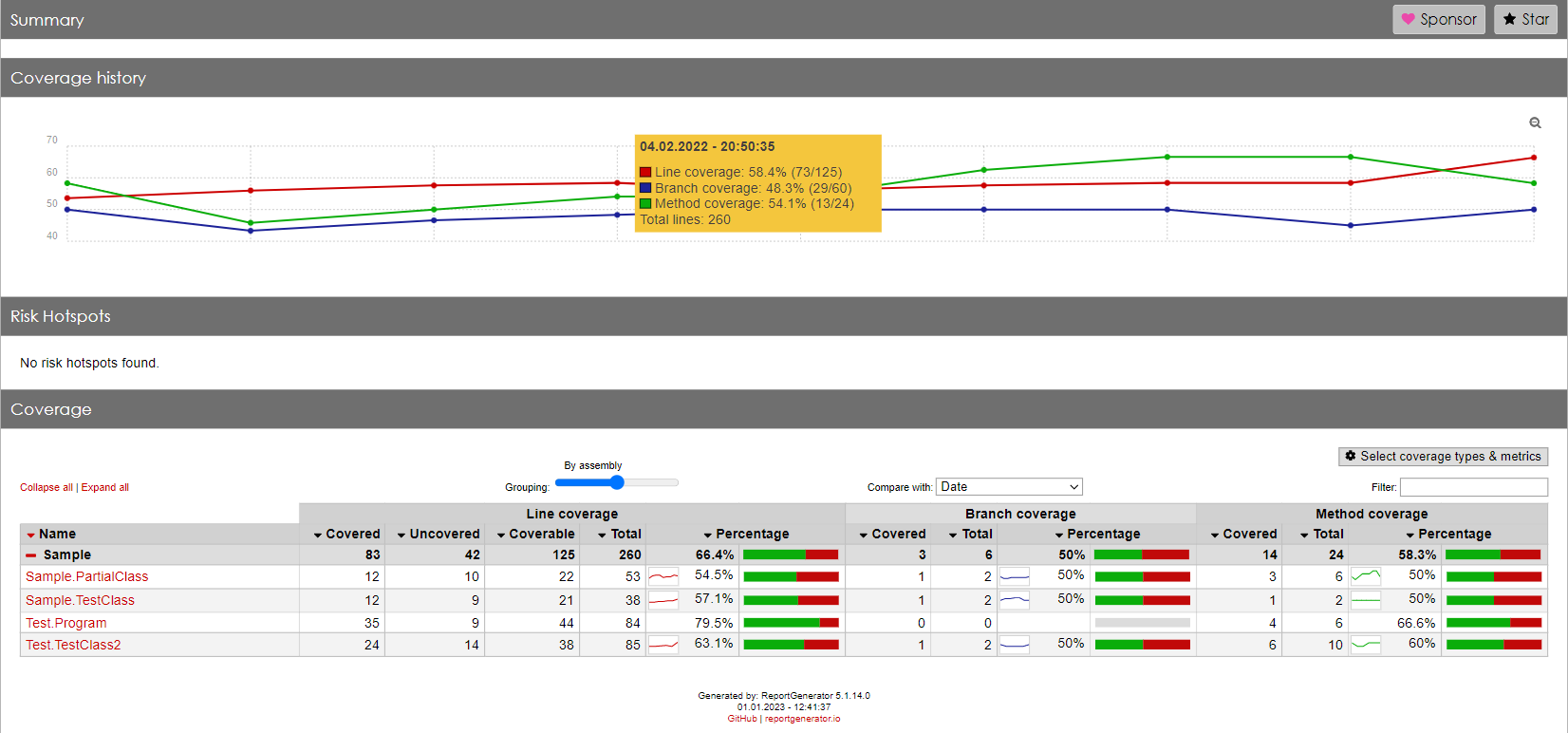
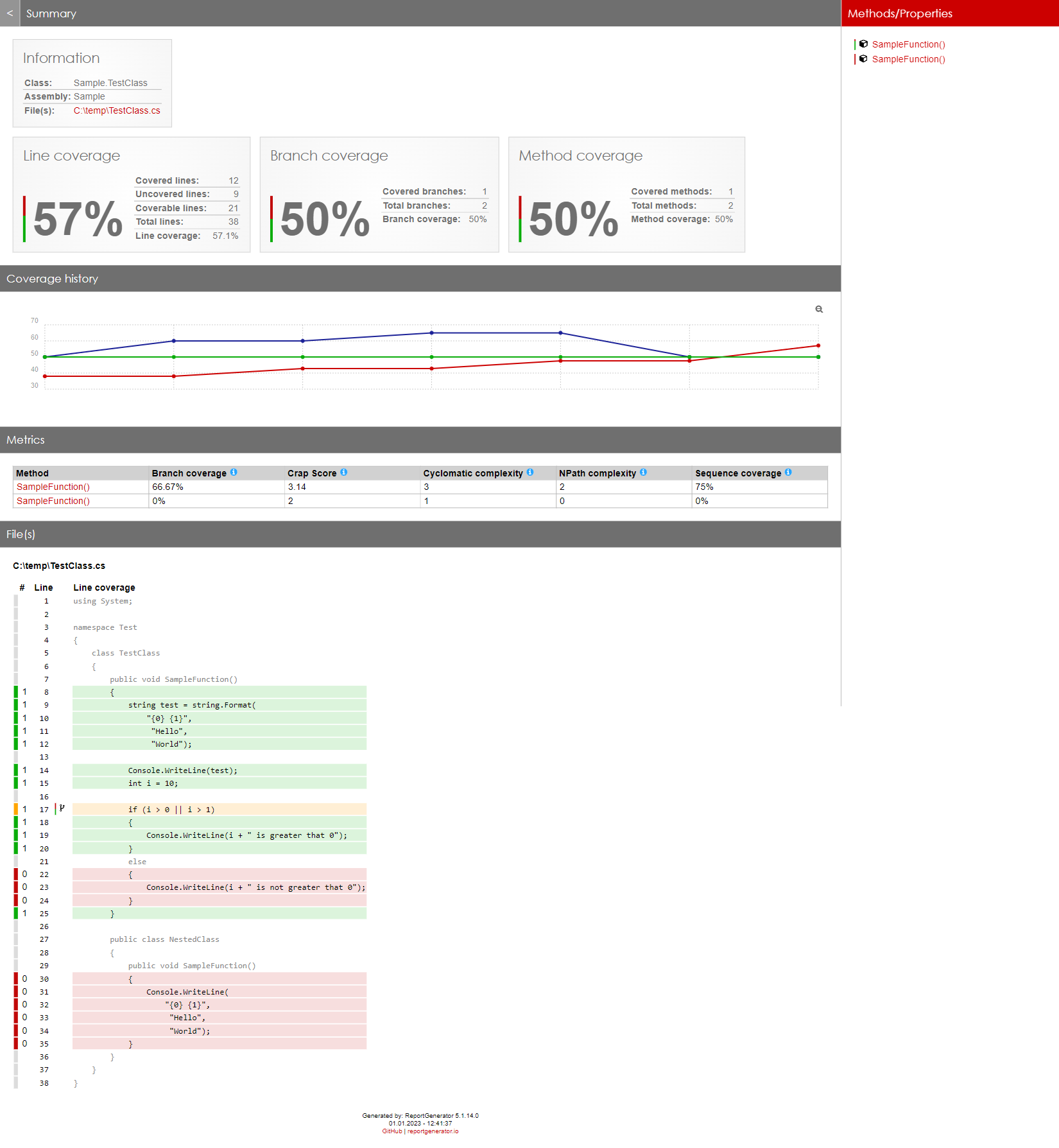
The screenshots show two snippets of the generated reports:
Badges
Badges in SVG format can be generated if -reporttypes:Badges is used:
Example: 
Resources
Visual Studio extensions
The following extensions exist to visualize coverage in Visual Studio:
| Name | Coverage tool | Links |
|---|---|---|
| Run Coverlet Report VS2022 | coverlet | GitHub Marketplace |
| FineCodeCoverage | coverlet, OpenCover | GitHub Marketplace |
Links
- https://www.palmmedia.de/Blog/2017/12/6/reportgenerator-new-release-with-risk-hotspots-analysis
- https://www.palmmedia.de/Blog/2016/11/6/reportgenerator-new-release-with-enhanced-html-report-and-cobertura-support
- https://www.palmmedia.de/Blog/2015/1/27/reportgenerator-new-beta-with-historytrend-charts
- https://www.palmmedia.de/Blog/2012/4/29/reportgenerator-new-release-with-more-advanced-report-preprocessing
Download statistics






Trends
Contact
Author: Daniel Palme
Blog: www.palmmedia.de
Twitter: @danielpalme