dylanaraps/pfetch
Shell🐧 A pretty system information tool written in POSIX sh.
system-informationneofetchscreenfetchposixshellshell-script
주요 지표
스타 성장
스타
2.2k
포크
189
주간 성장
+2
이슈
29
1k2k
2023년 1월2023년 8월2024년 4월2024년 11월2025년 7월2026년 3월2026년 10월
README

pfetch
A pretty system information tool written in POSIX sh
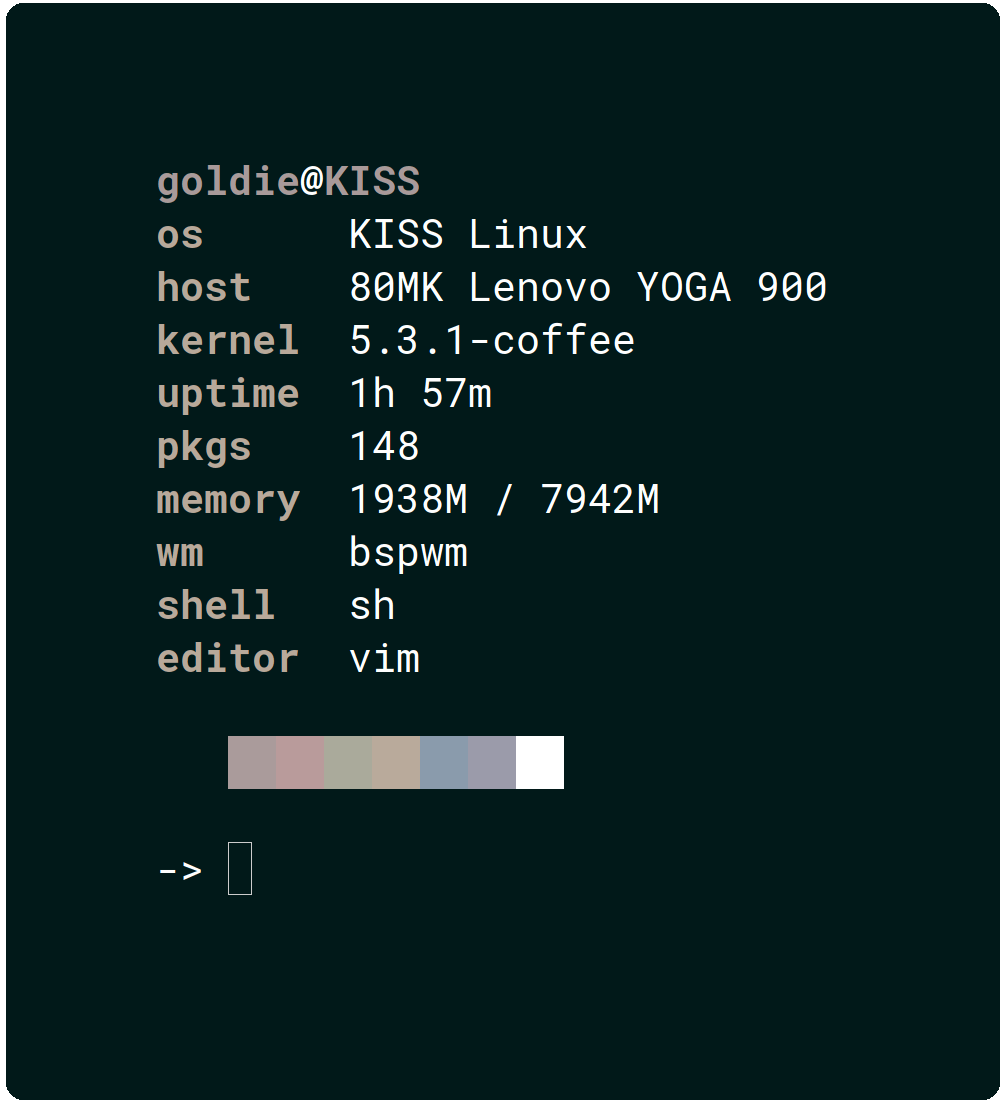
The goal of this project is to implement a simple system
information tool in POSIX sh using features built into
the language itself (where possible).
The source code is highly documented and I hope it will
act as a learning resource for POSIX sh and simple
information detection across various different operating
systems.
If anything in the source code is unclear or is lacking in its explanation, open an issue. Sometimes you get too close to something and you fail to see the "bigger picture"!
OS support
- Linux
- Alpine Linux, Arch Linux, Arco Linux, Artix Linux, CentOS, Dahlia, Debian, Devuan, Elementary, EndeavourOS, Fedora, Garuda Linux, Gentoo, Guix, Hyperbola, instantOS, KISS Linux, Linux Lite, Linux Mint, Mageia, Manjaro, MX Linux, NixOS, OpenSUSE, Parabola, Pop!_OS, PureOS, Slackware, Solus, Ubuntu and Void Linux.
- All other distributions are supported with a generic penguin logo.
- Android
- BSD
- DragonflyBSD, FreeBSD, NetBSD and OpenBSD.
- Windows
- Windows subsystem for Linux.
- Haiku
- MacOS
- Minix
- Solaris
- IRIX
- SerenityOS
Configuration
pfetch is configured through environment variables.
# Which information to display.
# NOTE: If 'ascii' will be used, it must come first.
# Default: first example below
# Valid: space separated string
#
# OFF by default: shell editor wm de palette
PF_INFO="ascii title os host kernel uptime pkgs memory"

# Example: Only ASCII.
PF_INFO="ascii"

# Example: Only Information.
PF_INFO="title os host kernel uptime pkgs memory"

# A file to source before running pfetch.
# Default: unset
# Valid: A shell script
PF_SOURCE=""

# Separator between info name and info data.
# Default: unset
# Valid: string
PF_SEP=":"

# Enable/Disable colors in output:
# Default: 1
# Valid: 1 (enabled), 0 (disabled)
PF_COLOR=1

# Color of info names:
# Default: unset (auto)
# Valid: 0-9
PF_COL1=4

# Color of info data:
# Default: unset (auto)
# Valid: 0-9
PF_COL2=9

# Color of title data:
# Default: unset (auto)
# Valid: 0-9
PF_COL3=1

# Alignment padding.
# Default: unset (auto)
# Valid: int
PF_ALIGN=""

# Which ascii art to use.
# Default: unset (auto)
# Valid: string
PF_ASCII="openbsd"

# The below environment variables control more
# than just 'pfetch' and can be passed using
# 'HOSTNAME=cool_pc pfetch' to restrict their
# usage solely to 'pfetch'.

# Which user to display.
USER=""

# Which hostname to display.
HOSTNAME=""

# Which editor to display.
EDITOR=""

# Which shell to display.
SHELL=""

# Which desktop environment to display.
XDG_CURRENT_DESKTOP=""
Credit
- ufetch: Lots of ASCII logos.
- Contrary to the belief of a certain youtuber,
pfetchshares zero code withufetch. Only some of the ASCII logos were used.
- Contrary to the belief of a certain youtuber,