랭킹으로 돌아가기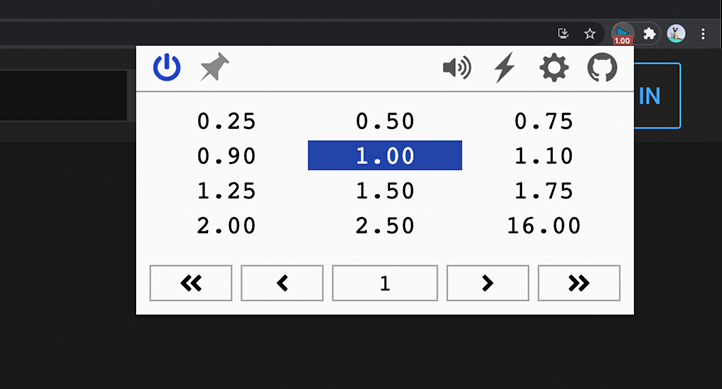
polywock/globalSpeed
TypeScriptchrome.google.com/webstore/detail/global-speed-youtube-netf/jpbjcnkcffbooppibceonlgknpkniiffWeb extension to set a default speed for video and audio
speed-controlleraudio-speedvideo-speedweb-extensionfirefox-addonchrome-extensionmedia-hotkeyspitch-shift
주요 지표
스타 성장
스타
2.7k
포크
322
주간 성장
—
이슈
247
1k2k
2020년 1월2021년 2월2022년 3월2023년 4월2024년 5월2025년 6월2026년 7월
아티팩트npm
npm install globalspeedREADME
Global Speed
Universal speed control for video and audio.
Install the Edge, Firefox, or Chrome extension.
Speed Control
- Set the speed once and forget: it automatically applies to all video and audio
- Define URL rules to auto-apply your favorite speeds on specific sites
- Compatible with YouTube, Netflix, Spotify, podcast sites, and more
Media Hotkeys
- Conveniently change speed through customizable shortcuts
- Rewind/forward, frame-by-frame analysis, volume up/down and more
- Support for multiple trigger modes, including context menu and global shortcuts; control background music or PiP videos while using another app
Filters & Effects
- Netflix movie too dark? Brighten it and dial in the contrast
- Video too quiet? Boost volume up to 600%
- Listen to songs or shows in a new way with pitch shift
- Optionally assign hotkeys to toggle filters and effects on the fly
Audio Effects [Chromium Only]
Build
npm installto install required dependencies.npm run devbuild unpacked version.- Load the unpacked folder
- Chrome: open extensions page, enable dev mode, load unpacked.
- Edge: open extensions page, load unpacked.