Build production-ready documentation from Markdown in seconds. No React, no bloat, just content.
npm install docmd
Production-ready documentation from Markdown, in seconds.
Zero config. AI-native. Built for developers.




Website · Documentation · Live Editor · Agent Skills · Report a Bug
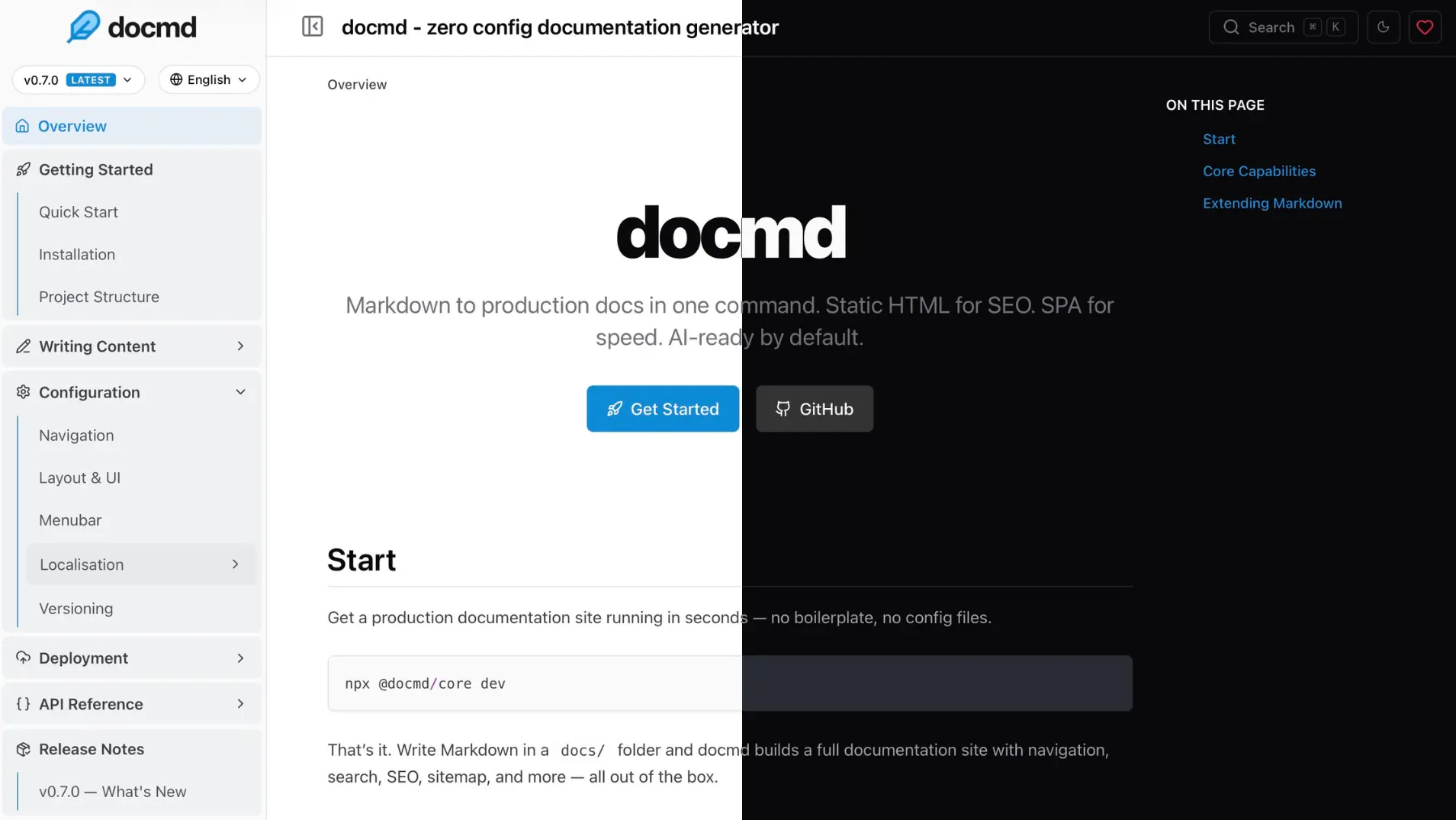
Quick Start
Run docmd in any folder with Markdown files — no install needed:
npx @docmd/core dev
Opens at http://localhost:3000
    _                 _
  _| |___ ___ _____ _| |
 | . | . |  _|     | . |
 |___|___|___|_|_|_|___|

 v1.x.x

┌─ Build
│  Engine          JS
│  Source          docs/
│  Output          site/
│  Versions        2 (06, 05)
│  Locales         7 (en, hi, zh, es, de, ja, fr)
└──────────────────────────────────────────────────────────
┌─ Data Indexing
│  [ DONE ] Syncing git metadata
│  [ DONE ] Building semantic search index (multi-version)
└──────────────────────────────────────────────────────────
┌─ Publishing
│  [ DONE ] Generated robots.txt
│  [ DONE ] Generated .nojekyll (disables Jekyll on GitHub Pages)
│  [ DONE ] Generated sitemap
│  [ DONE ] Generating LLMs context files
└──────────────────────────────────────────────────────────

⬢ Initial build completed in 1.2s.

┌─ Watching
│  Source          ./docs
│  Config          ./docmd.config.json
│  Assets          ./assets
└──────────────────────────────────────────────────────────
┌─ Development Server Running
│  Local Access    http://127.0.0.1:3000
│  Network Access  http://192.168.1.6:3000
│  Serving from    ./site
└──────────────────────────────────────────────────────────
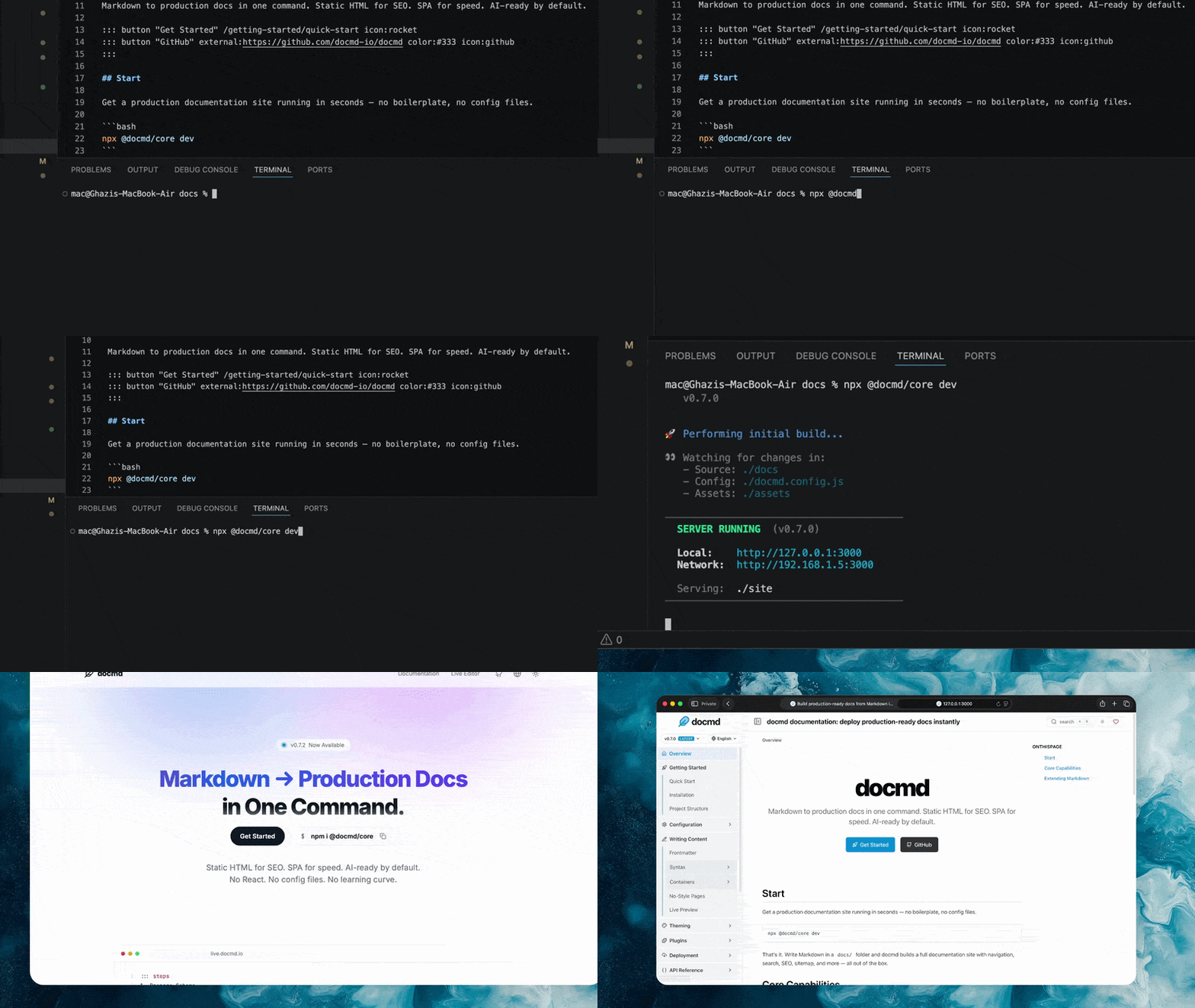
Navigation is generated from your file structure. No config file, no frontmatter required, no framework to learn.
When you're ready to ship:
npx @docmd/core build
This outputs a highly optimized static site (SPA) ready for deployment to Vercel, Cloudflare Pages, Netlify, GitHub Pages, or any static host.
Requirements: Node.js 18+
Or install globally / via Docker
# Install globally via npm
npm install -g @docmd/core

# Or via pnpm
pnpm add -g @docmd/core

# Run it
docmd dev    # start dev server
docmd build  # build for deployment
Or run via Docker:
docker run -p 3000:3000 ghcr.io/docmd-io/docmd:0.8.7
Pin a version for reproducible builds.
Why docmd?
| Feature | docmd | Docusaurus | MkDocs | VitePress | Mintlify |
|---|---|---|---|---|---|
| Config required | None | docusaurus.config.js |
mkdocs.yml |
config.mts |
docs.json |
| JS payload | ~18 kb | ~250 kb | ~40 kb | ~50 kb | ~120 kb |
| Navigation | Instant SPA | React SPA | Full reload | Vue SPA | Hosted SPA |
| Versioning | Native | Native (complex) | mike plugin | Manual | Native |
| i18n | Native | Native (complex) | Plugin-based | Native | Native |
| Multi-project | Native | Plugin | Plugin | - | - |
| Search | Built-in | Algolia (cloud) | Built-in | MiniSearch | Cloud |
AI context (llms.txt) |
Built-in | - | - | - | Built-in |
| MCP server | Built-in | - | - | - | Built-in |
| Agent skills | Built-in | - | - | - | - |
| Docker image | Official | - | Official | - | - |
| Self-hosted | Yes | Yes | Yes | Yes | - |
| Cost | Free (OSS) | Free (OSS) | Free (OSS) | Free (OSS) | Freemium |
Features
Zero config, instant start
Point docmd at any Markdown folder and it runs. Navigation is built automatically from your file structure. You can write your first doc and have it live in under a minute — no boilerplate, no build pipeline to configure, no decisions to make upfront.
Tiny by default, fast everywhere
The default JavaScript payload is ~18 kb. Pages navigate as an instant SPA. The output is static HTML — SEO-optimised, with sitemap, canonical URLs, and Open Graph metadata included. Offline full-text search is built in, no cloud service required.
AI-native
docmd is built for the way documentation is read and used today:
- MCP Server —
docmd mcpexposes your docs to AI agents over stdio, letting them search, read, and validate content directly. - Context (
llms.txt/llms-full.txt) — complete documentation context generated at build time, ready for any LLM. - Agent Skills — modular instruction sets for LLMs and IDE agents (docmd-skills).
- Copy as Markdown / Copy Context — one-click buttons in the browser, optimised for pasting into AI chat.
Built to scale
- Internationalisation with multi-locale builds (per-locale search index, llms, okf, hreflang)
- Versioning for multiple doc releases (with auto-detection of the current version)
- Workspaces for monorepos and multi-project setups
- Plugin system for extending core behaviour (per-hook return-type validation, async-friendly)
- Full theming support, built-in templates, custom CSS/JS, light/dark mode
CLI
docmd dev            # local development server
docmd build          # build for deployment
docmd live           # browser-based Live Editor
docmd init           # scaffold a new docmd.config.json in the current folder
docmd stop           # stop any running `docmd dev` / `docmd live` servers
docmd doctor         # pre-flight check: config + plugin install status
docmd migrate        # migrate to docmd from Docusaurus, VitePress, MkDocs, or Starlight
docmd deploy         # generate config for Docker, NGINX, Caddy, Vercel, Netlify
docmd validate       # check all internal links
docmd mcp            # run as an MCP server over stdio
docmd add <name>     # install a plugin or template
Plugins
Core functionality is powered by a robust plugin system. The essentials are included by default, while optional plugins can be added for specific needs.
| Plugin | Status | Description |
|---|---|---|
search |
Core | Offline full-text search (keyword + optional semantic via docmd-search) |
seo |
Core | SEO tags and Open Graph metadata |
sitemap |
Core | Generates sitemap.xml |
git |
Core | Git commit history and last-updated dates |
analytics |
Core | Lightweight analytics integration |
llms |
Core | AI context generation (llms.txt / llms-full.txt) |
okf |
Core | Open Knowledge Format bundles for AI agents (per-locale) |
mermaid |
Core | Mermaid diagram support |
openapi |
Core | Build-time OpenAPI 3.x spec renderer |
pwa |
Optional | Progressive Web App — offline navigation |
threads |
Optional | Inline discussion threads (by @svallory) |
math |
Optional | KaTeX / LaTeX math rendering |
Install optional plugins:
docmd add <plugin-name>
Build your own: Plugin Development Guide
Configuration
No configuration is required to get started. Add a docmd.config.json (or .ts / .js) in your project root only when you need more control:
{
  "title": "My Project",
  "url": "https://docs.myproject.com",
  "src": "./docs",
  "out": "./dist"
}
TypeScript and JavaScript config files are supported for dynamic values.
Full reference: Configuration Overview
Project Structure
my-docs/
├── docs/                ← Your markdown files
├── assets/              ← Images and static files
├── docmd.config.json    ← Optional configuration
└── package.json
Live Editor
A browser-based editor for writing and previewing docs — no local setup required.
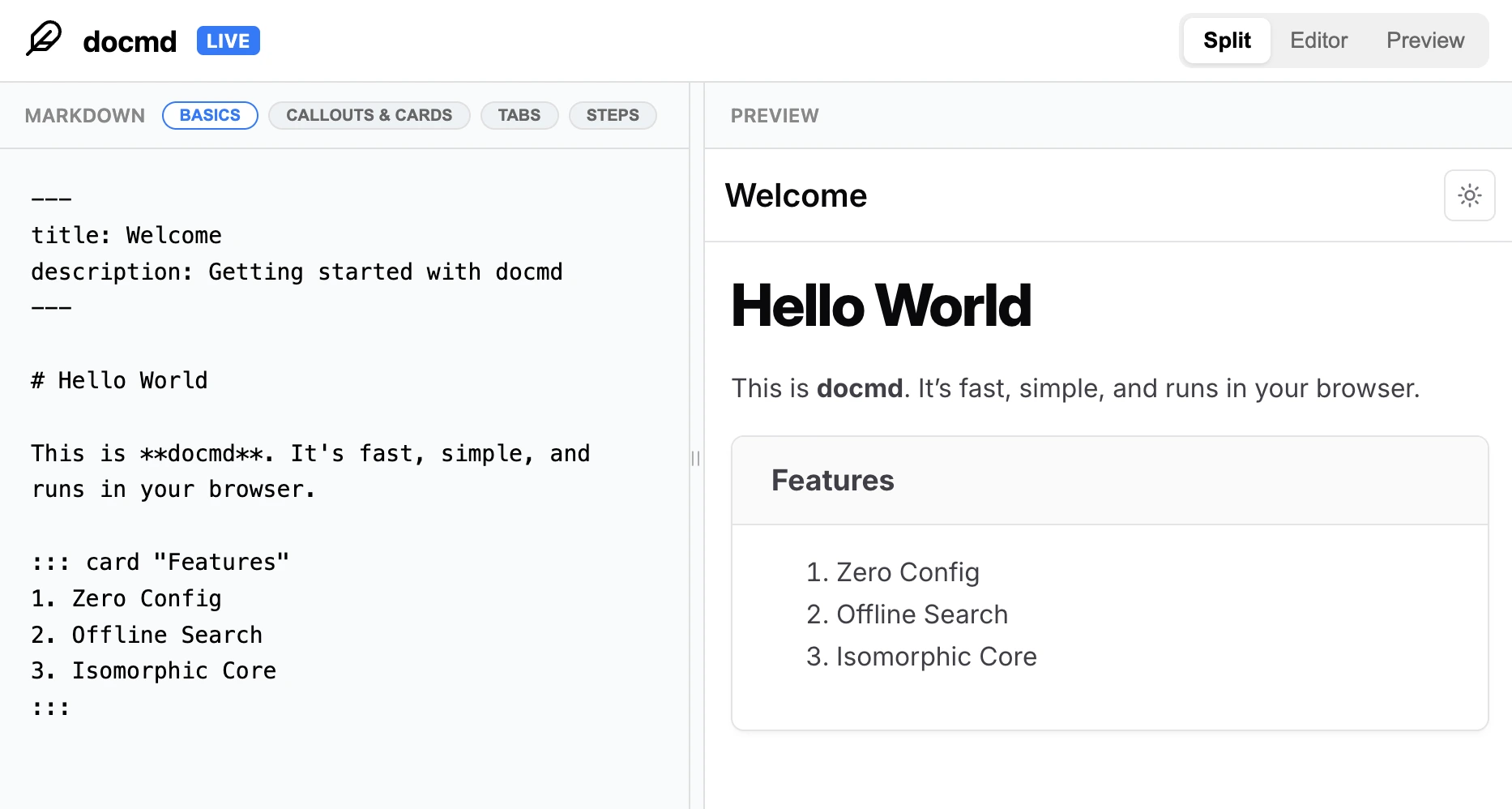
Try it at live.docmd.io
Programmatic API
Use docmd in Node.js scripts, CI pipelines, or custom build steps. (Supports both CommonJS and ESM).
import { build } from '@docmd/core';

await build('./docmd.config.json', { isDev: false });
Full reference: Node API
Community
- Bugs & issues → GitHub Issues
- Questions & ideas → Discussions
- Contributing → CONTRIBUTING.md
- Roadmap → GitHub Discussions
Support
- Getting the word out is the most direct way to support docmd's development. Share it on X with friends or give it a star.
- If docmd saves you time, a GitHub sponsorship goes a long way.
- Got ideas or bugs? Open an issue or PR, feel free to contribute your own plugins.
License
MIT License. See LICENSE for details.