nwg-piotr/autotiling
PythonScript for sway and i3 to automatically switch the horizontal / vertical window split orientation
pip install autotilingautotiling
This script uses the i3ipc-python library to switch the layout splith/splitv depending on the currently focused window dimensions. It works on both sway and i3 window managers.
Inspired by https://github.com/olemartinorg/i3-alternating-layout.
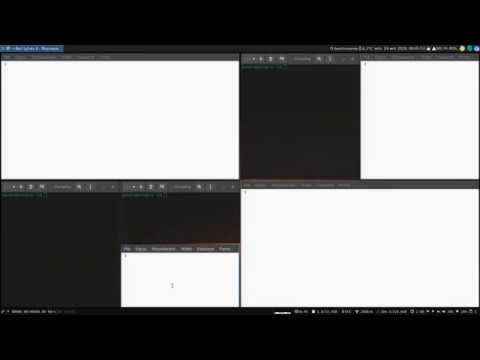
See on YouTube:
PLEASE DO READ THIS
The script does one thing: it checks the window height / width ratio, and
executes the equivalent of either swaymsg splitv or swaymsg splith. Nothing
less, nothing more. This may make stack and tabbed layouts behave oddly.
Unfortunately, there is nothing that can be done about it – please, do not
submit issues about it –, but there are two workaround that you can try.
One option is, to enable autotiling on certain workspaces or outputs only. For instance, you could configure autotiling to be enabled on odd workspaces, but not on even ones:
### Autostart
  exec_always autotiling -w 1 3 5 7 9
Another option you can try, is setting --limit and only use stacking or
tabbing on the lowest level. A good place to start would be --limit 2. Open
four windows with the third and fourth window in the same container as two. This
might mimic a master-stack layout, and you should now be able to switch to
stacking or tabbed. Beware that the decision on how to split is still based on
the height / width ratio.
Installation
The script has been packaged for the following distributions:


Installing manually:
- Install the
python-i3ipc>=2.0.1package (or whatever it's called in your Linux distribution); - save the
main.pyfile anywhere, rename toautotiling, make executable, move to your bin folder; - add
exec_always autotilingto the~/.config/sway/configorexec_always --no-startup-id autotilingto the~/.config/i3/configfile.
Usage
$ autotiling -h
usage: main.py [-h] [-d] [-v] [-o [OUTPUTS ...]] [-w [WORKSPACES ...]]
               [-l LIMIT] [-sw SPLITWIDTH] [-sh SPLITHEIGHT] [-sr SPLITRATIO]
               [-e [EVENTS ...]]

options:
  -h, --help            show this help message and exit
  -d, --debug           print debug messages to stderr
  -v, --version         display version information
  -o [OUTPUTS ...], --outputs [OUTPUTS ...]
                        restricts autotiling to certain output; example:
                        autotiling --output DP-1 HDMI-0
  -w [WORKSPACES ...], --workspaces [WORKSPACES ...]
                        restricts autotiling to certain workspaces; example:
                        autotiling --workspaces 8 9
  -l LIMIT, --limit LIMIT
                        limit how often autotiling will split a container; try
                        "2" if you like master-stack layouts; default: 0 (no
                        limit)
  -sw SPLITWIDTH, --splitwidth SPLITWIDTH
                        set the width of the vertical split (as factor);
                        default: 1.0;
  -sh SPLITHEIGHT, --splitheight SPLITHEIGHT
                        set the height of the horizontal split (as factor);
                        default: 1.0;
  -sr SPLITRATIO, --splitratio SPLITRATIO
                        Split direction ratio - based on window height/width;
                        default: 1;try "1.61", for golden ratio - window has
                        to be 61% wider for left/right split; default: 1.0;
  -e [EVENTS ...], --events [EVENTS ...]
                        list of events to trigger switching split orientation;
                        default: WINDOW MODE
Events
Changing event subscription has already been the objective of several pull request. To avoid doing this again and again,
starting from v1.6 you may specify them in the -e | --events argument. If no value given, the script will subscribe
to Event.WINDOW and Event.MODE, as if it was executed with autotiling -e WINDOW MODE. See
[altdesktop/i3ipc-python`](https://github.com/altdesktop/i3ipc-python/blob/a670f24e7e04f509de8161cf760afe929c22ae93/i3ipc/events.py#L12) for event enumeration.