omkarcloud/google-maps-scraper
omkar.cloud/tools/google-maps-extractorGoogle Maps Scraper & Lead Generation Tool. Extract 50+ data points including business emails, phone numbers, and social profiles. Includes enrichment features, API access, and no recurring fees
✨ Most Popular Google Maps Scraper on GitHub 🤖




Disclaimer: This Google Maps Scraper is provided for educational and research purposes only. By using it, you agree to comply with local and international laws regarding data scraping and privacy. For any concerns, please contact Chetan Jain at chetan@omkar.cloud.
Google Maps Extractor helps you get leads from Google Maps.
Loved by business owners and developers — the Most Popular Google Maps Scraper App on GitHub, with 2.8K+ stars.
⚡ Benefits
Sure, we aren't as big as Apify or Outscraper, but our product can get you the absolute highest number of results per city, with the most generous free tier in the Google Maps lead generation market.
- 16x more generous free plan than Apify. Apify's $5 free credit gets you ~1,250 leads. Omkar gives you 200 free searches/month at 100–1,000+ results each — 20,000+ free leads every month.
Most Popular Google Maps Scraper App on GitHub — 2.8K+ stars.
50+ data points — Extracted in real-time.
Enrichment included — Get emails, social profiles, and decision-maker contacts for max conversion.
Reviews Extraction that actually works!
Built-in API for easy Python/Node.js integration. Easy docs for developers.
Rated Excellent — 4.5 based on 19 reviews on Trustpilot. Our open source work is sponsored by 1000+ devs on GitHub.
Results
Talk is cheap — here are results I extracted using this tool:
- 🍔 8,095 restaurants in New York City — Download csv and see results
- 💪 2,958 gyms in Delhi — Download csv and see results
All in just 3 searches, with 197 searches still left in the free plan 😎.
🎬 Quick Demo (1 min)
If you only watch one thing, watch this. In under a minute, you'll see the tool pull 200+ real business leads and can decide whether this tool is worth your time or you should look elsewhere.
❓ FAQs
What is this Google Maps Scraper App?
It's a desktop app that finds Business Profiles from Google Maps for any category and location you choose — restaurants, dentists, gyms, agencies, and more. In a few clicks you get a clean, exportable list of businesses along with their contact details, so you can reach out and sell to them.
Founders use it to find their first customers; students use it to gather data for research projects.
If you are a developer, this app has a built-in API, an npm package, and a Python library, so you can integrate it into your Python or Node.js scripts and get results in under 5 minutes. The API can also run on AWS and GCP VMs.
What data can I get from it?
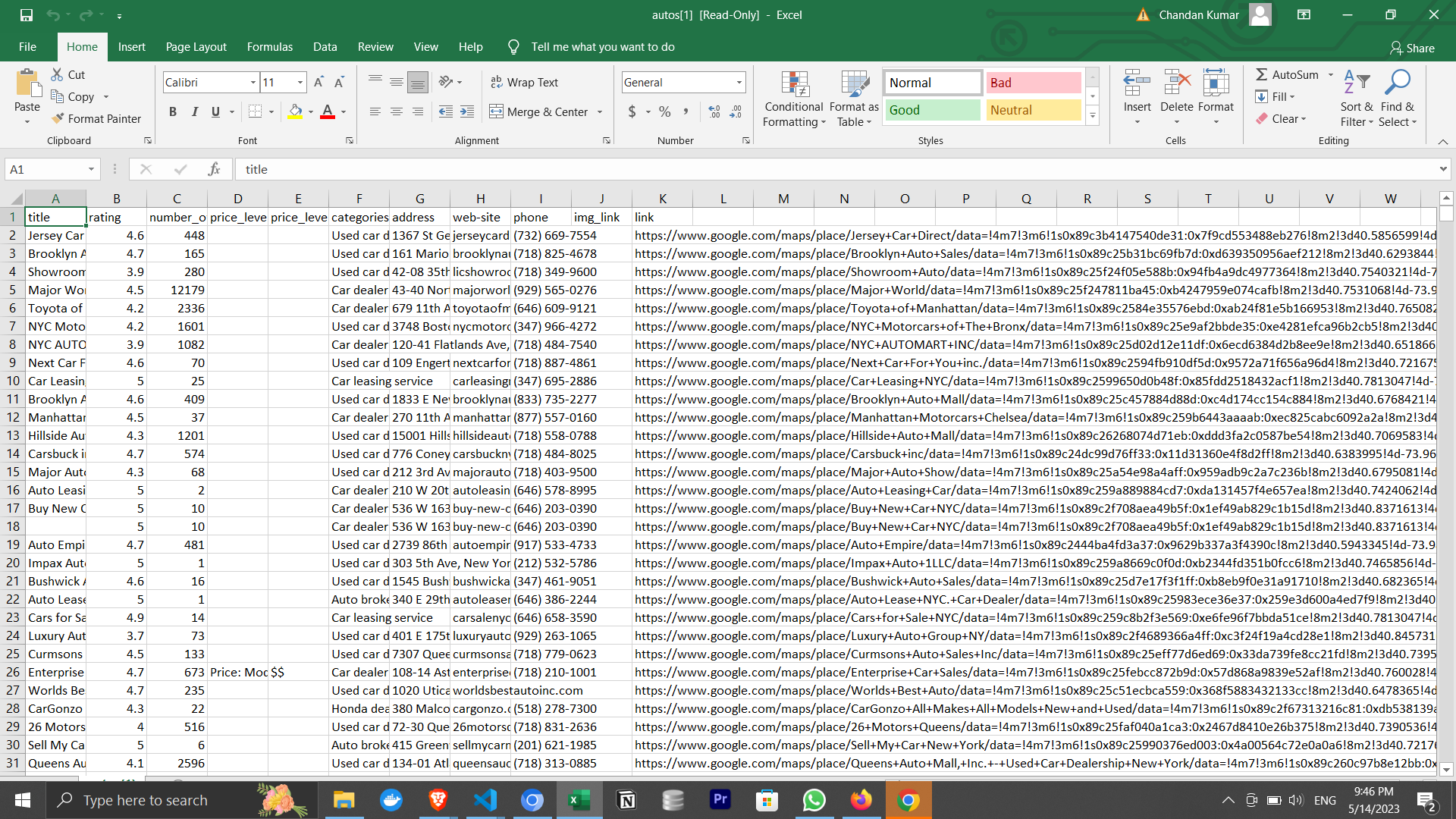
For every business, you get the major data points you need to sell:
- Name, Main Category, and Address
- Phone number
- Website
- Email and social profiles (via enrichment)
- Rating and number of reviews
That's just the start — the tool extracts 50+ data points in total. See the full list in advanced.md (Are there any usage limits?).
On top of the raw data, business enrichment gets you sales-ready contacts: verified emails, decision-makers (CEO, Founder, etc.), and phone carrier info so you don't waste time on landlines.
How to use it?
To use this tool, ensure you have Google Chrome installed. Then download for your OS:
For Mac:
- Download the Mac Version
- We are a verified publisher with Apple, so you can install it without facing any issues.
For Windows:
- Download the Windows Version
- You'll see a popup saying that Windows Defender blocked an app from an unknown publisher. It's the most popular Google Maps scraper on GitHub, with 2.8K+ stars, and is completely safe to use.
You may also see a Windows Firewall popup—click Allow Access to continue.
For Ubuntu/Debian:
For Fedora/CentOS/Red Hat:
Then enter your search query and press the Run button to get 1000+ leads.
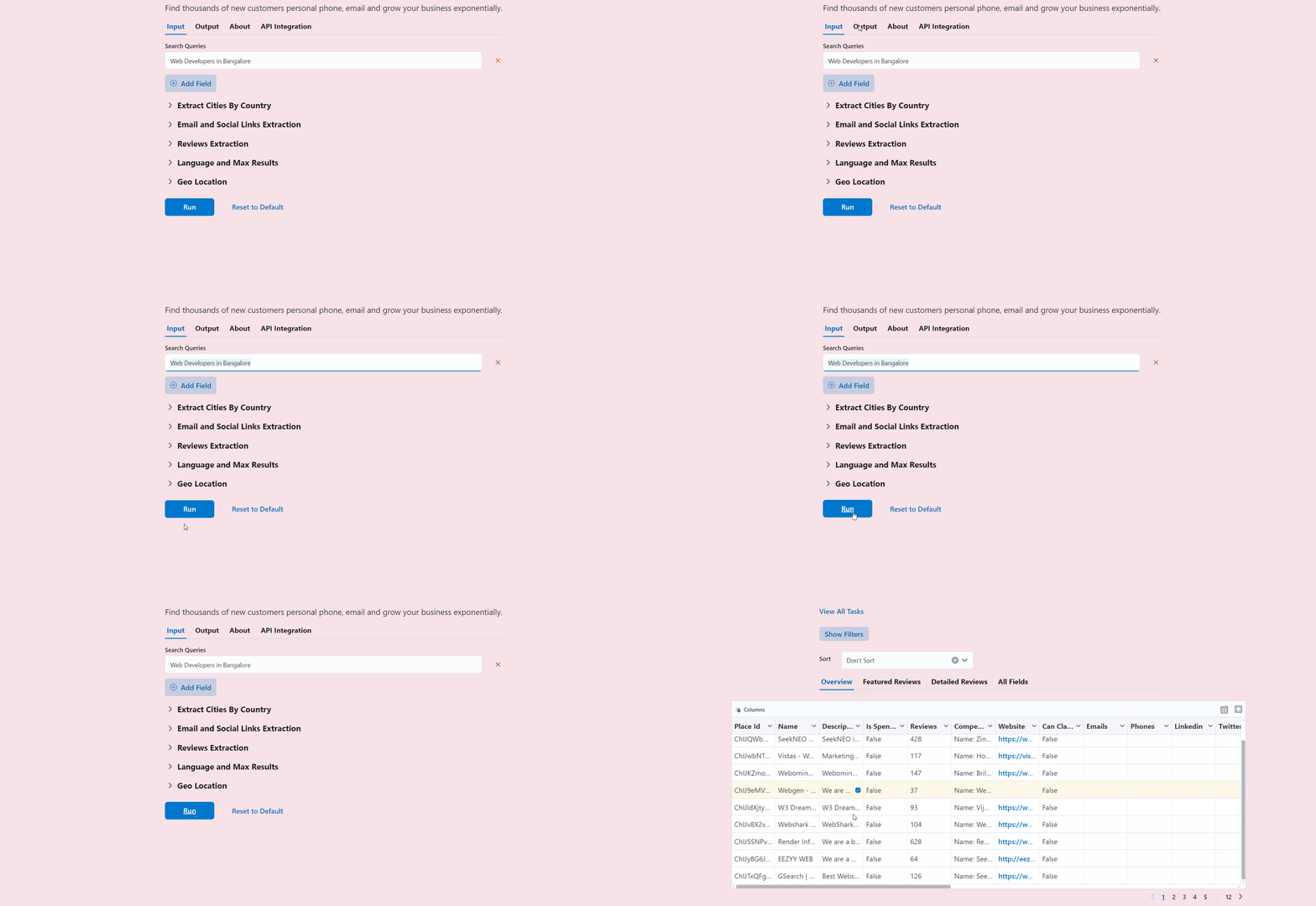
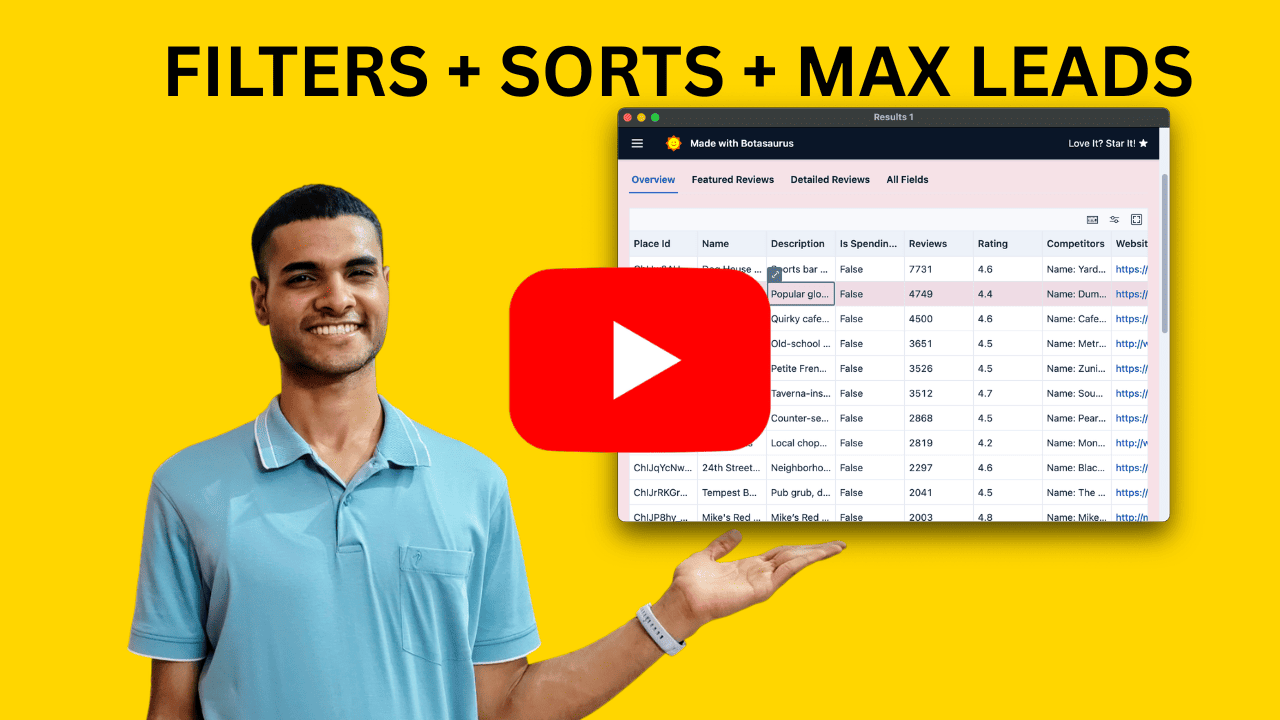
Watch the full walkthrough below — choosing the right search strategy, applying filters, and exporting a clean, ready-to-sell lead list. Ten minutes here and you will completely understand how to use the tool to get maximum leads.
🔍 What are the various search strategies, and which one should I use?
This is slightly complex stuff, but if you want 10,000+ leads in a city, you must understand this.
There are 5 kinds of search strategies:
- Fast (Default)
- Fastest
- Detailed
- By Zoom Level (15, 16, 17, 18)
- By Geolocation
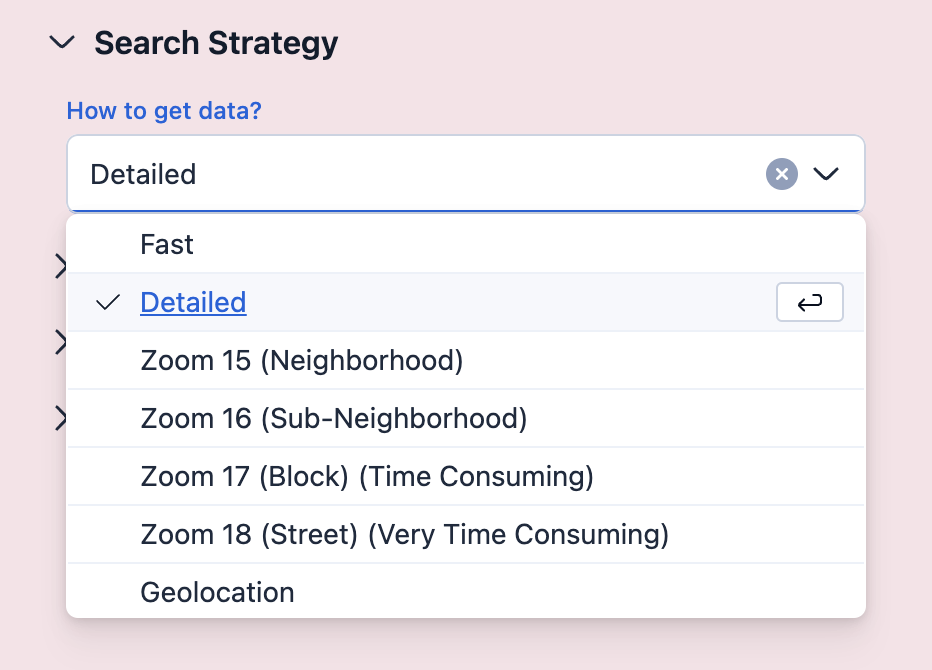
Let's see when to use which strategy:
Fast (Default):
- Returns 120–1600 results per city.
- Completes in 1–10 minutes per city.
- When to use:
- Best for country-level extraction (completes in 1–2 days).
Fastest:
- Slightly faster than Fast mode (~30 seconds per city), but returns ~30–40 fewer results.
- When to use:
- When speed is the top priority and a small reduction in results is acceptable.
Detailed:
- Returns more results than Fast mode, but takes significantly longer.
- When to use:
- Best for single-city or state level extraction where thoroughness matters.
- When not to use:
- Not recommended for country-level extraction due to high time requirements.
- Tip: Set "Max Results" to 1000 per city, otherwise large cities like New York can take 2+ hours.
By Zoom Level (15, 16, 17, 18):
- Various Zoom Level sizes are given below:
- Zoom 15: Neighborhood Level
- Zoom 16: Sub-Neighborhood Level
- Zoom 17: Block Level (Time consuming)
- Zoom 18: Street Level (Very time consuming)
- When to use:
- When you want the absolute highest results. Use Zoom 18. It can take 3-4 hours, but you will have thousands of results for big cities like New York City.
- When not to use:
- Not recommended for country-level extraction. It can take 3-4 hours for a single city.
By Geolocation:
- Search a specific latitude/longitude or inside a polygon.
- When to use:
- Getting results that are only in a specific area, but not outside it.
✨ Enrichment: Same Leads, Higher Conversion
Enrichment turns Google Maps business data into sales-ready contacts—same leads, same effort, but much higher conversion.
Phone:
- Phone Carrier Info — know if it's a landline or mobile. Mobile numbers go to business owners and lead to better sales; landlines go to receptionists.
- Place Sales Summary — Personalize your pitch, so the customer sees that you have done your research and becomes interested in your product.
Email:
- Find the best email for outreach, with deliverability verification.
- Get social profiles, like Twitter, LinkedIn, etc., to get more information about the customer.
Follow these steps to start using enrichment:
Sign up on Omkar Cloud by visiting this link.
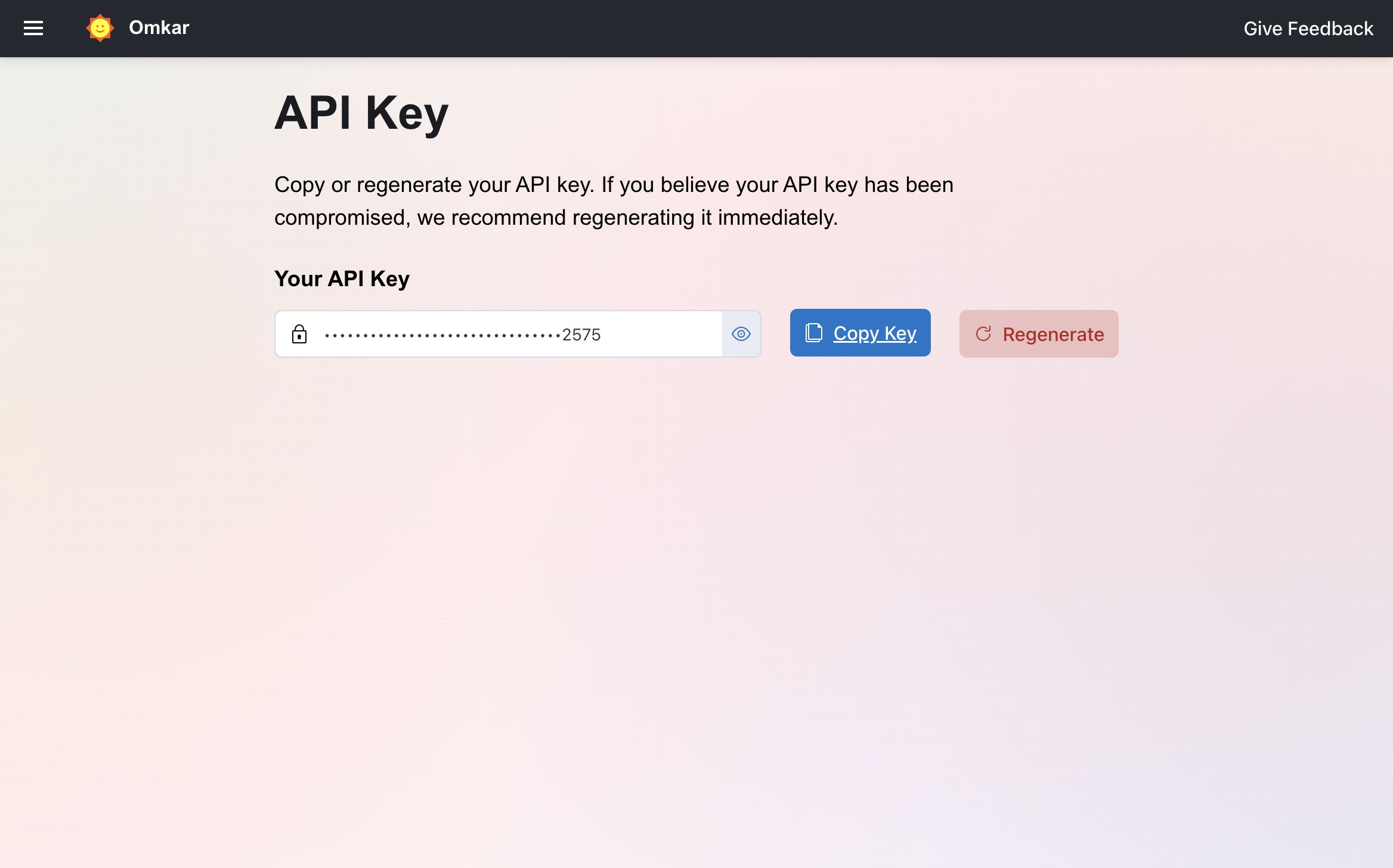
Visit the API Key Page.
Copy the API key.
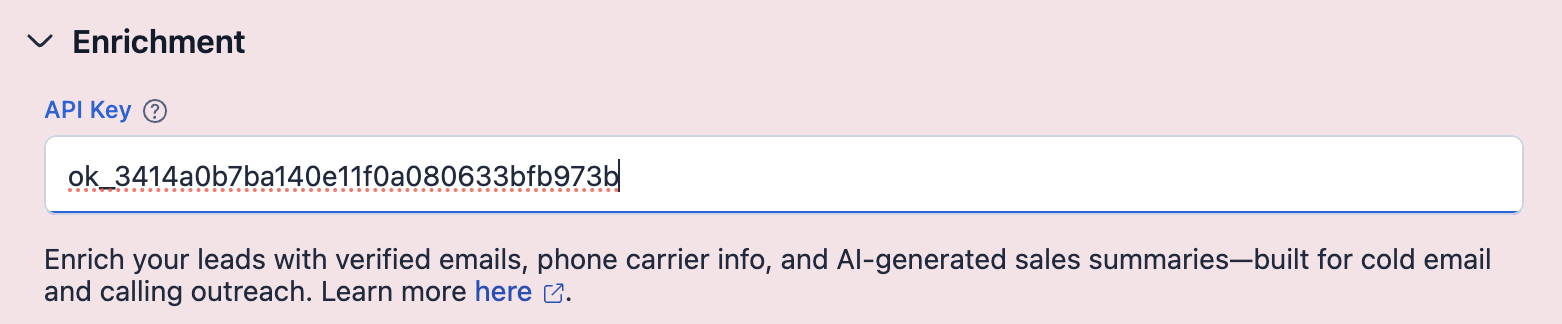
Enter the copied API key in the "Enrichment" section:
Go to verify phone page and verify your phone number. We require phone verification to prevent abuse of our free credits and keep the service available for genuine users.
Run it.
That's it. You can find enrichment results in the "Overview" View.
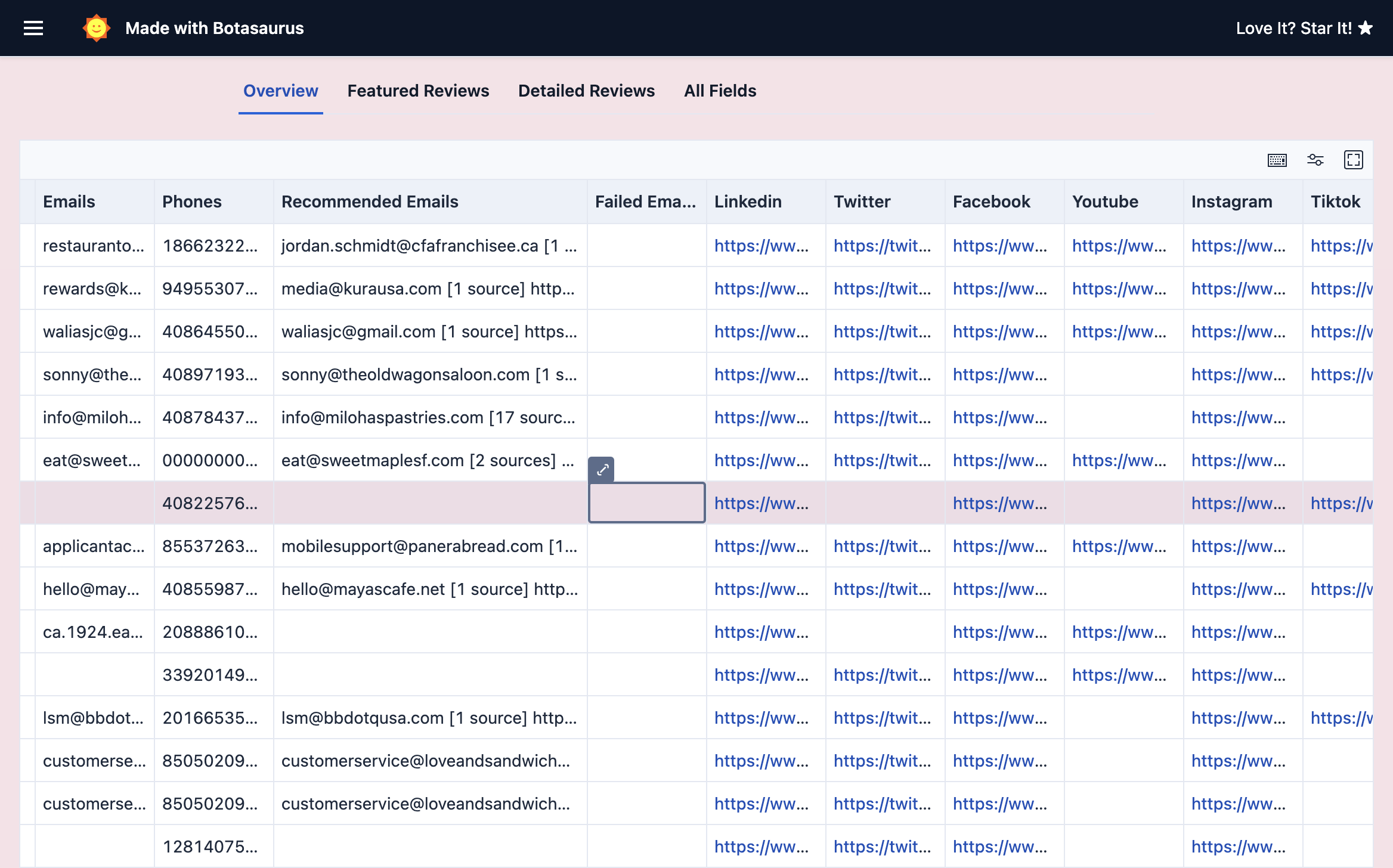
To get the most out of enrichment, read the Enrichment Documentation.
Start enriching for free—100 credits free/month. No credit card needed.
💰 Pricing
| Plan | Price | Searches | Best for |
|---|---|---|---|
| Free | Free | 200 searches/month | Getting your first 20,000+ leads. No credit card needed. |
| Starter | $16/month | 5,000 searches/month | Getting clients every month, in city after city. |
| Unlimited | $48/month | Unlimited | Agencies and heavy users extracting country-level data at scale. |
Each search yields 100 to 1,000+ results (10,000+ with the Detailed/Zoom 18 strategy). Apify and Outscraper charge you per result; we charge per search — so 5,000 searches can mean hundreds of thousands of leads. That's the cheapest per-lead cost in the market.
Start with Free — 200 searches/month is more than enough to test the tool and get up to 20,000+ leads per month. Upgrade to Starter ($16/month) when you're doing regular outreach and need more cities every month. Go Unlimited ($48/month) if you're extracting country-level data at scale.
Cancel anytime. Refund in 2 clicks, no questions asked:
- Go to the Transactions Page.
- Click Request Refund, then confirm by clicking Request Refund again.
That's it. The amount is refunded in 1-2 business days. No emails, no explanations, no questions asked.
Watch the full 2-click refund process:
We have made the refund process easier than cutting a cake 🎂. Why? Because we are confident in the value our product brings 😎.
🤙 Still unsure?
Have questions before buying? Book a free 15-minute call with a product expert.
📚 Learn More
Deeper guides and answers live in advanced.md:
App Specific FAQs
- Do I need to do anything else to use the tool effectively? [Very Very Important! MUST READ]
- How to use the Geolocation feature?
- How to create polygons and search using Geolocation?
- How do I stop or abort a running task?
- I want all businesses in a country. What's the best approach?
- Are there any usage limits? (and 50+ data points)
- How to get the Pro Version?
- How do I get a refund?
- How do I preserve non-English characters when exporting?
- On macOS, Chrome is not opening when I run the app. What should I do?
- Why does the result count drop after a task completes?
Developers FAQs
- How can I run the extractor on AWS and GCP VMs?
- How did you build this extractor?
- Any other products that might be useful to me?
Services & About
- Can you tell me about the Done For You service?
- Do you do custom big data projects?
- I need a feature from another app. Can you add it?
- Tell me about Omkar Cloud
- Why should I use your product over bigger brands?
- What else can I use this tool for?
💬 Have Questions? We have answers.


You are important to us — just message us and we will solve your problem ✅ within 1 working day. 🩷 Pinky Promise 🤙!
Prefer to talk it through? You can also book a call to resolve any product-related questions.
👉 Book your FREE call here: https://omkar.cloud/l/meet-chetan/
Love It? Review Us ⭐
From one business owner to another: if this tool has helped you, please leave an honest review on Trustpilot. It takes less than a minute, and it means a lot.
Here's why it matters. Most people judge a product by its reviews. Your review helps another business owner—someone just like you, looking for leads and trying to grow their business—discover this tool, find customers, and support their family.
So I'll ask you a simple favor: will you help the next business owner find us? You won't get credit for it, but you'll make a real difference.
If you will, please leave a review. It takes only 60 seconds, and I will personally thank you for it within 1 day.
https://www.trustpilot.com/review/omkar.cloud
Not in your Budget?
If you are a student or a person just starting your business, and a paid plan is not in your budget, you can let us know via WhatsApp or Email and we will give you 12 months of free access. Don't hesitate—it will take 5 minutes to WhatsApp/Email, and it will make us happy 😊 to help you.