Powerful web graphics runtime built on WebGL, WebGPU, WebXR and glTF
npm install enginePlayCanvas Engine




| User Manual | API Reference | Examples | Blog | Forum |
PlayCanvas is an open-source game engine built on WebGL2 and WebGPU. Use it to create interactive 3D apps, games and visualizations that run in any browser on any device.
Install
npm install playcanvas
Or scaffold a full project in seconds with create-playcanvas:
npm create playcanvas@latest
Usage
Here's a super-simple Hello World example - a spinning cube!
import {
  Application,
  Color,
  Entity,
  FILLMODE_FILL_WINDOW,
  RESOLUTION_AUTO
} from 'playcanvas';

const canvas = document.createElement('canvas');
document.body.appendChild(canvas);

const app = new Application(canvas);

// fill the available space at full resolution
app.setCanvasFillMode(FILLMODE_FILL_WINDOW);
app.setCanvasResolution(RESOLUTION_AUTO);

// ensure canvas is resized when window changes size
window.addEventListener('resize', () => app.resizeCanvas());

// create box entity
const box = new Entity('cube');
box.addComponent('render', {
  type: 'box'
});
app.root.addChild(box);

// create camera entity
const camera = new Entity('camera');
camera.addComponent('camera', {
  clearColor: new Color(0.1, 0.2, 0.3)
});
app.root.addChild(camera);
camera.setPosition(0, 0, 3);

// create directional light entity
const light = new Entity('light');
light.addComponent('light');
app.root.addChild(light);
light.setEulerAngles(45, 0, 0);

// rotate the box according to the delta time since the last frame
app.on('update', dt => box.rotate(10 * dt, 20 * dt, 30 * dt));

app.start();
Want to play with the code yourself? Edit it on CodePen.
A full guide to setting up a local development environment based on the PlayCanvas Engine can be found here.
Features
PlayCanvas is a fully-featured game engine.
- 🧊 Graphics - Advanced 2D + 3D graphics engine built on WebGL2 & WebGPU
- 💠 Gaussian Splatting - First-class support for loading and rendering 3D Gaussian Splats
- 🥽 XR - Built-in support for immersive AR and VR experiences via WebXR
- ⚛️ Physics - Full integration with 3D rigid-body physics engine ammo.js
- 🏃 Animation - Powerful state-based animations for characters and arbitrary scene properties
- 🎮 Input - Mouse, keyboard, touch and gamepad APIs
- 🔊 Sound - 3D positional sounds built on the Web Audio API
- 📦 Assets - Asynchronous streaming system built on glTF 2.0, Draco and Basis compression
- 📜 Scripts - Write game behaviors in TypeScript or JavaScript
Ecosystem
Build with PlayCanvas your way:
| Package | Description |
|---|---|
playcanvas |
Core engine (you are here) |
@playcanvas/react |
React renderer for PlayCanvas |
@playcanvas/web-components |
Declarative 3D via Custom Elements |
create-playcanvas |
Project scaffolding CLI |
| PlayCanvas Editor | Browser-based visual editor |
Project Showcase
Many games and apps have been published using the PlayCanvas engine. Here is a small selection:

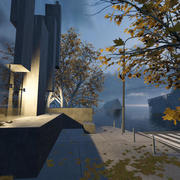







You can see more games on the PlayCanvas website.
Users
PlayCanvas is used by leading companies in video games, advertising and visualization such as:
Animech, Arm, BMW, Disney, Facebook, Famobi, Funday Factory, IGT, King, Miniclip, Leapfrog, Mojiworks, Mozilla, Nickelodeon, Nordeus, NOWWA, PikPok, PlaySide Studios, Polaris, Product Madness, Samsung, Snap, Spry Fox, Zeptolab, Zynga
How to build
Ensure you have Node.js 18+ installed. Then, install all of the required Node.js dependencies:
npm install
Now you can run various build options:
| Command | Description | Outputs To |
|---|---|---|
npm run build |
Build all engine flavors and type declarations | build |
npm run docs |
Build engine API reference docs | docs |