Xamarin.Forms is no longer supported. Migrate your apps to .NET MAUI.
Xamarin.Forms
Support
Support for Xamarin.Forms ended on May 1, 2024 as per the Xamarin Support Policy:
Xamarin support ended on May 1, 2024 for all Xamarin SDKs including Xamarin.Forms.
Xamarin.Forms was succeeded by .NET MAUI in May 2022 as part of .NET 6, and is currently supported as described on the .NET MAUI Support Policy. Follow the official upgrade guidance to bring your Xamarin applications to the latest version of .NET.
To all our developers and contributors, thank you so much for being a part of our Xamarin community. We'll see you all over in .NET MAUI!
About Xamarin.Forms
Xamarin.Forms provides a way to quickly build native apps for iOS, Android, Windows and macOS, completely in C#.
Read more about the platform at https://www.xamarin.com/forms.
Packages
| Platform/Feature | Package name | Stable | Prerelease | Nightly Feed Azure (main branch) |
|---|---|---|---|---|
| Core | Xamarin.Forms |
 |
 |
|
| AppLinks | Xamarin.Forms.AppLinks |
 |
 |
|
| Maps | Xamarin.Forms.Maps |
 |
 |
|
| Maps.GTK | Xamarin.Forms.Maps.GTK |
 |
 |
|
| Maps.WPF | Xamarin.Forms.Maps.WPF |
 |
 |
|
| Pages | Xamarin.Forms.Pages |
 |
 |
|
| Pages.Azure | Xamarin.Forms.Pages.Azure |
 |
 |
|
| Platform.GTK | Xamarin.Forms.Platform.GTK |
 |
 |
|
| Platform.WPF | Xamarin.Forms.Platform.WPF |
 |
 |
|
| Visual.Material | Xamarin.Forms.Visual.Material |
 |
 |
If you want to use the latest dev build then you should read this blog post:
Add the nightly feed to your NuGet sources or add a NuGet.Config to your app (placing it in the same directory where your solution file is) with the following content:
<?xml version="1.0" encoding="utf-8"?>
<configuration>
  <packageSources>
    <clear />
    <add key="xamarin-ci" value="https://aka.ms/xf-nightly/index.json" />
    <add key="NuGet.org" value="https://api.nuget.org/v3/index.json" />
  </packageSources>
</configuration>
NOTE: This NuGet.Config should be with your application unless you want nightly packages to potentially start being restored for other apps on the machine.
Change your application's dependencies to have a
*to get the latest version.
Getting Started
For both methods underneath you will have to add this NuGet feed for the build to succeed. See this documentation page to find out how.
Windows
Install Visual Studio 2019+
VS 2019+ is required for developing Xamarin.Forms. If you do not already have it installed, you can download it here. VS 2019+ Community is completely free. If you are installing VS 2019+ for the first time, select the "Custom" installation type and select the following from the features list to install:
- .NET desktop development
Individual Components > .NET > .NET Framework 4.6.1 SDK, .NET Framework 4.6.1 targeting pack, .NET Framework 4.7.2 SDK, .NET Framework 4.7.2 targeting pack.
- Universal Windows Platform Development
Individual Components > SDKs, libraries, and frameworks > Windows 10 SDK (10.0.19041.0), Windows 10 SDK (10.0.18362.0), Windows 10 SDK (10.0.16299.0).- Download and install 14393 from https://go.microsoft.com/fwlink/p/?LinkId=838916
- Mobile Development with .NET
Individual Components > Development Activities > Xamarin Remoted Simulator- If you're not using Hyper-V
Individual Components > Emulators > Hyper-V Intel Hardware Accelerated Execution Manager (HAXM)
- Most current SDK version of .NET Core
- Or install the most current .NET Core SDK from here https://dotnet.microsoft.com/download
The Android 10.0 API 29 SDK and Android 9.0 API 28 SDK are required for developing Xamarin.Forms. They can be installed by using the Xamarin Android SDK Manager.
We also recommend installing Xamarin Android Device Manager. This will use the HAXM tools installed above and allow you to configure Android Virtual Devices (AVDs) that emulate Android devices. If you already have VS 2019+ installed, you can verify that these features are installed by modifying the VS 2019+ installation via the Visual Studio Installer.
Provisioning script
If you are getting errors about missing SDKs, you can run our provisioning script. Note that it can take some time to run the whole script. To better understand how the script works, feel free to check out our build.cake file.
On CMD
build.cmd -Target provisionOn Powershell
./build.ps1 -Target provisionNOTE: If you encounter an error saying build.ps1 is not digitally signed, open Powershell as an administrator and resolve by running
Set-ExecutionPolicy RemoteSignedfirst.On CMD/Powershell/sh (New! More info here)
dotnet tool install Cake.Tool -g
dotnet cake --target=provision
Mac
Install Visual Studio for Mac 2019
If you do not already have it installed, instructions to download and setup can be found here.
Because of current Multi-Targeting limitations with Visual Studio for Mac you will need to manually build/restore some projects before you are able to work on the Xamarin Forms solution.
Here are a few different options we've put together to help make this process easier
Branches 3.5+ come with a Cake script target that you can use to build and open VSMac
./build.sh --target vsmacOR as mentioned above in the Windows section about provisioning, you can also use the new Cake.Tool
dotnet tool install Cake.Tool -g
dotnet cake --target=provision
When working on an earlier branch that does not have the cake scripts, you can use the following build.sh script
If you don't want to run any scripts:
- Open Xamarin.Forms.sln
- Wait for VSMAC to finish restoring all projects
- from the command line run:
msbuild Xamarin.Forms.Build.Tasks/Xamarin.Forms.Build.Tasks.csproj
- Now you should be able to run and deploy everything. The only reason you would need to do this process again is if you clean the solution folder or delete the bin/obj folders that are part of the
Xamarin.Forms.Build.Tasks.csproj
Solution Configuration
Upon opening the Xamarin.Forms solution, you will find that there are a number of errors and warnings under the Error List pane; you can resolve this by changing the filter of Build + IntelliSense to Build Only. At this point, you should be able to successfully build the solution.
By default, the Xamarin.Forms.Controls project does not have a configuration for various API keys to access certain features on each platform (e.g. maps). When building the solution for the first time, a controlgallery.config file will be generated inside that project, which looks like this:
UWPMapsAuthKey:
If you aren't working with maps, you can ignore this. If you want to work with maps, you will have to obtain your own API keys for each of these services, inserted directly after the identifier (e.g. UWPMapsAuthKey:abcdefghijklmnopqrstuvwxyz). You can find out how to obtain each of these as follows:
UWPMapsAuthKeyat https://microsoft.com/maps/create-a-bing-maps-key.aspx
Due to the way that Android works, the maps API key cannot be injected at runtime. As a result, you will have to add this key to the MapsKey.cs file under Xamarin.Forms.ControlGallery.Android/Properties:
[assembly: Android.App.MetaData("com.google.android.maps.v2.API_KEY", Value = "INSERT_KEY_HERE")]
You can find out how to obtain a Google Maps API key here.
Build from the Command line
Make sure you have nuget.exe 4.0 or above and the latest .NET Core SDK. On macOS you should specify the platform in the msbuild command (/p:Platform=iPhoneSimulator)
msbuild /restore Xamarin.Forms.sln
UI Tests
Run Android UI Tests
Depending on your environment setup, you might need to configure a few things before being able to debug / run UI tests, especially on Windows.
- If you receive an error about ANDROID_HOME, please make sure to set your environment variable to the Android SDK directory (e.g. C:\Program Files (x86)\Android\android-sdk).
- If you receive an error about JAVA_HOME, please install the latest Java JDK and set your environment variable to the JDK directory (e.g. C:\Program Files\Java\jdk-13).
- If you receive an error about a missing ApkFile, please generate an APK file for
Xamarin.Forms.ControlGallery.Android. The easiest way to do this is to right click the project and select "Deploy". Note that if you rebuild the solution, you might lose the APK and will need to generate it again.
After these steps are taken care of, you should be good to go. You can see all UI tests in Test Explorer, search them for your own convenience, and quickly run individual tests.
Run UWP UI Tests
To run the UWP UI Tests:
- Install and run the Windows Application Driver.
- Launch the
Xamarin.Forms.ControlGallery.WindowsUniversalproject to install the ControlGallery application onto your system.
You should now be able to run any of the UWP UI Tests.
Coding Style
We follow the style used by the .NET Foundation, with a few exceptions:
- We do not use the
privatekeyword as it is the default accessibility level in C#. - We use hard tabs over spaces. You can change this setting in Visual Studio for Windows via
Tools > Optionsand navigating toText Editor > C#and selecting the "Keep tabs" radio option. In Visual Studio for Mac it's set via preferences inSource Code > Code Formatting > C# source codeand disabling the checkbox forConvert tabs to spaces. - Lines should be limited to a max of 120 characters (or as close as possible within reason). This may be set in Visual Studio for Mac via preferences in
Source Code > Code Formatting > C# source codeand changing theDesired file widthto120.
Contributing
Reporting Bugs
We use GitHub Issues to track issues. If at all possible, please submit a reproduction of your bug along with your bug report.
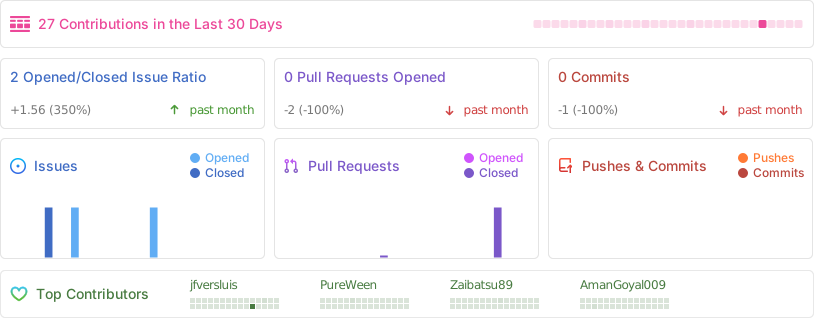
Stats