coryhouse/react-slingshot
JavaScriptReact + Redux starter kit / boilerplate with Babel, hot reloading, testing, linting and a working example app built in
npm install react-slingshot




A comprehensive starter kit for rapid application development using React.
Why Slingshot?
- One command to get started - Type
npm startto start development in your default browser. - Rapid feedback - Each time you hit save, changes hot reload and linting and automated tests run.
- One command line to check - All feedback is displayed on a single command line.
- No more JavaScript fatigue - Slingshot uses the most popular and powerful libraries for working with React.
- Working example app - The included example app shows how this all works together.
- Automated production build - Type
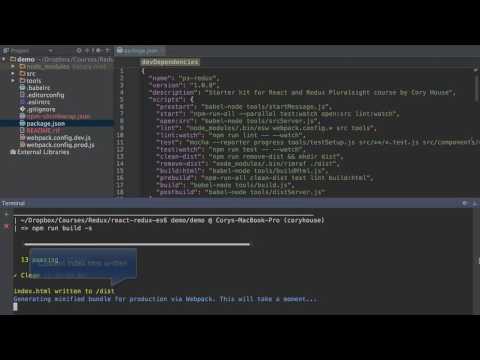
npm run buildto do all this:
Get Started
Initial Machine Setup
First time running the starter kit? Then complete the Initial Machine Setup.
Click "Use this template"
Click the green "Use this template" button at the top of this page and enter a name and description for your repo.
Run the setup script
npm run setupRun the example app
npm start -sThis will run the automated build process, start up a webserver, and open the application in your default browser. When doing development with this kit, this command will continue watching all your files. Every time you hit save the code is rebuilt, linting runs, and tests run automatically. Note: The -s flag is optional. It enables silent mode which suppresses unnecessary messages during the build.
Review the example app.
This starter kit includes a working example app that calculates fuel savings. Note how all source code is placed under /src. Tests are placed alongside the file under test. The final built app is placed under /dist. These are the files you run in production.
Delete the example app files.
Once you're comfortable with how the example app works, you can delete those files and begin creating your own app.
Having issues? See Having Issues?.
Initial Machine Setup
Install Node 8.0.0 or greater
Need to run multiple versions of Node? Use nvm.
Install Git.
Disable safe write in your editor to assure hot reloading works properly.
Complete the steps below for your operating system:
macOS
- Install watchman via
brew install watchmanor fswatch viabrew install fswatchto avoid this issue which occurs if your macOS has no appropriate file watching service installed.
Linux
Run this to increase the limit on the number of files Linux will watch. Here's why.
echo fs.inotify.max_user_watches=524288 | sudo tee -a /etc/sysctl.conf && sudo sysctl -p.
Windows
Install Python 2.7. Some node modules may rely on node-gyp, which requires Python on Windows.
Install C++ Compiler. Browser-sync requires a C++ compiler on Windows.
Visual Studio Express comes bundled with a free C++ compiler.
If you already have Visual Studio installed: Open Visual Studio and go to File -> New -> Project -> Visual C++ -> Install Visual C++ Tools for Windows Desktop. The C++ compiler is used to compile browser-sync (and perhaps other Node modules).
- Install watchman via
Having Issues? Try these things first
Make sure you ran all steps in Get started including the initial machine setup.
Run
npm install- If you forget to do this, you'll see this:babel-node: command not found.Install the latest version of Node.
Make sure files with names that begin with a dot (.editorconfig, .gitignore, .npmrc) are copied to the project directory root. This is easy to overlook if you copy this repository manually.
Don't run the project from a symbolic link. It may cause issues with file watches.
Delete any .eslintrc that you're storing in your user directory. Also, disable any ESLint plugin / custom rules that you've enabled within your editor. These will conflict with the ESLint rules defined in this project.
Make sure you don't have NODE_ENV set to production on your machine. If you do then the development dependencies won't be installed. Here's how to check.
Install watchman with
brew install watchmanif you are having the following error after an initialnpm start -s:2017-09-05 00:44 node[68587] (FSEvents.framework) FSEventStreamStart: register_with_server: ERROR: f2d_register_rpc() => (null) (-22) 2017-09-05 00:44 node[68587] (FSEvents.framework) FSEventStreamStart: register_with_server: ERROR: f2d_register_rpc() => (null) (-22) events.js:160 throw er; // Unhandled 'error' event ^ Error: Error watching file for changes: EMFILE at exports._errnoException (util.js:1022:11) at FSEvent.FSWatcher._handle.onchange (fs.js:1406:11)Tip: Things to check if you get an
npm run linterror or build error:If ESW found an error or warning in your project (e.g. console statement or a missing semi-colon), the lint thread will exit with
Exit status 1. To fix:- Change the
npm run lintscript to"esw webpack.config.* src tools; exit 0" - Change the
npm run lint:watchscript to"esw webpack.config.* src tools --watch; exit 0"
Note: Adding
exit 0will allow the npm scripts to ignore the status 1 and allow ESW to print all warnings and errors.- Change the
Ensure the
eslint/eswglobally installed version matches the version used in the project. This will ensure theeswkeyword is resolved.
Rebuild node-sass with
npm rebuild node-sassif you are having and error likeNode Sass does not yet support your current environment on macOS XXXafter an initialnpm start -s.
Technologies
Slingshot offers a rich development experience using the following technologies:
| Tech | Description | Learn More |
|---|---|---|
| React | Fast, composable client-side components. | Pluralsight Course |
| Redux | Enforces unidirectional data flows and immutable, hot reloadable store. Supports time-travel debugging. Lean alternative to Facebook's Flux. | Getting Started with Redux, Building React Applications with Idiomatic Redux, Pluralsight Course |
| React Router | A complete routing library for React | Pluralsight Course |
| Babel | Compiles ES6 to ES5. Enjoy the new version of JavaScript today. | ES6 REPL, ES6 vs ES5, ES6 Katas, Pluralsight course |
| Webpack | Bundles npm packages and our JS into a single file. Includes hot reloading via react-transform-hmr. | Quick Webpack How-to Pluralsight Course |
| Browsersync | Lightweight development HTTP server that supports synchronized testing and debugging on multiple devices. | Intro vid |
| Jest | Automated tests with built-in expect assertions and Enzyme for DOM testing without a browser using Node. | Pluralsight Course |
| TrackJS | JavaScript error tracking. | Free trial |
| ESLint | Lint JS. Reports syntax and style issues. Using eslint-plugin-react for additional React specific linting rules. | |
| SASS | Compiled CSS styles with variables, functions, and more. | Pluralsight Course |
| PostCSS | Transform styles with JS plugins. Used to autoprefix CSS | |
| Editor Config | Enforce consistent editor settings (spaces vs tabs, etc). | IDE Plugins |
| npm Scripts | Glues all this together in a handy automated build. | Pluralsight course, Why not Gulp? |
The starter kit includes a working example app that puts all of the above to use.
Questions?
Check out the FAQ