Dockerized application that resizes and crops images on the fly, delivering optimized images in formats such as AVIF, WebP, MozJPEG, or PNG using ImageMagick, with an efficient caching system.
composer require flyimg/flyimgFlyimg
 Open‑source, self‑hosted Flyimg for on-the-fly image optimization. |
Flyimg Managed Service Production‑ready, fully managed Flyimg SaaS for image optimization. 
|




![Latest Stable Version]](https://poser.pugx.org/flyimg/flyimg/v/stable.svg)
The Flyimg project is a Dockerized application that allows you to resize, crop, and compress images on the fly. One Docker container to build your own Cloudinary-like service.
By default, Flyimg generates the AVIF image format (when the browser supports it) which provides superior compression compared to other formats.
Additionally, Flyimg also generates the WebP format, along with the impressive MozJPEG compression algorithm to optimize images, other formats are supported also such as PNG and GIF.
Flyimg also supports JPEG XL (JXL) output via ImageMagick when enabled. Use o_auto to negotiate formats based on the request Accept header. You can force JXL with o_jxl and tune encoder effort with jxlef_1..9.
Fetch an image from anywhere; resize, compress, cache and serve... and serve, and serve, and serve...
You pass the image URL and a set of keys with options, like size or compression. Flyimg will fetch the image, convert it, store it, cache it and serve it. The next time the request comes, it will serve the cached version.
<!-- https://flyimg.io/demo-images/Citroen-DS.jpg -->
<img
  src="https://demo.flyimg.io/upload/w_300,q_90/https://flyimg.io/demo-images/Citroen-DS.jpg"
/>
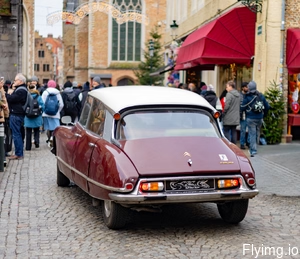
Demo
Check out our demo page where you can test and review Flying's features:
Documentation
Documentation available here: https://docs.flyimg.io
Requirements
You will need to have Docker on your machine. Optionally you can use Docker machine to create a virtual environment. We have tested on Mac, Windows and Ubuntu.
Usage
Pull the docker image
docker pull flyimg/flyimg
Start the container
docker run -itd -p 8080:80 flyimg/flyimg
To use custom parameters, make a copy of parameters.yml to your current directory. Update to suit your needs and run the command with volume parameter to replace the original parameters file.
docker run -itd -p 8080:80 -v $(pwd)/parameters.yml:/var/www/html/config/parameters.yml flyimg/flyimg
Build locally [Development Mode]
git clone https://github.com/flyimg/flyimg.git
CD into the folder and to build the docker image by running:
docker build -t flyimg .
This will download and build the main image, It will take a few minutes. If you get some sort of error related to files not found by apt-get or similar, try this same command again.
IMPORTANT! If you cloned the project, only for the first time, you need to run composer install inside the container:
docker exec -it flyimg composer install
Again, it will take a few minutes to download the dependencies. Same as before, if you get some errors you should try running composer install again.
Then run the container:
docker run -itd -p 8080:80 -v $(pwd):/var/www/html --name flyimg flyimg
For Fish shell users:
docker run -itd -p 8080:80 -v $PWD:/var/www/html --name flyimg flyimg
The above command will make the Dockerfile run s6-overlay command which launches 2 services: nginx and php-fpm and starts listening on port 80 on the container and port 8080 on the host.
Testing Flyimg service
You can navigate to your machine's IP in port 8080 (ex: http://127.0.0.1:8080/ ) ; you should get a message saying: Hello from Flyimg! and a small homepage of Flyimg already working. If you get any errors at this stage it's most likely that composer has not finished installing or skipped something.
You can test your image resizing service by navigating to: http://127.0.0.1:8080/upload/w_130,h_113,q_90/https://flyimg.io/demo-images/Citroen-DS.jpg
It's working!
This is fetching an image from Mozilla, resizing it, saving it and serving it.
How to transform images
You go to your server URLhttp://imgs.kitty.com and append /upload/; after that you can pass these options below, followed by an underscore and a value w_250,q_50 Options are separated by coma (configurable to other separator).
After the options put the source of your image, it can be relative to your server or absolute: /https://my.storage.io/imgs/pretty-kitten.jpg
So to get a pretty kitten at 250 pixels wide, with 50% compression, you would write.
<img src="http://imgs.kitty.com/upload/w_250,q_50/https://my.storage.io/imgs/pretty-kitten.jpg">
Demo Application running
https://demo.flyimg.io/upload/w_300,h_250,c_1,o_jpg/https://flyimg.io/demo-images/Citroen-DS.jpg

Community
Adopters
See the ADOPTERS.md file for a list of companies / organisations that are using Flyimg.
Contributors
This project exists thanks to all the people who contributed to it.

Supporters
A special thanks to JetBrains for supporting our project with their open source license program.

Backers
Become a backer and show your support to our open source project on our site.

Sponsors
Does your company use Flyimg? If not, consider asking your manager or marketing team if they would be interested in supporting our project. Their support will help the maintainers dedicate more time to maintenance and develop new features for the community.



Star History
License
The AGPL-3.0 License. Please see License File for more information.
Enjoy your Flyimaging!