开源替代 Excalidraw、Miro、OpenBoard Whiteboard
Online collaborative Whiteboard that is simple, free, easy to use and to deploy
WBO
WBO is an online collaborative whiteboard that allows many users to draw simultaneously on a large virtual board. Connected users see edits in real time; the server saves boards as SVG files. Use it for drawing, design, teaching, or collaborative diagrams.
Try wbo.ophir.dev. For contributors, see the short architecture guide and engineering policies.
Screenshots
| The anonymous board | 
| collaborative diagram editing |  |
| teaching math on WBO | 
| drawing art | 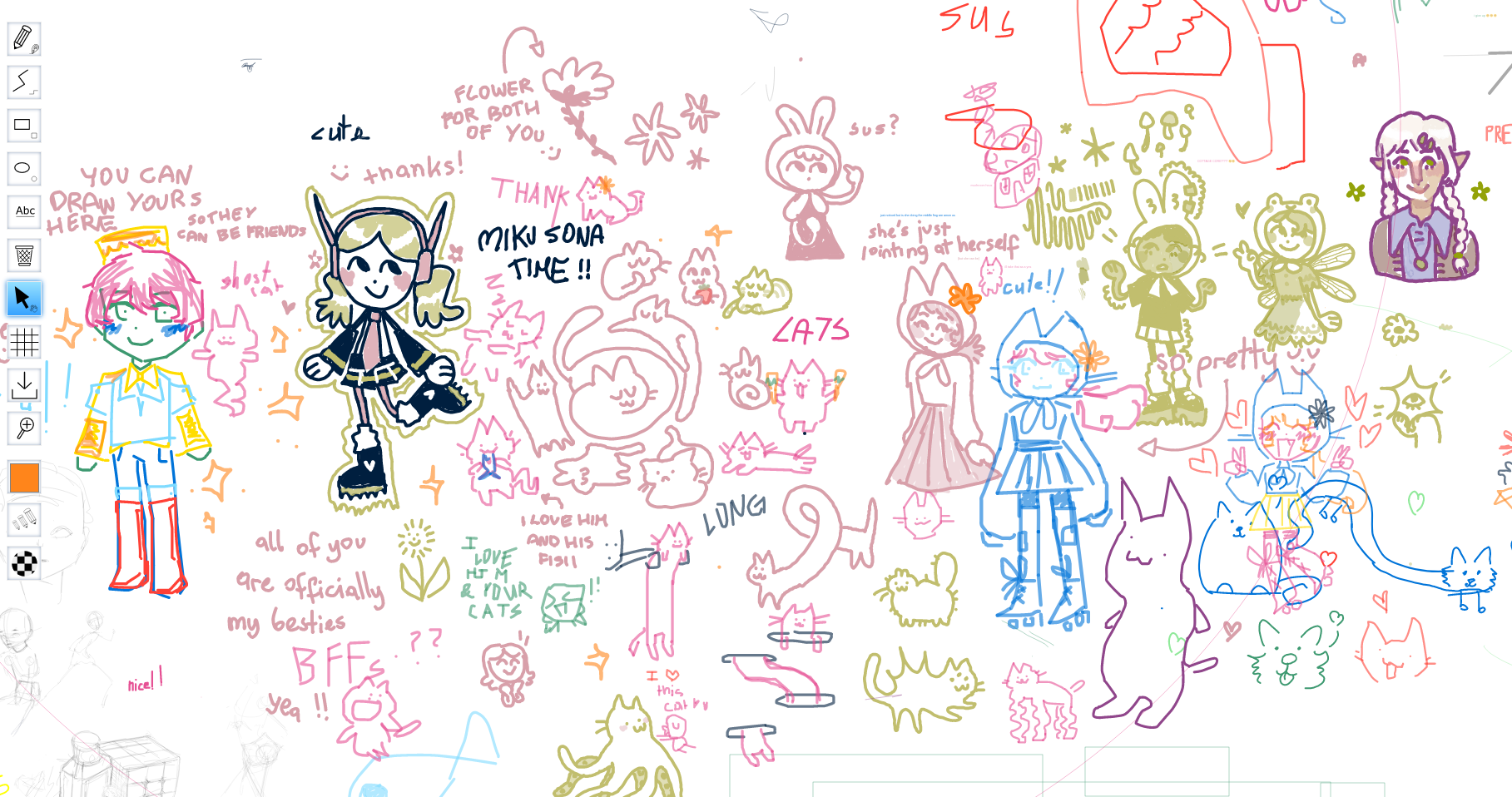
|
Running your own instance of WBO
Docker
The Docker image is available as lovasoa/wbo.
You can run the following bash command to launch WBO on port 5001, while persisting the boards outside of docker:
mkdir wbo-boards # Create a directory that will contain your whiteboards
chown -R 1000:1000 wbo-boards # Make this directory accessible to WBO
docker run -it --publish 5001:80 --volume "$(pwd)/wbo-boards:/opt/app/server-data" lovasoa/wbo:latest # run wbo
You can then access WBO at http://localhost:5001.
The official Docker image does not force an IP source. By default the application uses WBO_IP_SOURCE=remoteAddress. If you run the container behind a trusted proxy or CDN, set -e WBO_IP_SOURCE=... explicitly, for example X-Forwarded-For, Forwarded, or CF-Connecting-IP.
Node.js
Install Node.js 22 or later, then:
git clone https://github.com/lovasoa/whitebophir.git
cd whitebophir
npm ci --omit=dev
PORT=5001 npm start
Set HOST=127.0.0.1 to listen only on loopback when using a reverse proxy.
For development, use npm ci to include test and lint dependencies.
Running WBO on a subfolder
By default, WBO launches its own web server and serves all of its content at the root of the server (on /).
If you want to make the server accessible with a different path like https://your.domain.com/wbo/ you have to setup a reverse proxy.
Set WBO_BASE_PATH=/wbo so generated links, redirects, and canonical URLs point at the external subfolder.
See instructions on our Wiki about how to setup a reverse proxy for WBO.
Translations
WBO is available in multiple languages. The translations are stored in server/http/translations.json.
If you feel like contributing to this collaborative project, you can translate WBO into your own language.
Authentication
Set AUTH_SECRET_KEY to require a signed JSON Web Token. Pass it in the
token query parameter, such as /boards/team?token=.... With JWT authentication
disabled, anyone with a valid board URL can open it and edit writable boards.
Tokens may contain global roles or board-scoped roles:
{
  "roles": ["editor:team", "moderator:planning", "reader:archive"]
}
When any role names a board, the token can open only the named boards. Use standard JWT expiry claims to limit token lifetime.
| Access | Writable board | Read-only board | Clear and moderation |
|---|---|---|---|
| Public visitor, JWT disabled | Edit | View | No |
| Board-scoped reader | Edit | View | No |
| Editor | Edit | Edit | No |
| Moderator | Edit | Edit | Yes |
A reader role only enforces viewing on a board that is itself read-only. Permission resolution is defined in board_capabilities.mjs.
Moderators
WBO_BOARD_MODERATORS grants moderator access through the user's
wbo-user-secret-v1 cookie, including on instances without JWT authentication.
Configure space-separated groups in the form team:<secret1>,<secret2> using
the actual cookie values. Treat these values as credentials.
Permanent moderators can grant temporary moderator access from the users menu. Temporary grants and bans are local to the board and process and disappear on restart. Temporary moderators cannot delegate their role. Ordinary user reports disconnect the reporter and target without creating a ban; moderator actions can warn, ban, and revoke bans.
Read-only boards
Stop the server before editing stored board files so an in-memory save cannot
overwrite the change. Back up board-<boardName>.svg in WBO_HISTORY_DIR, set
data-wbo-readonly="true" on its root <svg>, then restart the server. Set it to
false to make the board writable again. Editors and moderators can still edit
read-only boards. Legacy JSON boards are migrated to SVG when loaded.
Configuration
When you start a WBO server, it loads its configuration from several environment variables.
You can see a list of these variables in configuration.mjs.
Common settings:
WBO_HISTORY_DIR: configures the directory where the boards are saved. Defaults to./server-data/.WBO_BASE_PATH: optional external URL path prefix, such as/wbo, for deployments mounted under a reverse-proxy subfolder.WBO_HTML_HEAD_SNIPPET_PATH: trusted HTML inserted before</head>, read once at startup. Scripts can read the package version fromdocument.documentElement.dataset.wboVersion.WBO_MAX_EMIT_COUNT: the general per-IP socket write limit profile. Use compact entries such as*:250/5s anonymous:125/5s. Increase this if you want smoother drawings, at the expense of making denial-of-service bursts cheaper for clients. The default is*:250/5s.WBO_MAX_CONSTRUCTIVE_ACTIONS_PER_IP: the constructive per-IP write limit profile. Use compact entries such as*:40/10s anonymous:20/10s.WBO_MAX_DESTRUCTIVE_ACTIONS_PER_IP: the destructive per-IP write limit profile. Use compact entries such as*:190/60s anonymous:95/60s.WBO_IP_SOURCE:remoteAddress(default) ignores forwarded headers. Behind a trusted proxy, setX-Forwarded-For,Forwarded, or a custom header such asCF-Connecting-IPto trust forwarded client IP, host, and protocol.AUTH_SECRET_KEY: If you would like to authenticate your boards using jwt, this declares the secret key.
Monitoring
Server logs use stdout/stderr and LOG_LEVEL. Set
OTEL_EXPORTER_OTLP_ENDPOINT for OTLP export; OTEL_* settings control
resources and sampling.
Opt in to User Timing before boot:
document.documentElement.dataset.wboPerformance = "true";
const observer = new PerformanceObserver(list => {
  for (const entry of list.getEntries())
    if (entry.name.startsWith("wbo.")) exportMetric(entry);
});
for (const type of ["mark", "measure"]) observer.observe({type, buffered: true});
wbo.* marks cover boot; measures carry detail diagnostics. Active observers
receive all samples; buffered observers recover the latest per name.
Storage and recovery
Back up WBO_HISTORY_DIR. Accepted edits are saved asynchronously, so a crash
can lose changes since the last completed save. Run one server process per
history directory; independent writers are not supported.
Failed loads leave unreadable SVGs in place; a validated .svg.bak replaces
them after quarantine. This staging file is not a durable backup. See the
architecture guide for persistence and replay boundaries.
SVG preview
Open /preview/<boardName> to download a standalone SVG preview, for example
the anonymous board preview.